


Community Manager
May 15, 2024
Question

Now in Beta: New Premiere Pro Spectrum UI

  • May 15, 2024
  • 32 replies
  • 26819 views

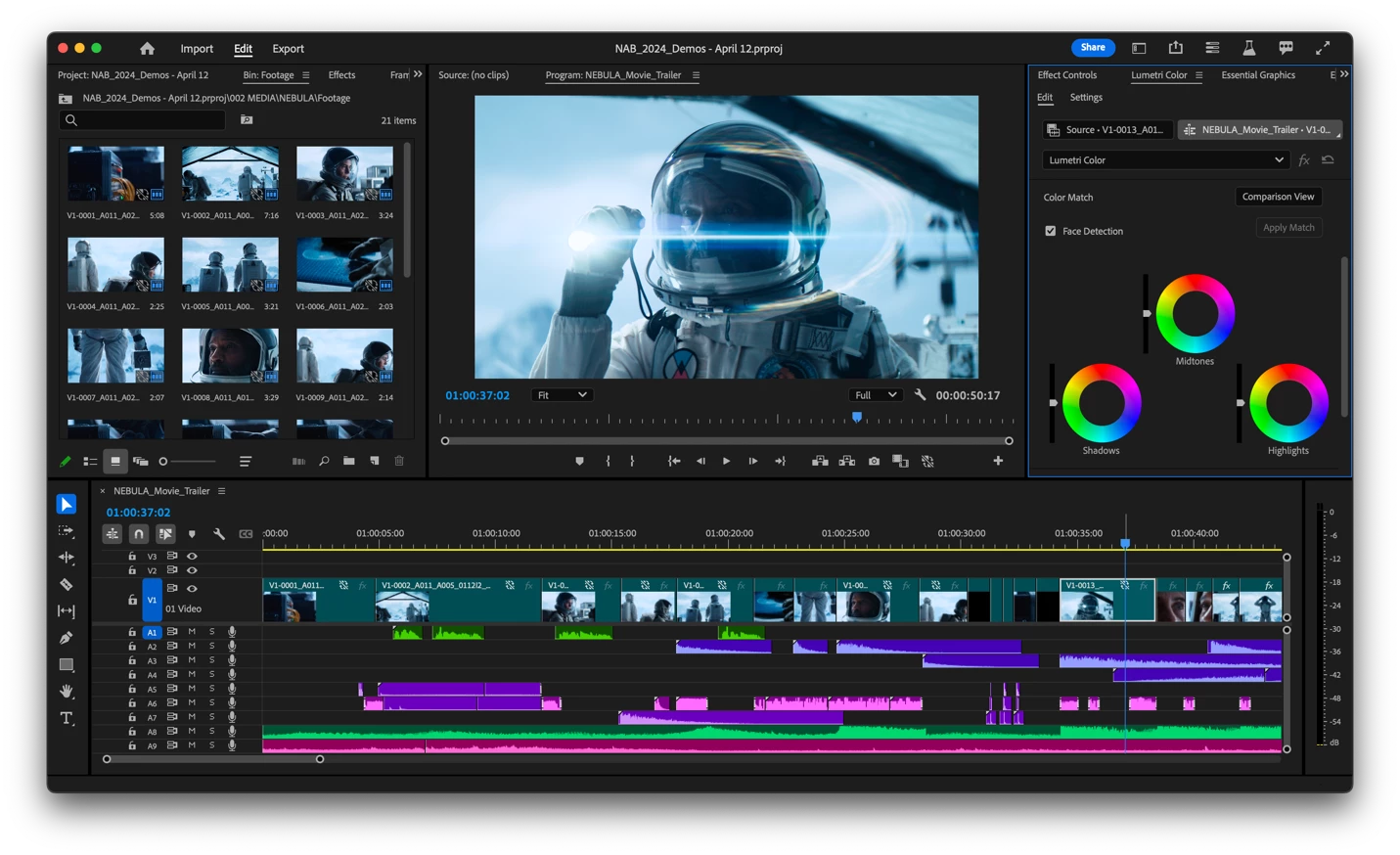
We’re proud to announce a new look for Premiere Pro!  In Beta — available today — Premiere Pro is themed and styled using Adobe’s Spectrum design with a new modern look across the entire app. 
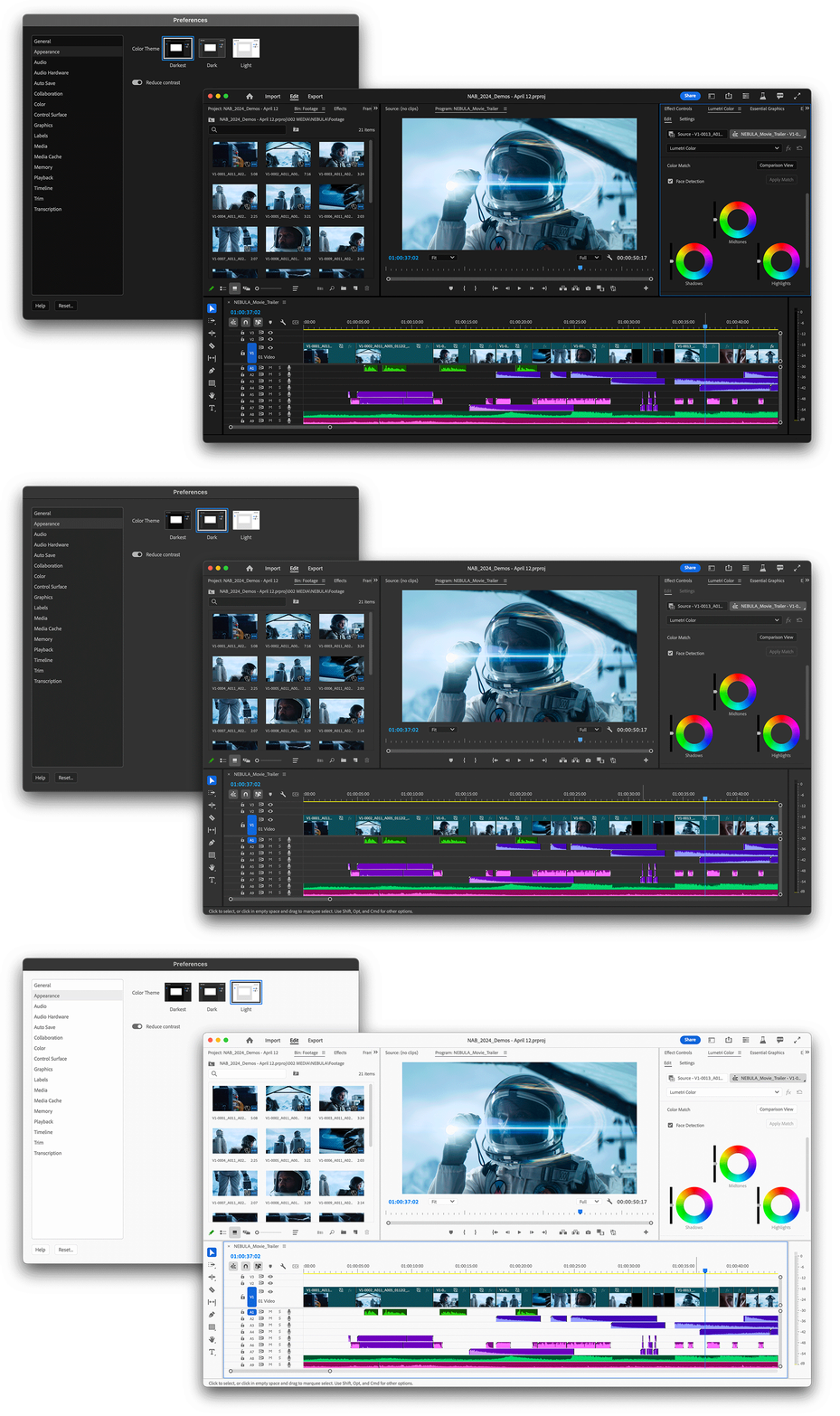
Premiere Pro now includes three different themes: Darkest, Dark and Light. 
 

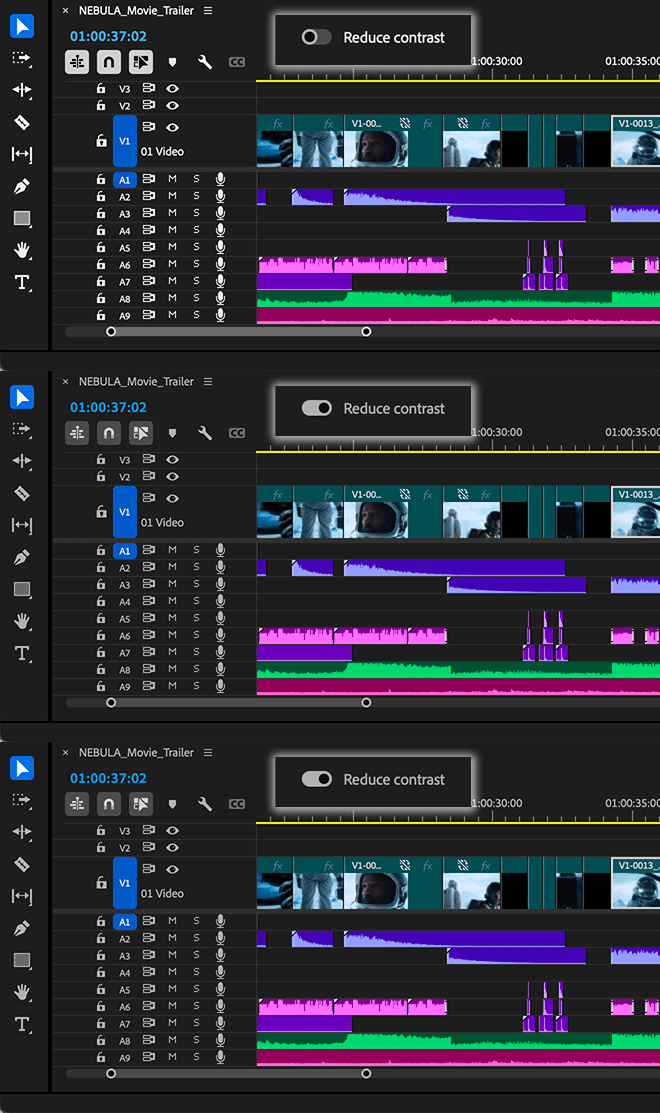
There’s also a new toggle for switching between a high-contrast mode for easier visibility and accessibility or a low-contrast mode for focusing on your content. 


With this design system in place, you’ll see more visual continuity across Adobe applications, better legibility, and easier UI interactions. The Spectrum design system unifies Adobe’s app design behind principles that make it inclusive, scalable, and focused. 


Questions to our beta community: 

  • Is there one theme you prefer over the others? 
  • Do you switch between themes? 
  • Is there anything you miss from the previous interface design? 
  • Is the new design confusing or distracting? If so, in what way? 


We want to know what you think.  Please join the conversation below.  

32 replies

Inspiring
May 16, 2024

Really nice update, very much snappier timeline, all round from what I can see. GUI movement and resizing seems much improved too.


Wondering if it is possible to have a GUI text font size slider somewhere in the prefs - for clip and sequence names etc, The only other way to change font size seems via display prefs and this changes everything, so for larger text you lose GUI real estate. 

Known Participant
May 15, 2024

Love, thank you !


The darkest if my fave, easier on the eyes, standing by for the spectrum update on AFX as well


the UI is snappier than before, there are still some areas that are laggy, for instance accessing the "quick" export lags when selecting the presets from the drop down, as if it takes time to redraw, same when clicking the Export button, there are a few of these laggy instances that make the program feel not as "solid" as say (DaVinci Resolve).


BUT, this is a big improvement, the dragging of items on the timeline is snappier, as well as drawing a selection box on the timeline, way snappier than before, these little things speed up the workflow and make the program more enyoable to use (at times I had to wait 5 seconds to open the quick export and another 5 seconds to actually be able to click EXPORT) 


Thank you for improving the UI speed !! I hope the rest of the issues can be solved at some point