



Question
Now in Beta: Ripple Trim Adds Edits to Keep Both Sides of Trim in Sync
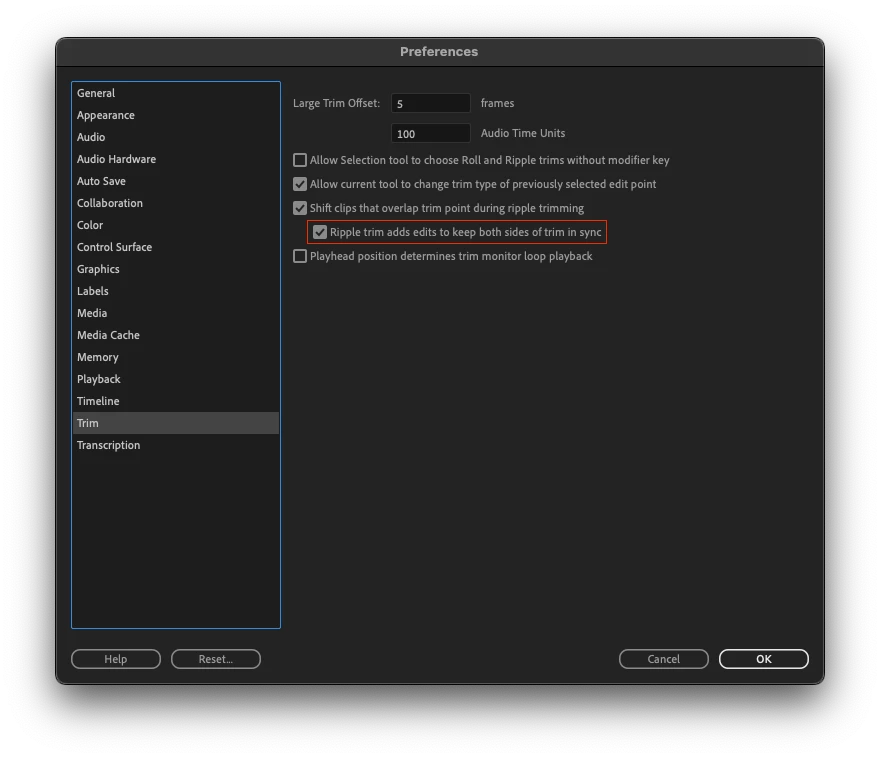
The trim preferences in Premiere Pro Beta now offer a new option called "Ripple trim adds edits to keep both sides of trim in sync". With this option enabled, Premiere Pro will now add edits on tracks as necessary when ripple trimming, regardless of the direction of the trim operation, and will automatically ripple trim these added edits as part of the user's trim operation to keep both sides of the trim edit in complete sync.
During a ripple trim, Premiere Pro will add edits to any clip that overlaps the trim selection, on any track that does not have an edit selected as part of the trim operation. The edits are added at the position of the first (leftmost) edit in a group of selected edits to trim. These added edits will automatically ripple trim along with any selected edits as the user proceeds with the trim. In places where the edit being trimmed is overlapped by a gap, the size of the gap is adjusted to accommodate the trimmed frames, and clips beyond the gap will stay in sync as expected with other surrounding clips in the sequence. If the size of the gap is reduced to the point where a clip beyond the gap begins to overlap the trim edit selection, this clip will then begin to automatically trim as its overlap is introduced so that it does not create an overlap past the point of the edit being trimmed.
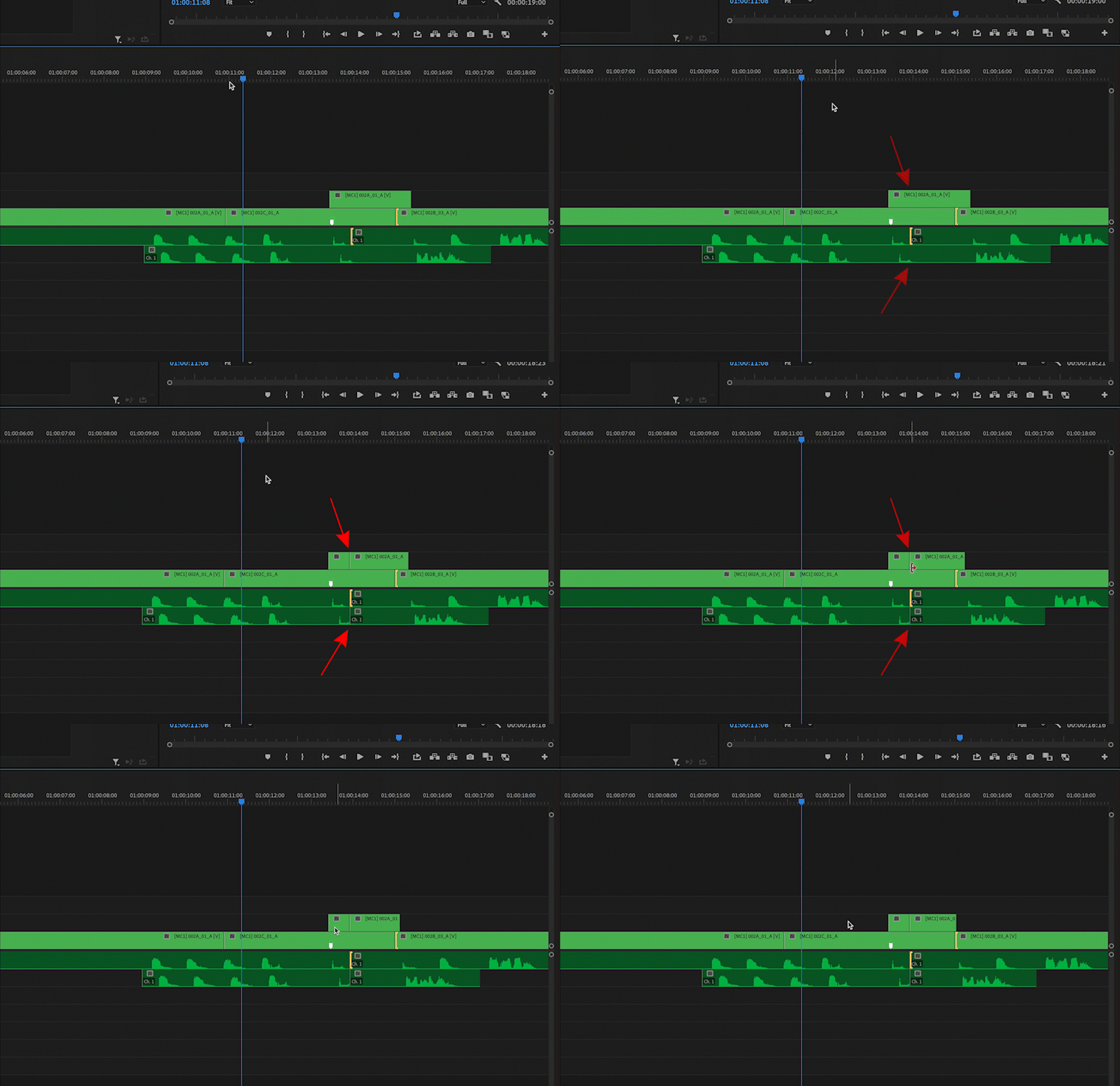
Prior to this new preference, Premiere Pro would add edits to overlapping clips during a trim operation only if the trim operation was expanding clips within the sequence, and thus create a gap. If the trim operation was contracting clips within the sequence, overlapping clips would either remain stationary or shift position in order to keep one side of the trim edit in sync, but the other side of the edit was always at risk of falling out of sync with its surrounding clips. This behavior is still achievable if preferred by disabling "Ripple trim adds edits to keep both sides of trim in sync."
 AdChoices