



Now in Beta: Select Local Auto Save Location for Team Projects
You can now select any location for your local Auto Save files for Team Projects. You are no longer restricted to saving your Auto Save files to the default location where the application is installed which allows you to use any directory or external hard drive to manage your Auto Save files.
You can set the location of your Auto Saves files under Premiere Pro>Preference>Auto Save>Team Projects.
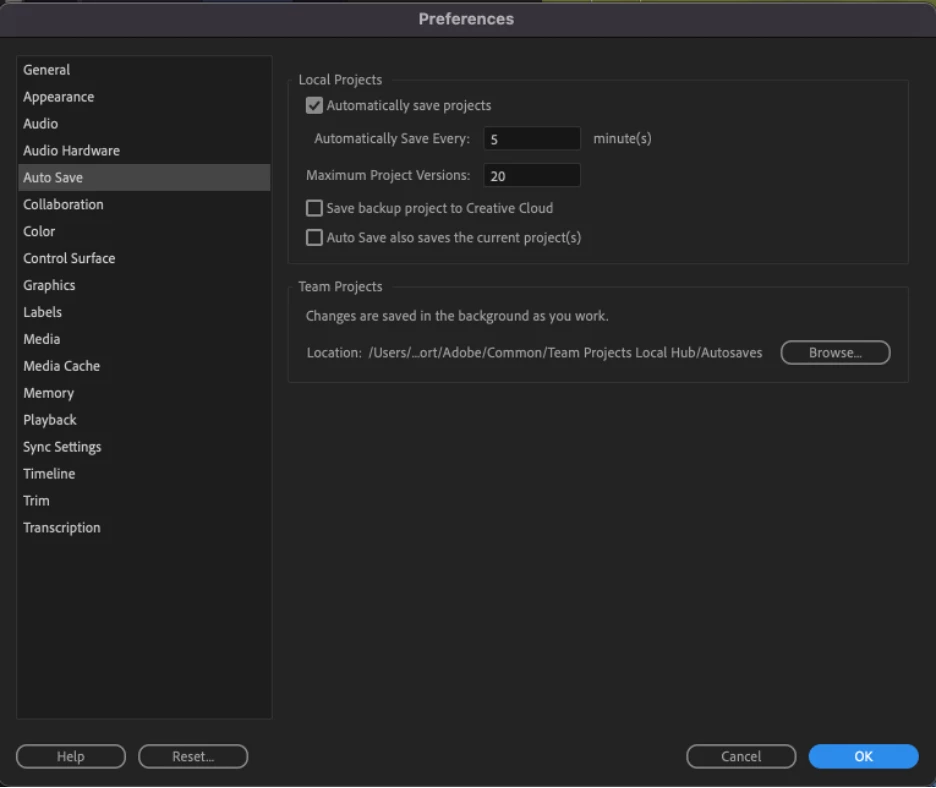
Team Project files are now saved in an append only file (.tpr file) which has the same name as your project. These files are more secure than the previous auto save files for Team Projects and make it easier to locate your auto-save files.
In addition to your Auto Saves, your Team Projects and their Auto-Save History is always available on the Cloud.
 AdChoices