



Now in Beta: Sequence Index for Complex Timelines
We’re excited to introduce a powerful new tool in Premiere Pro Beta: Sequence Index – a smarter, faster way to navigate complex edits.
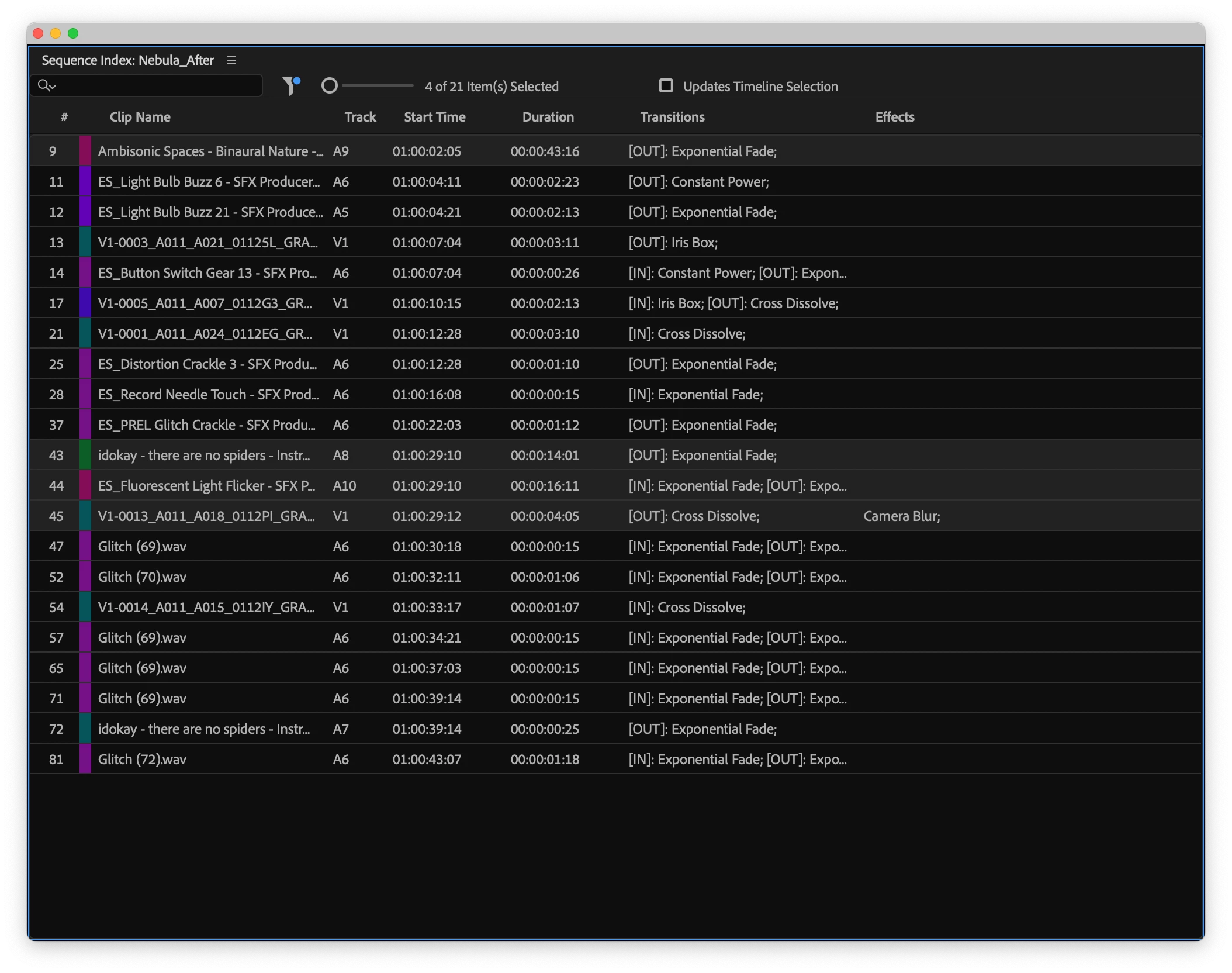
Built for professionals working with dense, multi-track sequences, Sequence Index provides a comprehensive, spreadsheet-style view of all assets and attributes in a sequence. Whether you're trying to locate specific clips, identify flash frames, or filter for clips with effects or speed changes, this new feature makes it dramatically easier to search, sort, and troubleshoot your timeline.
Why this matters
Today, searching for specific clips or effects in long timelines is a manual, time-consuming process. There’s no simple way to surface offline media, spot transitions, identify what effects are used where, or track down issues without scanning every edit. With Sequence Index, we’re removing that friction, giving you an interactive, sortable table of your entire sequence that updates in real time as you edit.
What you can do with it
- View every clip in your sequence as a searchable table row
- Instantly jump the playhead to any item by clicking on it
- Search across all columns (or just one) using familiar “Find in Timeline” tools
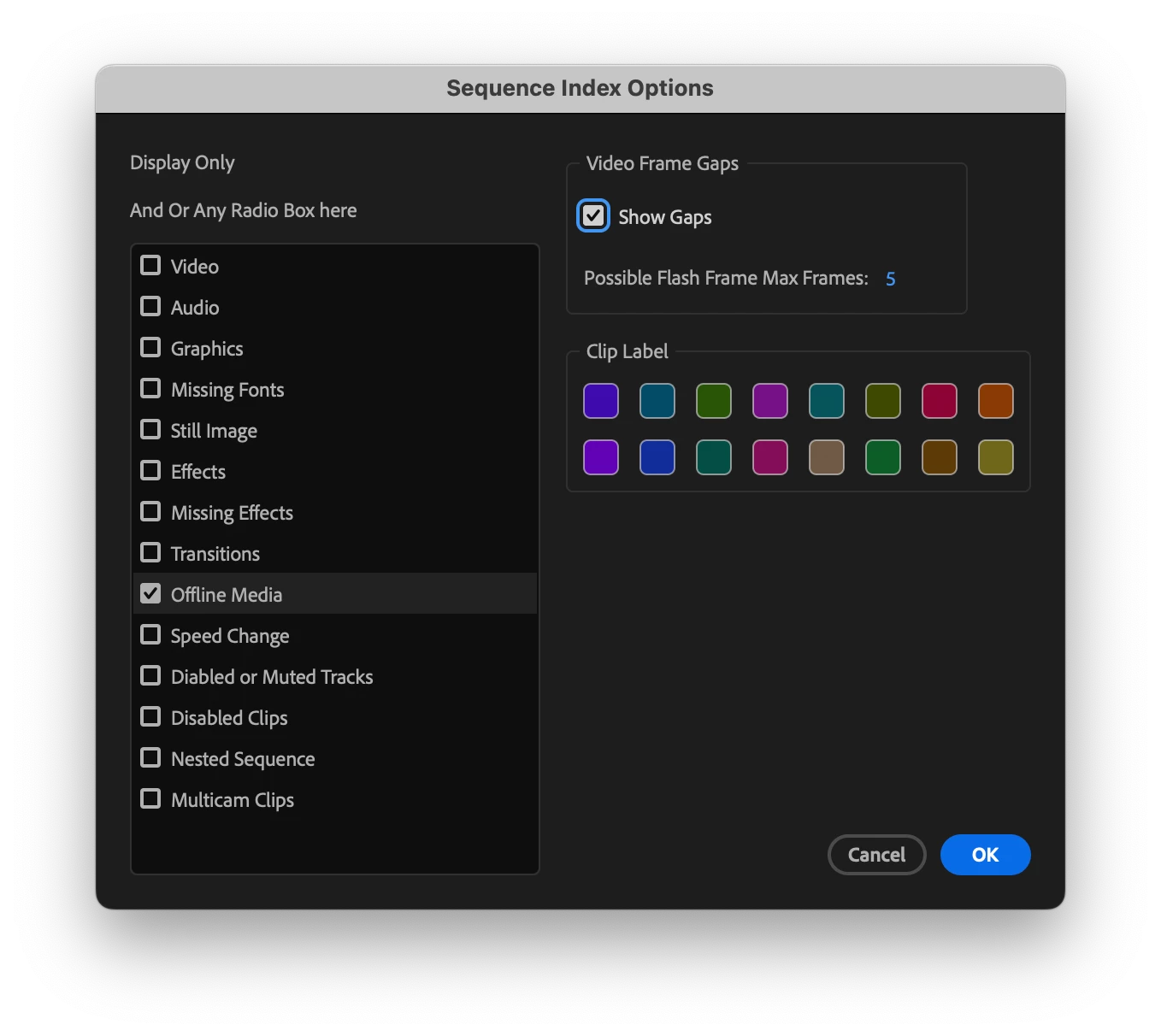
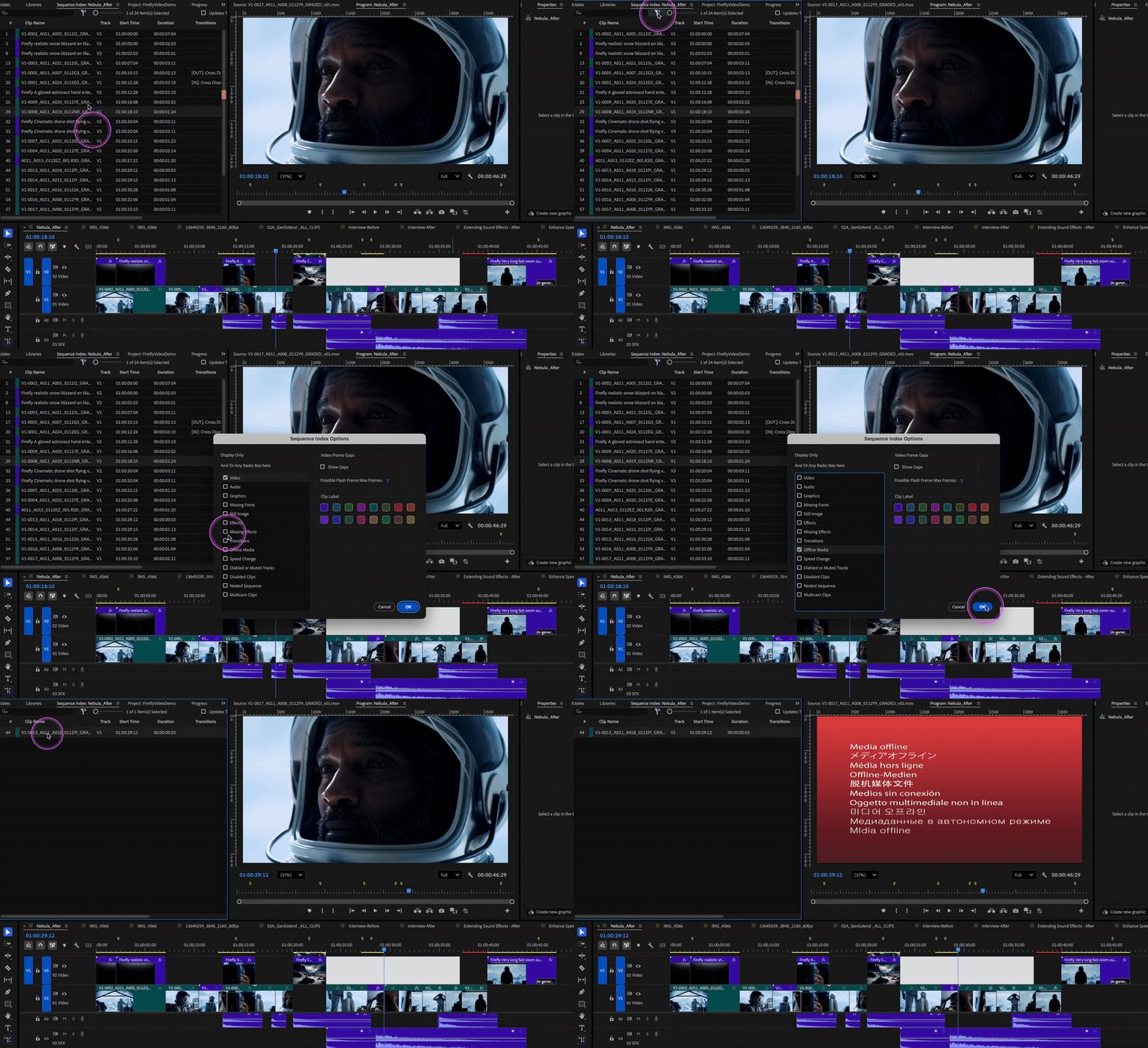
- Filter by criteria like offline media, flash frames, transitions, effects, and more
- Reorder columns and resize the table to your needs
- Export filtered results to CSV for documentation or handoff
And it won’t slow you down – Sequence Index is designed to stay fast and responsive, even with large, complex projects.
Key use cases
- Troubleshooting: Easily find offline clips, missing effects, or incorrectly labeled media
- QC & review: Check for flash frames, verify codec consistency, or audit usage
- Prep for finishing: Export a filtered list of clips for VFX, color, mix, or media usage deliverables.
- Asset management: Track clip usage across longform timelines with ease
How to try it
This feature is available now in Premiere Pro Beta, in v25.6 Build 24 or higher. You’ll find Sequence Index in Window > Sequence Index. Give it a try and let us know how it fits into your workflow – we’re especially interested in feedback from users working on large, complex projects.
 AdChoices