


Now in Beta: Smarter Enhance Audio Stem Controls in Premiere
Hey everyone! We're excited to share an update to Enhance Audio that just landed in Premiere Beta 27.1 Build 60: sound detection that surfaces only the stems your clip actually contains.
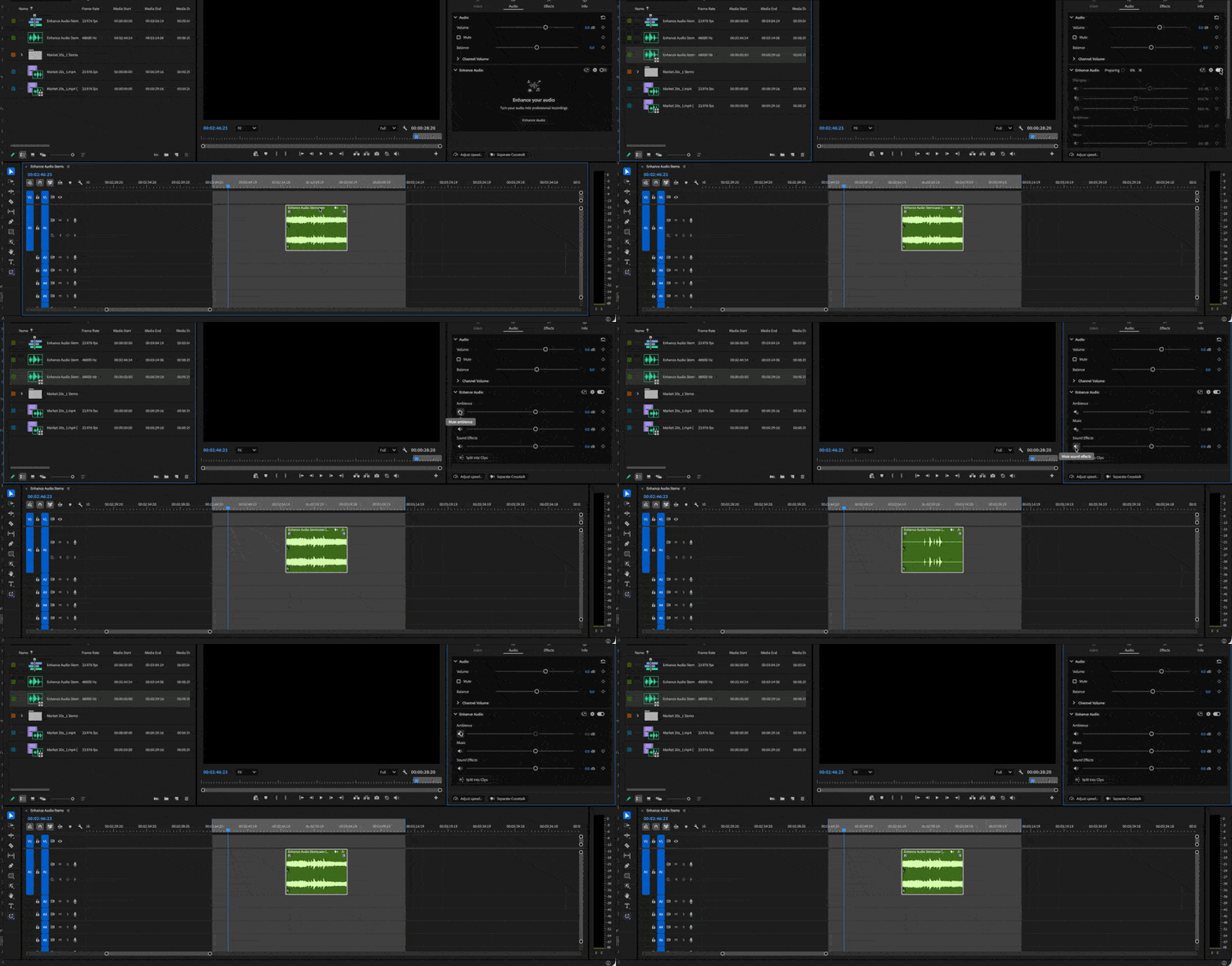
Instead of showing every possible stem every time, Enhance Audio now listens to your clip first and shows only the controls that match what's actually in it. Less clutter, more focus on the sounds you want to shape.
What's New?
As part of Enhance Audio's analysis, we now detect the types of sound your clip contains. If your clip has music and ambience, you'll see stems for music and ambience only. No empty controls for sounds that aren't there.
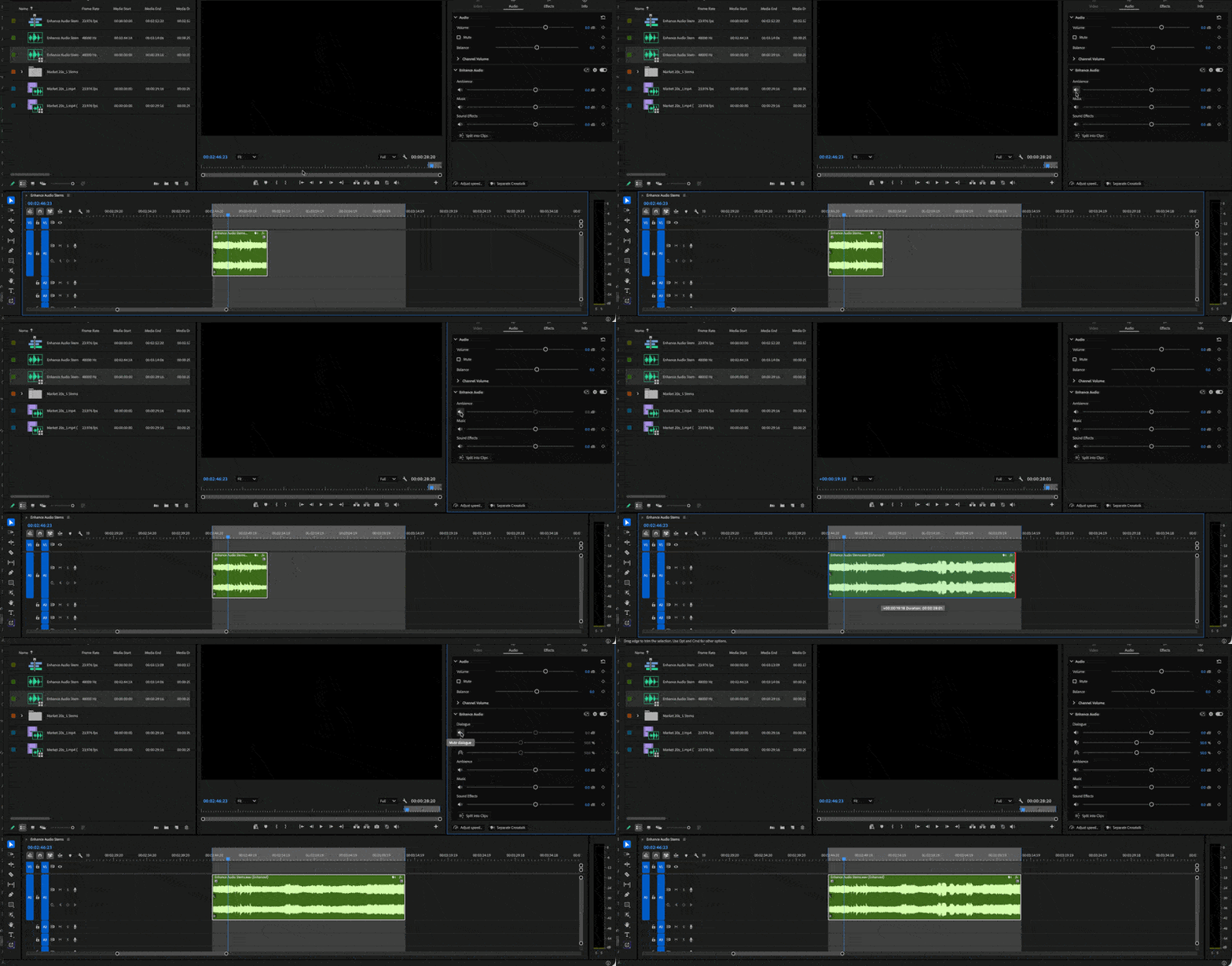
Detection also keeps up with your edits. Say you're working with a clip that only has ambience and music, and you trim it to reveal more of the source, and that new section includes dialogue. The dialogue stem appears automatically. The controls follow the content of your clip, so you always see the stems that are actually there instead of everything all at once.
AI isn't perfect, and detection won't always get it right. Sometimes a stem will show up because the clip has noise or sounds that resemble that type, and in those cases the control will still be there for you to use. We do our best to surface what your audio really contains, and we'll keep improving it over time.
Where to find it
There's nothing to find or turn on. Sound detection runs automatically in the background as part of Enhance Audio's analysis, and the stem controls you see will simply reflect what's in your clip.
Why this matters
Cleaning up audio is about getting to the right control quickly. A long list of stems makes you hunt for what matters, especially when most of them don't apply to your clip. And since editing is iterative, a clip's contents can change every time you trim. By showing only what's in your clip, and updating as you edit, the interface stays tidy as you work.
You can:
- Spot the sounds in your clip at a glance, without scrolling through unused stems
- Adjust music, ambience, or other detected sounds faster
- Trim a clip and see new stems appear when the audio changes, such as dialogue entering the clip
- Work with a cleaner interface that adapts to each clip
- Still reach a stem when detection picks up a sound that resembles it
Try It Out
This feature is available now in the latest Premiere Beta 27.1 Build 60. Try it with your usual clips, whether that's music with ambience, dialogue with background noise, or something in between. Try trimming too, and see how the controls respond. Let us know how it feels. Your feedback helps shape how Enhance Audio keeps evolving.
Happy editing!
Note: We're still polishing some interactions, so expect to see improvements as we iterate.
 AdChoices