Fergus H
Community Manager
Community Manager
June 27, 2025
Question

Now in Beta: Smoother, faster timeline

  • June 27, 2025
  • 6 replies
  • 2392 views

Hi all,


We're excited to get your feedback on a significant improvement to Premiere Pro's timeline.  We've made changes to how thumbnails display, making the timeline smoother and snappier. 


What’s New?

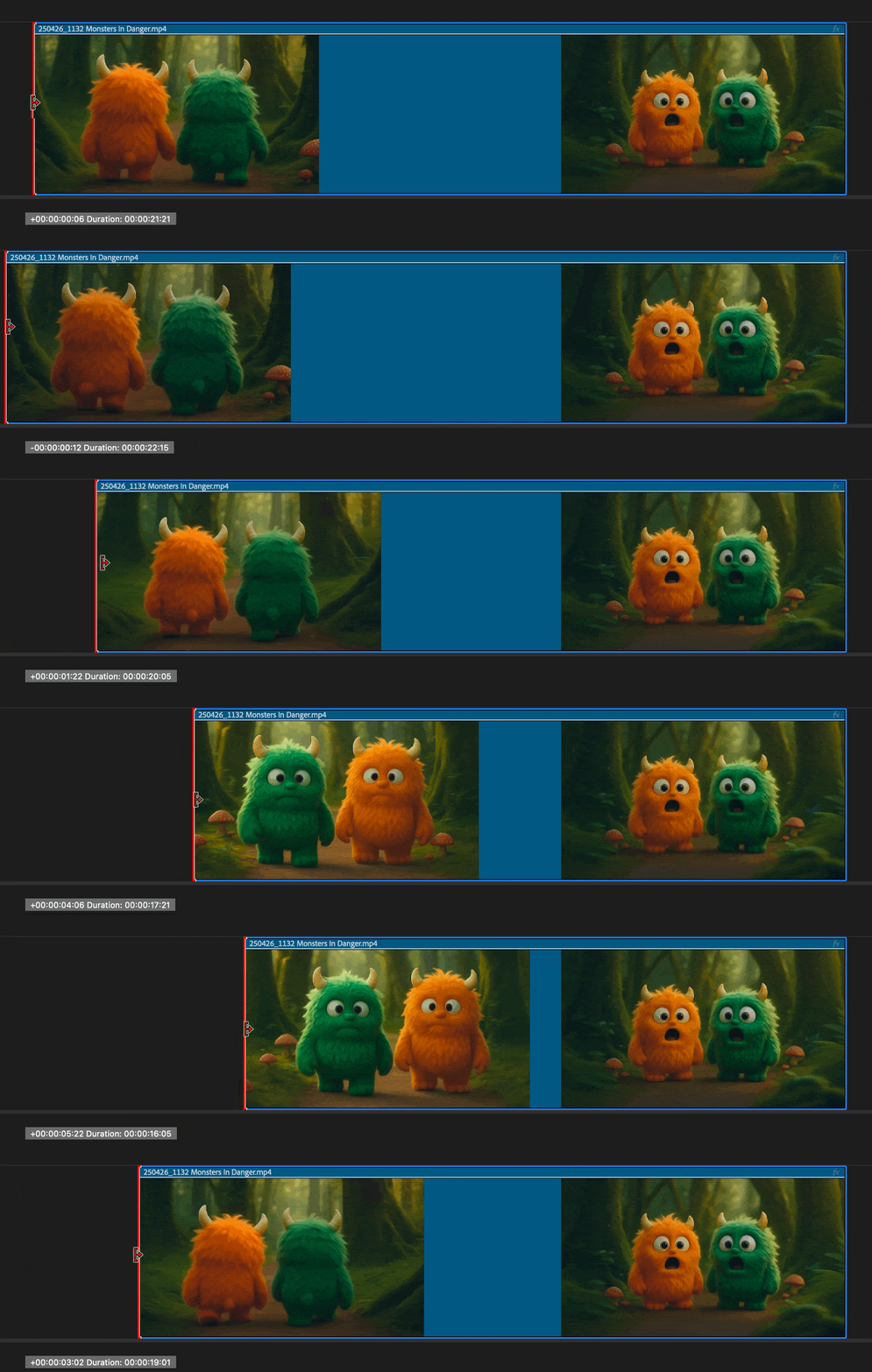
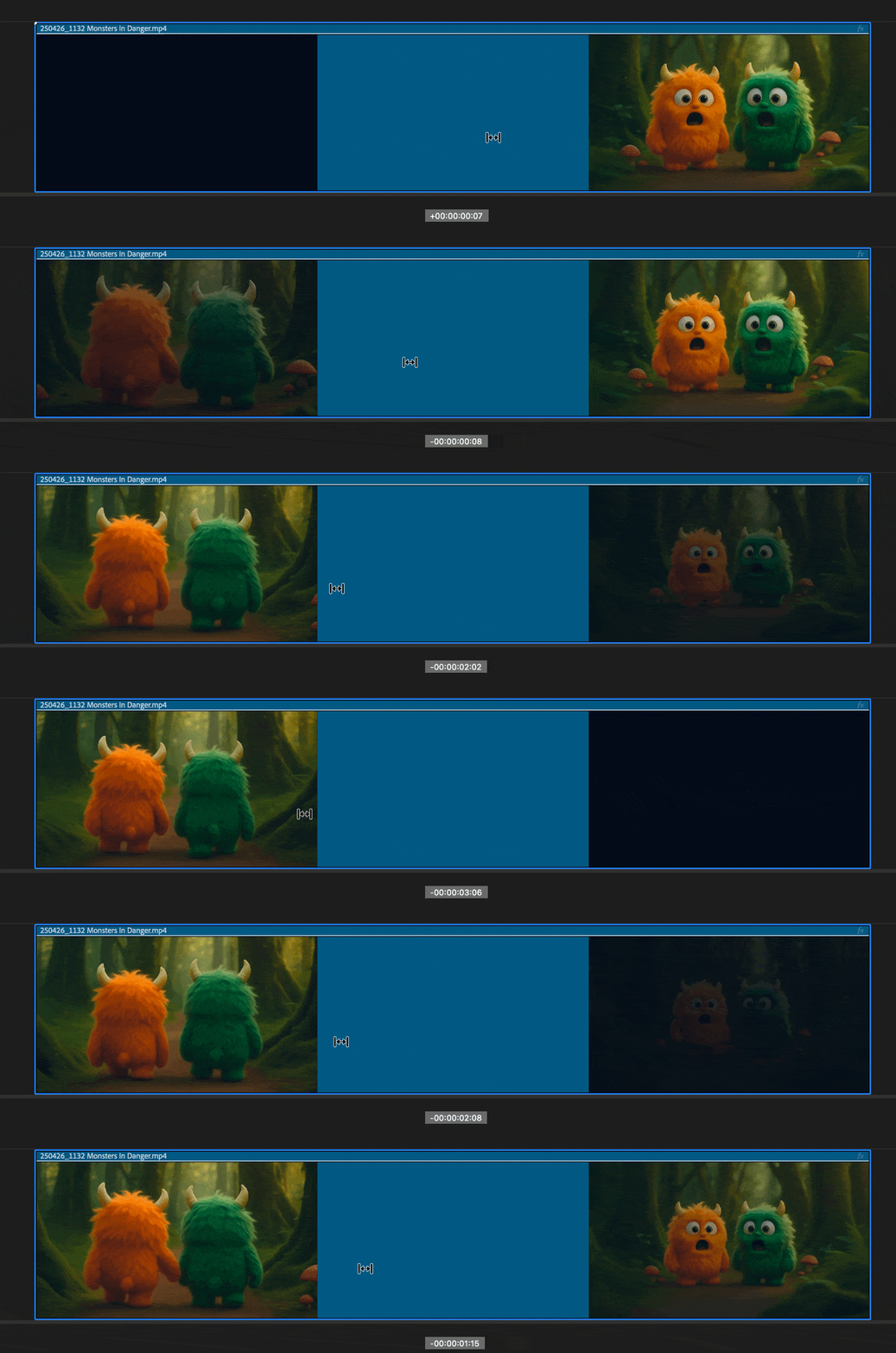
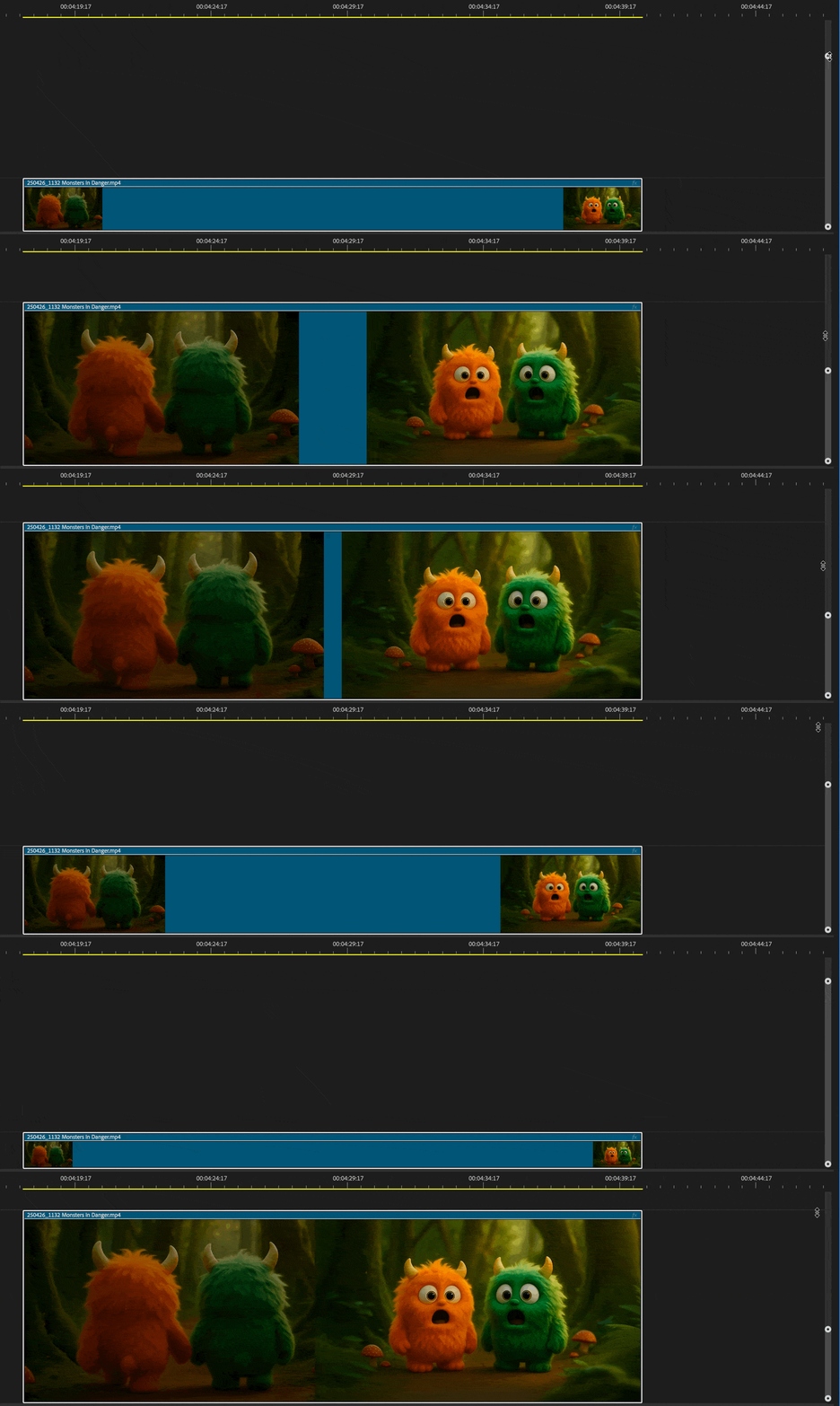
This release changes how thumbnails are displayed, reducing flicker. Because of this, multiple ways in which you interact with the timeline are faster and more stable.  


Zooming in and out of the timeline (especially using the zoom scroll bars)


Performing trim, slip, slide, ripple, and other edit operations
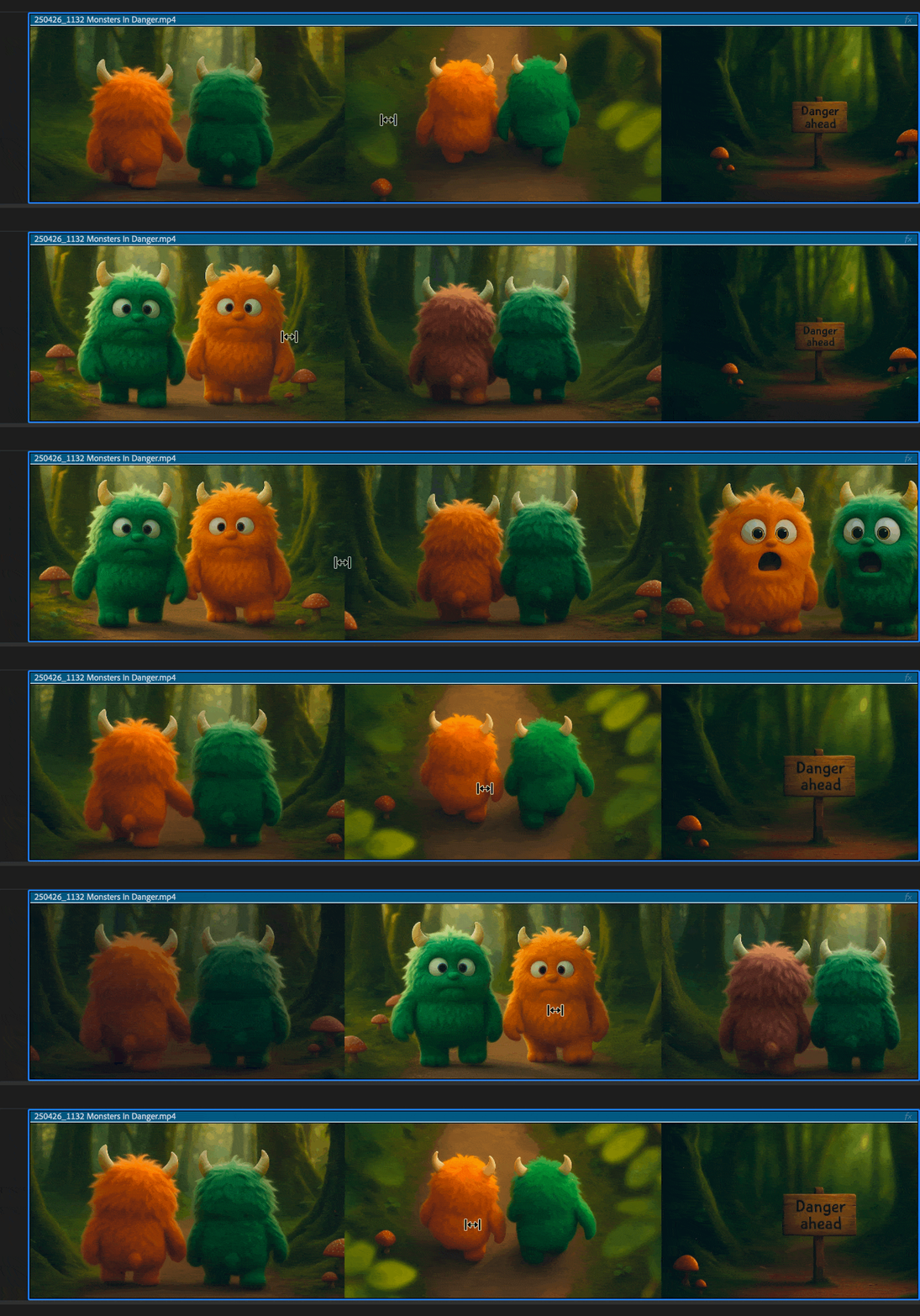
 

Remember that you can also toggle between different thumbnail display modes: head only, head + tail, or continuous, using the timeline display settings menu (the hamburger icon just to the right of the sequence name in the timeline panel). This gives you more control over how thumbnails appear based on your editing needs.
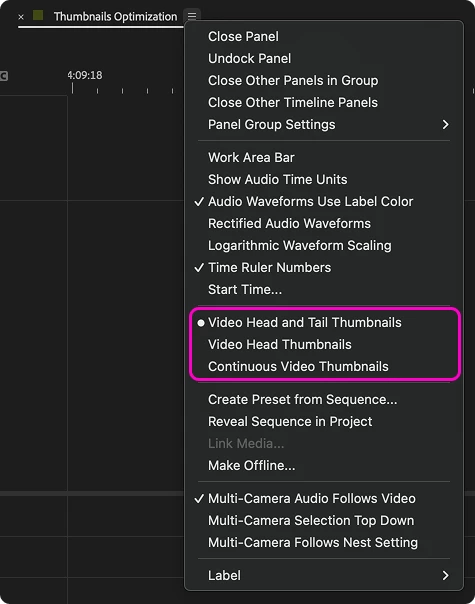


These improvements are designed to reduce visual noise and help you stay focused on your edit, especially in complex sequences with lots of cuts.


Why It Matters

Thumbnail flickering has been a long-standing frustration for many editors. Whether you're fine-tuning a cut or navigating a dense timeline, stable thumbnails make it easier to stay oriented and confident in your edits. This update is part of our ongoing effort to improve the editing experience by making improvements that improve how Premiere Pro feels.


Try It Out!

The improved thumbnail behavior is available now in the latest Beta build of Premiere Pro. Try zooming with the scroll bars, toggling thumbnail modes, and performing your usual edits. You should notice a smoother, snappier, and more stable experience. We’d love to hear how it feels in your workflow.

6 replies

Haidar Karim
Inspiring
August 1, 2025

Can we have this cached on the disk please? so it will not generate the thumbnail everytime you open the project along with the bin thumbnails please just like the audio pek files and the ablilty to chose where to save the thumbnails along with the video files or in spacific folder/drive. Thank you.

Participant
July 25, 2025

It feels so much better in the timeline. Big update!!

FlyingFourFun
Inspiring
July 13, 2025

Are you going to add color managment to these timeline thumbnails also?  I am not in a position to try the beta, but I know in the production version they are not color managed, and they really should be.  Since Adobe is focused in the timeline with thsi feature, I hope you add the color management to it also.

Fergus H
Community Manager
Fergus HCommunity ManagerAuthor
Community Manager
July 14, 2025

@FlyingFourFun the short answer is yes! In fact, the smoother timeline performance discussed in this thread actually came about because of work we are doing to GPU accelerate thumbnail display, which is a prerequisite for making them color managed. I don't have a date to share with you on when that change is coming but it's part of some bigger things we are doing in the area of color. Stay tuned! 


Regards,

Fergus

FlyingFourFun
Inspiring
July 14, 2025

I am glad to here that color managemnt is comming to the timeline thumbs - really didnt enjoy the blown out images while working - hopefuly they are in prod soon....  I may break down and run the beta in the mean time....  Just trying to get my hands on a 5090 still, and didnt want to introduce any new things while testing the 5090....


Thanks


Inspiring
July 1, 2025

I'd love to see a smoothness update for large timelines...

DJP2014
Inspiring
June 28, 2025

Nice. Appreciate all efforts to imporve the core editing experience.


In a similar vein would like to see Adobe stop waveforms from flickering in the source window when the in or out point command is held down during playback.

Known Participant
June 28, 2025

Is this smoothness due to the GPU?

Community Manager
June 28, 2025

Hi @Alex367466572b5i , this is not GPU dependant.