



Francis-Crossman17221443
Community Manager
Principal Product Manager
October 3, 2023
Question

Now in Beta: Streamlined sequence presets

  • October 3, 2023
  • 3 replies
  • 931 views

We have streamlined the sequence presets by creating some new ones with the most common specs and moving all the old ones down to a “legacy” folder. 
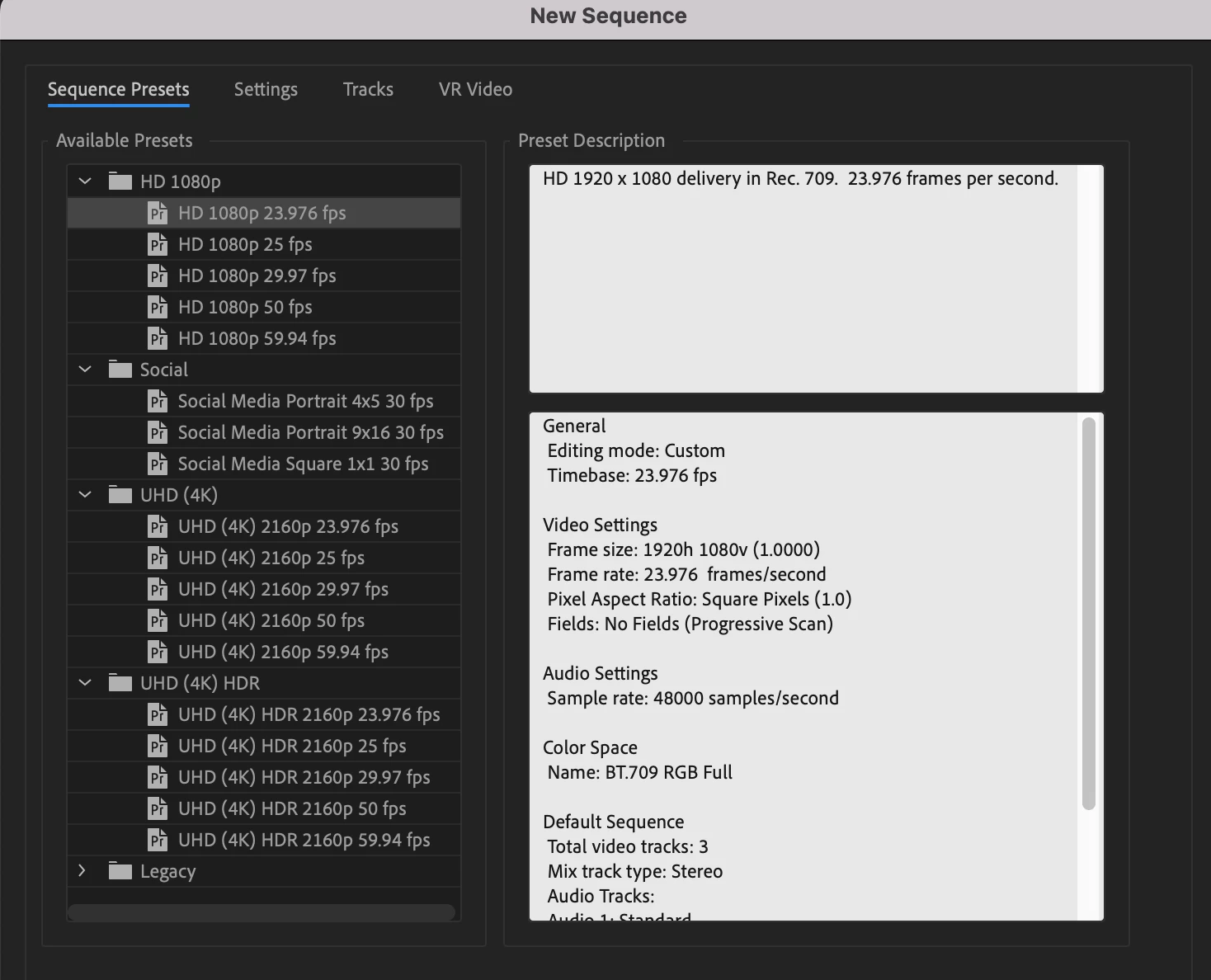


Access these presets whenever you create a new sequence from any of the following places:

  1. File menu > New > Sequence
  2. Project panel > New Item > Sequence (this is the little icon in the bottom right of the project panel)


We want to know what you think.  Please join the conversation below.

This topic has been closed for replies.

3 replies

Inspiring
October 10, 2023

I always use 1080x1350px for 4x5 video. I would prefer this as the standard over 864 x 1080. I think its far more common than 864 x 1080.


Thanks. 

Inspiring
October 10, 2023

This is good. Now let us change audio channel settings after the fact! 

Ann Bens
Community Expert
Community Expert
October 4, 2023

Should have done that many moons ago.

Don't use this anymore: just drag a clip into an empty timeline or new item icon.

Francis-Crossman17221443
Community Manager
Principal Product Manager
October 6, 2023

100% agree @Ann Bens.  Better late than never.  And you'd be surprised how often I see "DSLR" presets being used because they are the closest thing to 1080p24 that people can find.  This just seems . . . logical.

Known Participant
October 17, 2023

Can the Start Time option be added to sequence settings? It's only accessible via the drop-down list on the timeline and it doesn't make sense to have that option so hidden.

Also, on the import page. When Create new sequence is selected, there should be an option to choose which preset to create the sequence from.