



Now in Beta: Timeline Track Header Labels
Hey everyone! A new quality of life feature just landed in Premiere Beta 27.0 Build 39: color labels for timeline track headers. If you've ever wanted an at-a-glance way to tell your tracks apart on a busy timeline, this is for you.
What's New?
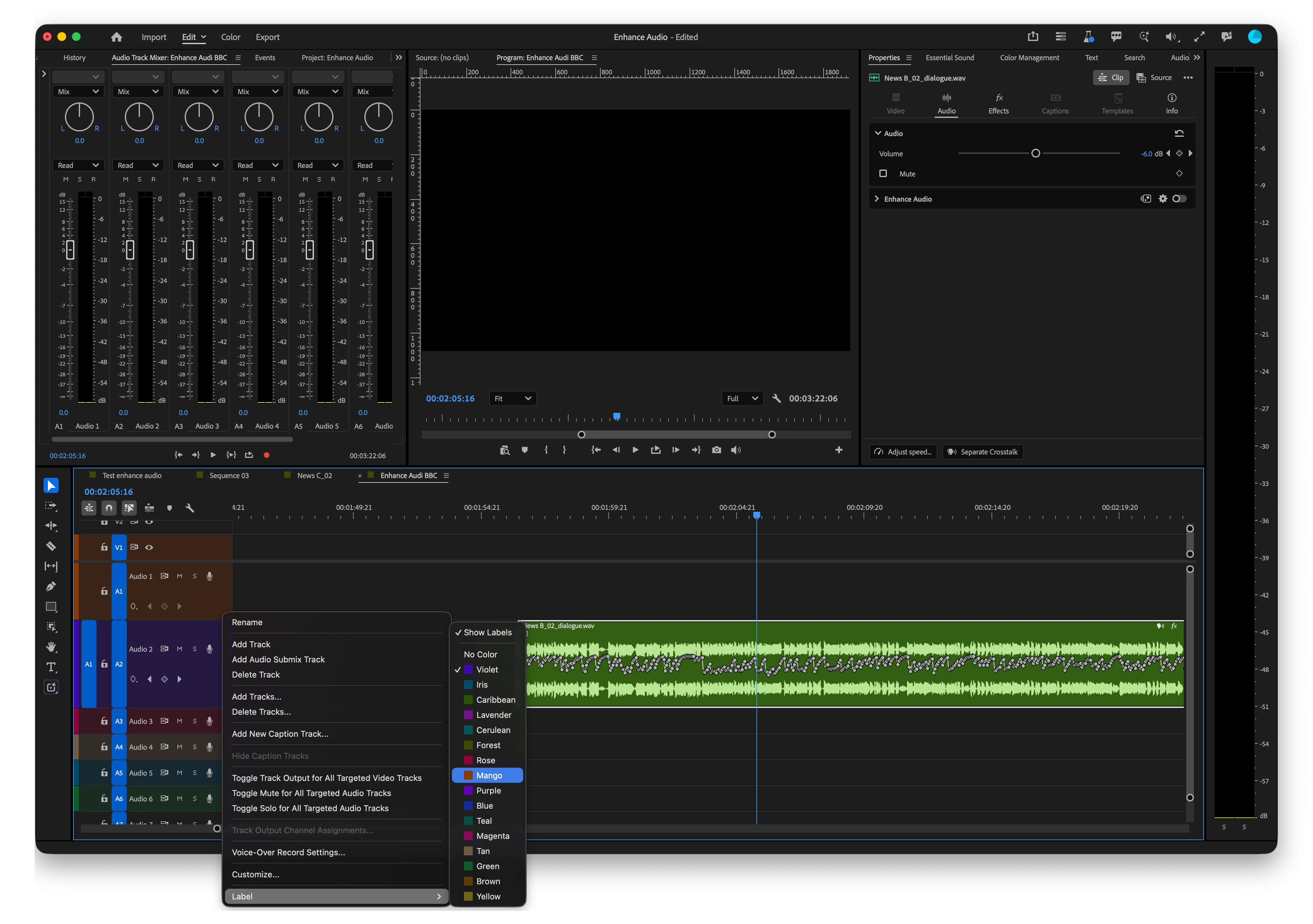
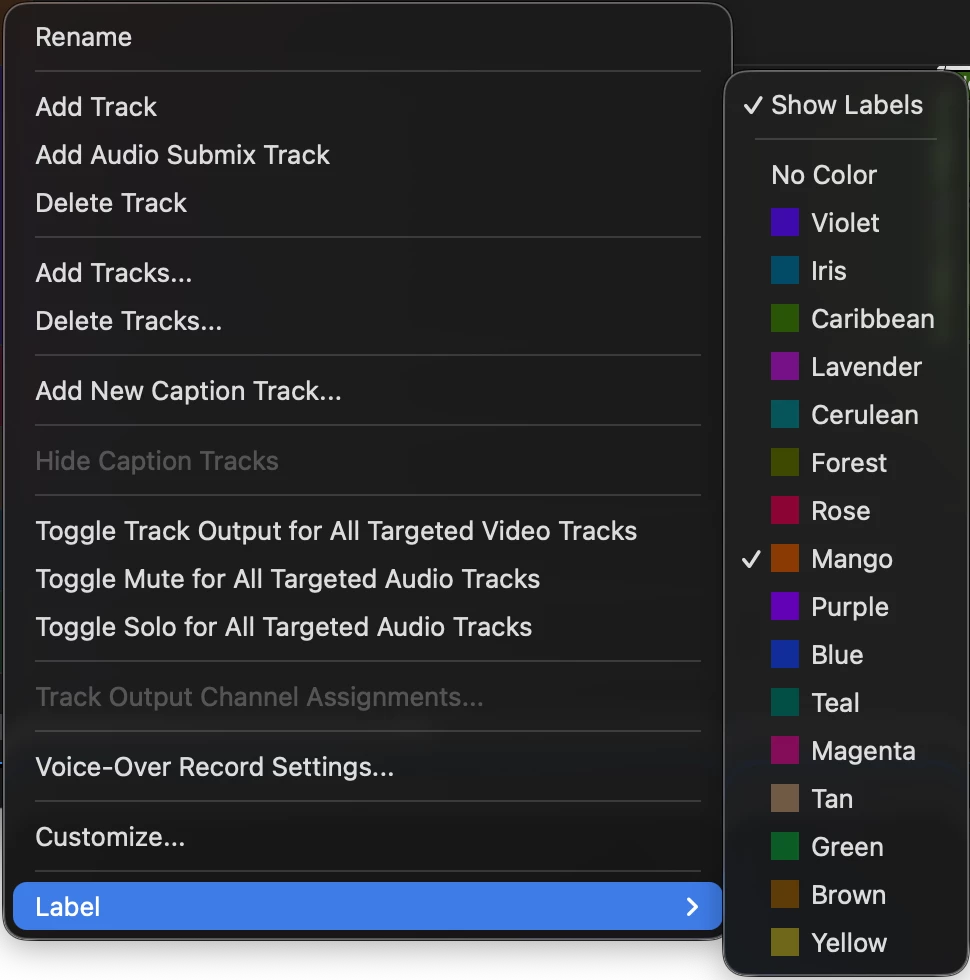
You can now assign a color label directly to any track header, video, audio, or caption track. It works just like clip labels: pick from any of your project's 16 label colors and apply it to the track itself. This colors just the track header, not the clips sitting on that track, so your timeline stays readable without re-labeling everything on it.
Where to find it
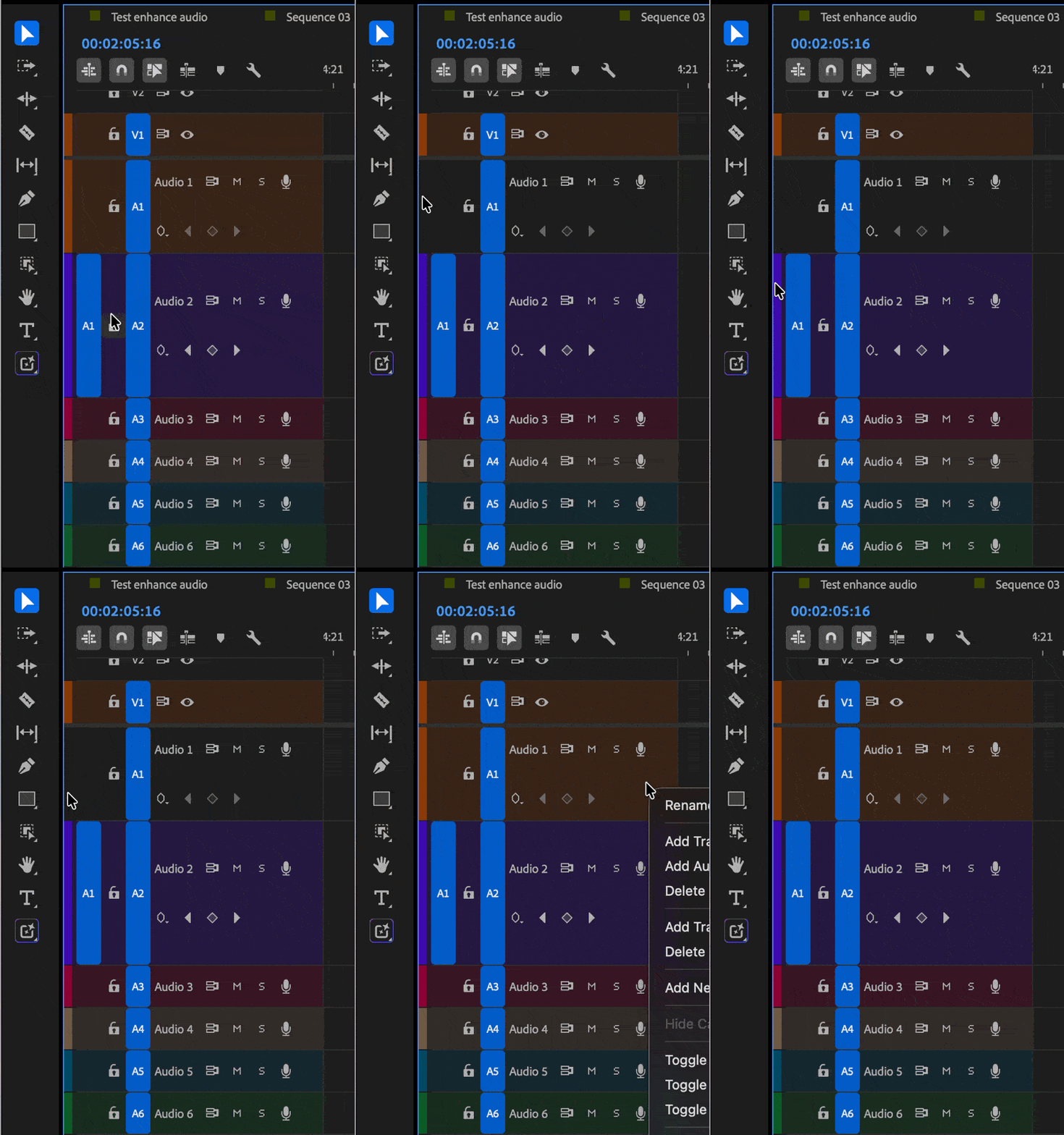
Right-click any timeline track header and choose a color label from your project's label colors. Click the swatch to toggle it off if you want the track back to no color, and click again to reapply a color.
Why this matters
On a timeline with a lot of tracks, it's easy to lose track of which is which, especially once you're juggling multiple dialogue, music, or caption tracks side by side.
You can:
- Tell tracks apart at a glance without hunting through names.
- Group related tracks visually (all your VO tracks in one color, all your music beds in another).
- Toggle a track's color off and on as your organization needs change.
- Keep the coloring scoped to the header, so your clip colors stay untouched.
Try It Out
Timeline Track Header Labels are available now in the latest Premiere Beta 27.0 Build 39. Give it a try on your own timelines and let us know how the workflow feels, especially around discoverability and whether 16 colors covers how you organize. Your feedback shapes where this goes next.
Happy editing!
Note: We're still polishing some interactions, so expect to see improvements as we iterate.
 AdChoices