




Now in Beta: Translate Captions for Premiere Pro
Ever since we launched Text-Based Editing, you’ve been asking for translation capabilities. We’re happy to have an answer to this top request: now you can translate captions in 17 languages without leaving Premiere Pro!
You can translate captions that are generated inside Premiere Pro or imported via .srt file. Currently, only translation of captions is supported – not transcripts.
To use caption translation:
- Create Captions in the Text panel.
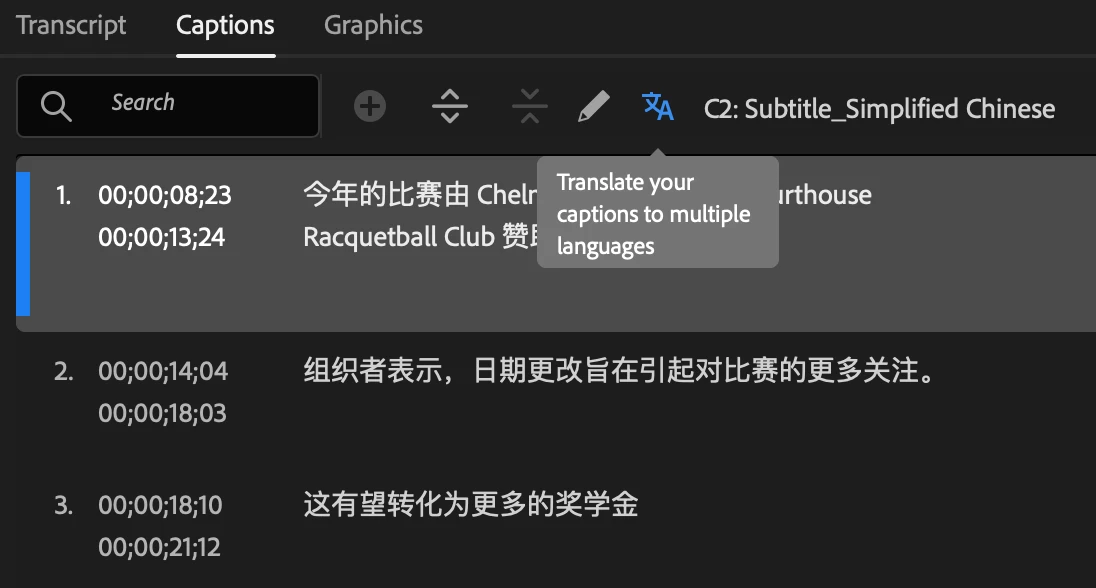
- Select the Translate captions icon in the Captions tab.
- Choose the language you want your captions translated into and select Translate. You can select multiple languages!
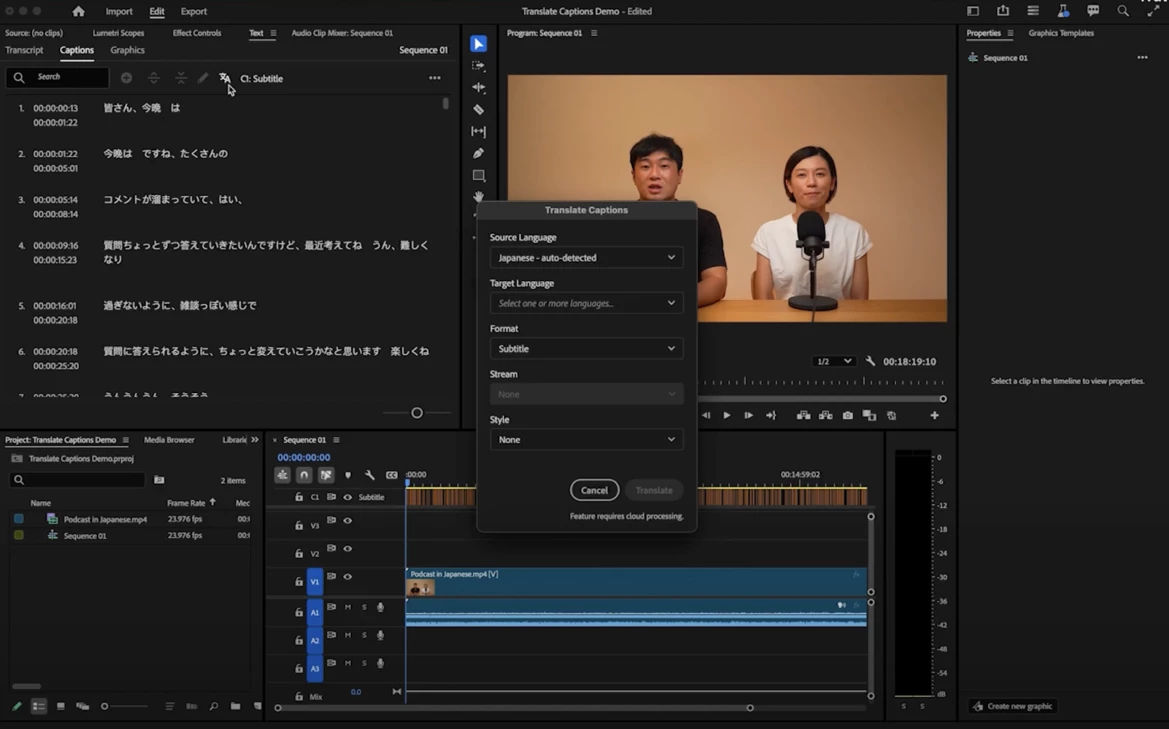
- Captions will be translated using a cloud service and third-party translation models, and a new track will be created in the Timeline panel. The progress of the translation is displayed in the Progress panel and on the track item.
- You can now enable multiple captions simultaneously! Just select the eye icon for each corresponding language track to display all the captions on the Program Monitor.
Styling Captions
You can then select and style the captions using the options in the Properties panel. Once you are done styling, apply the style to all captions in the track by selecting the Redefine style icon in the Properties panel and selecting All captions on track.
Exporting Captions
After styling the captions, you can export captions (as .srt files), or export videos with captions burned-in, or sidecar files. Burned-in captions allow exporting multiple captions simultaneously, while currently, embed and sidecar captions only support exporting one caption at a time.
For more details you can visit the page https://helpx.adobe.com/premiere-pro/using/translate-captions.html
Your feedback is valuable!
We hope this new feature helps to breaks language barriers, enabling you to connect with global audiences effortlessly. Your feedback is critical, especially when it comes to the nuance of translation as well as the overall workflow within the app.
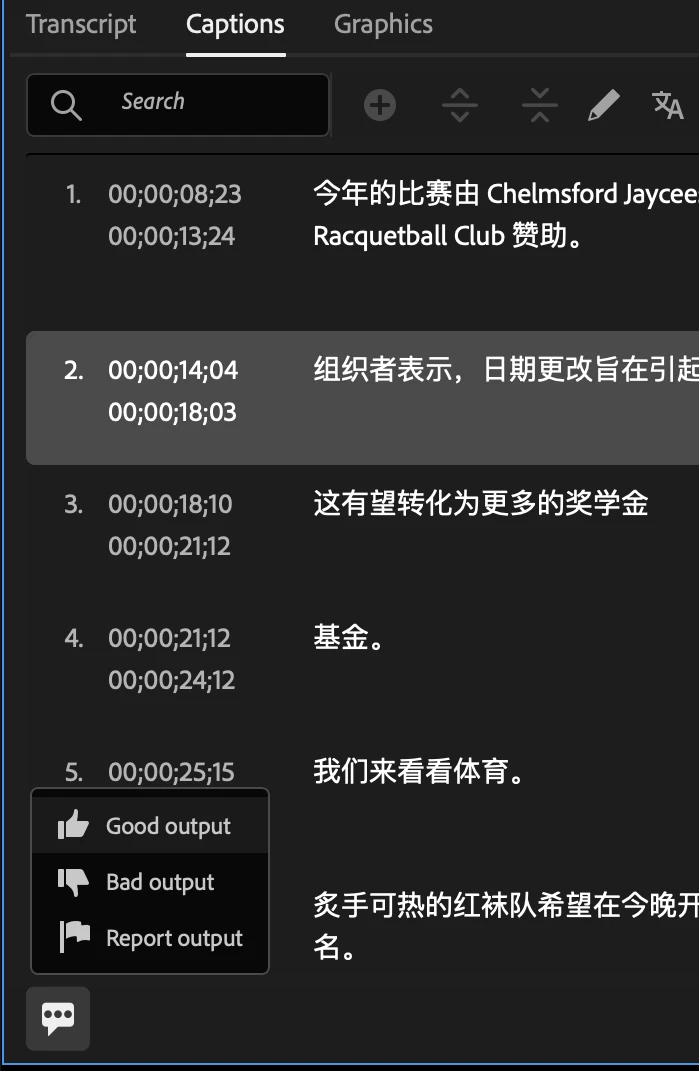
You can provide feedback on the quality and accuracy of the translation or report it for being problematic or offensive by selecting the icon at the bottom-left corner of the Captions tab and rating or reporting the content.
Let us know what you think!
Vaibhavi Jani
Senior Product Manager, Adobe Premiere Pro
 AdChoices