AnnikaKoenig
Community Manager
Community Manager
October 14, 2024
Question

Now in Beta: Updated UI for After Effects Mogrts

  • October 14, 2024
  • 2 replies
  • 848 views

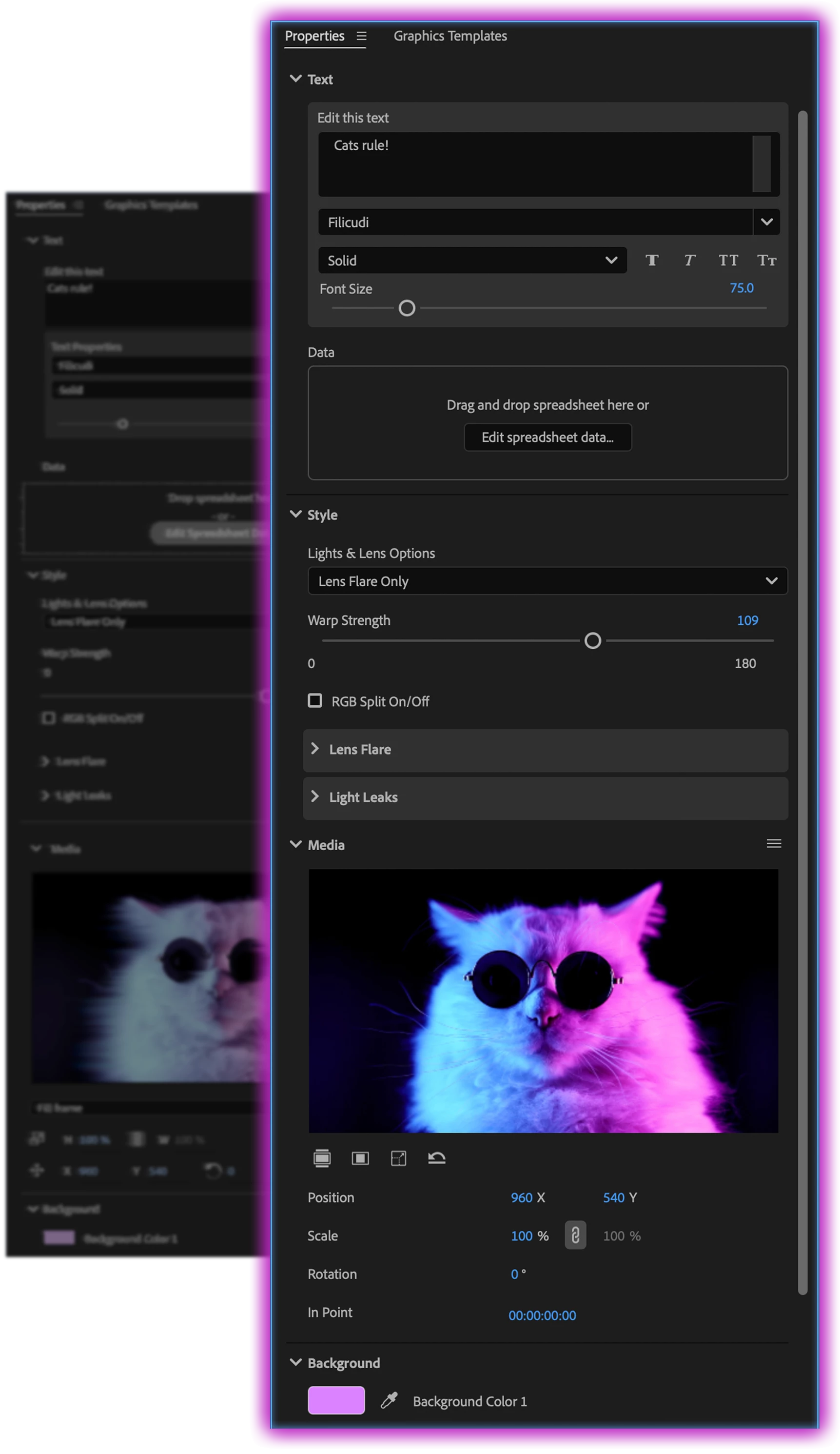
We’re happy to announce that the latest beta build of Premiere Pro (25.1x45 and newer) brings a fresh, updated UI for After Effects Mogrts in the Properties panel


What’s New:


Updated UI: Enjoy a cleaner, more modern look for your Mogrts.
Seamless Experience: All Mogrts and controls will function just as they did before, ensuring a smooth transition.
New Features in 25.0: If you haven’t explored version 25.0 in beta yet, you’re in for a treat! New Transform and Crop groups are now included in every Mogrt, located in disclosed groups beneath your Mogrt controls.


We can’t wait for you to try out these enhancements and hear your feedback!

This topic has been closed for replies.

2 replies

Known Participant
October 23, 2024

Do we still need to use effects panel to reset mogrt properties?

AnnikaKoenig
Community Manager
Community Manager
October 28, 2024

How do you use the Effects panel to reset mogrt properties? My advice would be to use the Graphics and Captions menu and then click "Reset All Parameters"


Known Participant
October 28, 2024

Not at machine ATM but I think regular effects control (eg where motion is) can be twirled down to reset individual parameters without resetting the whole mogrt.

Legend
October 16, 2024

I like the new look. Less wasted space, more intuitive and clear.