



Now in Beta: Updated Version and Auto Save History in Team Projects
You can now access your Team Project’s Version and Auto Save History by selecting the Team Project name in the Premiere Pro header bar. The new header bar menu also lets you select your Team Project settings.

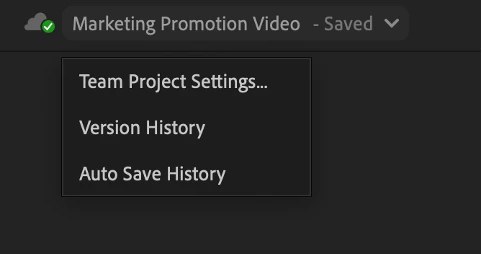
Selecting Version History or Auto Save History opens the Media Browser in Premiere Pro and selects your open Team Project.
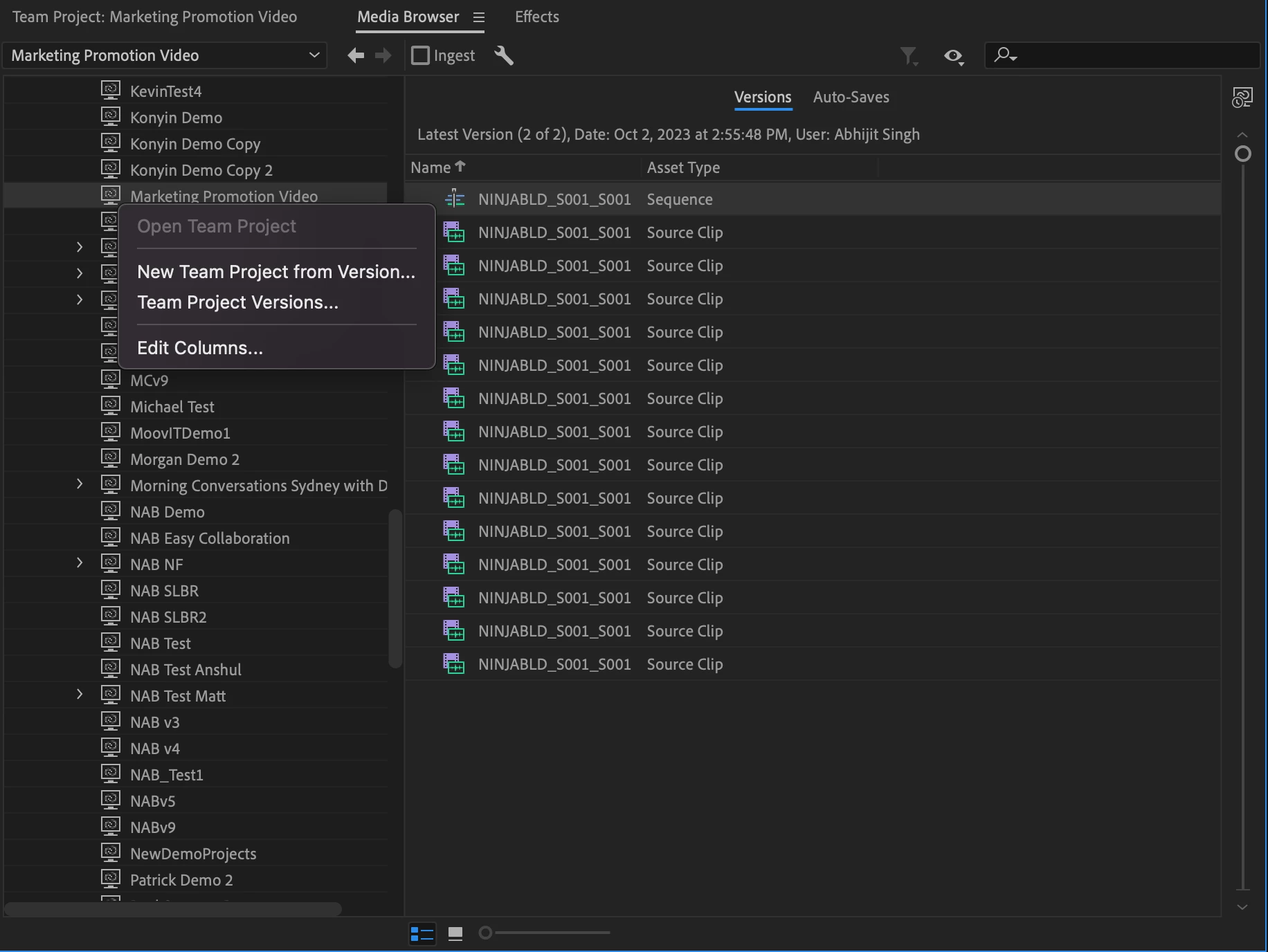
You can open any Team Project version or create a new Team Project from a version via the Media Browser.
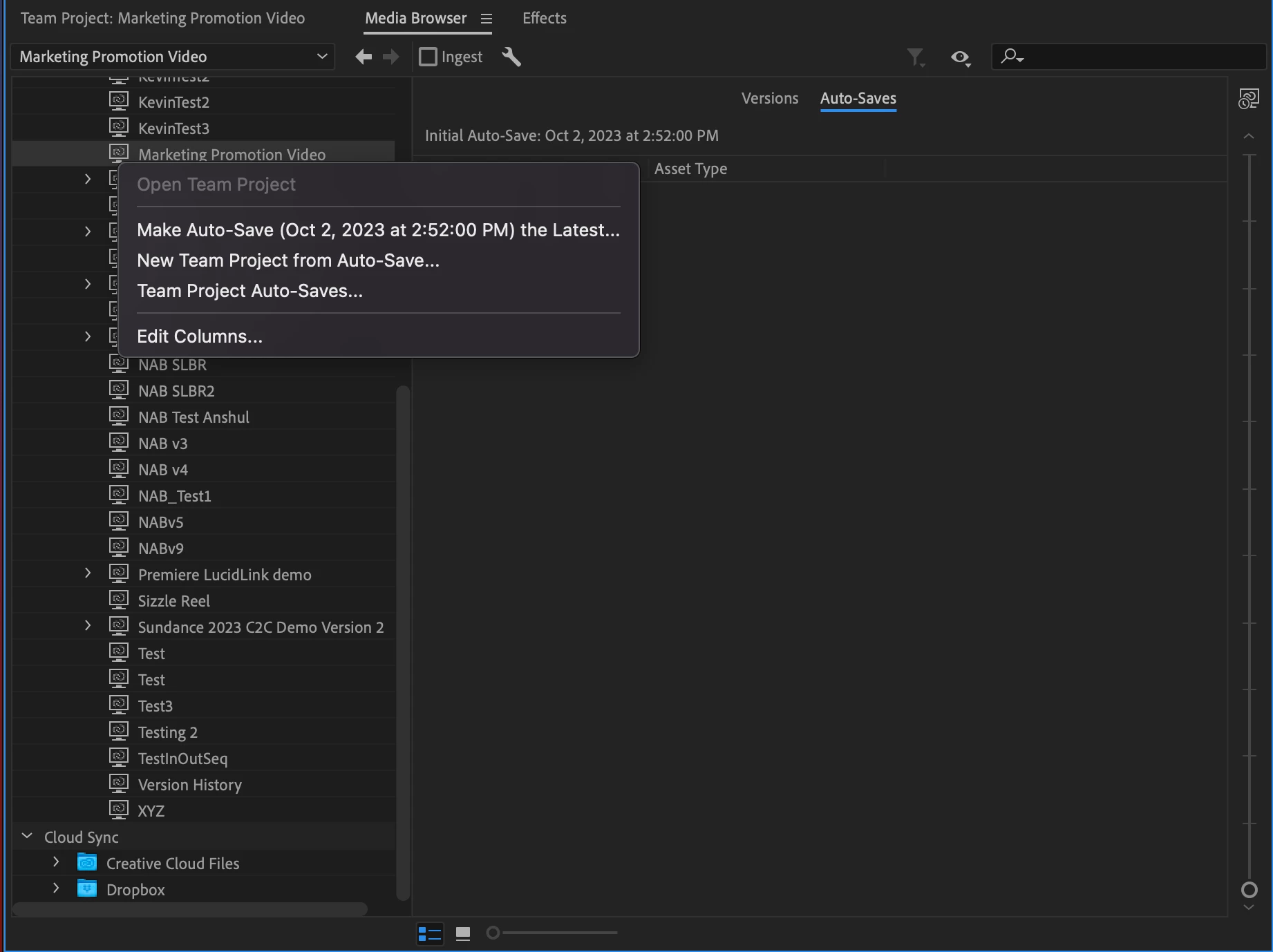
You can also create a new Team Project from any Auto Save or make any Auto Saved version the latest version of your Team Project via the Media Browser.
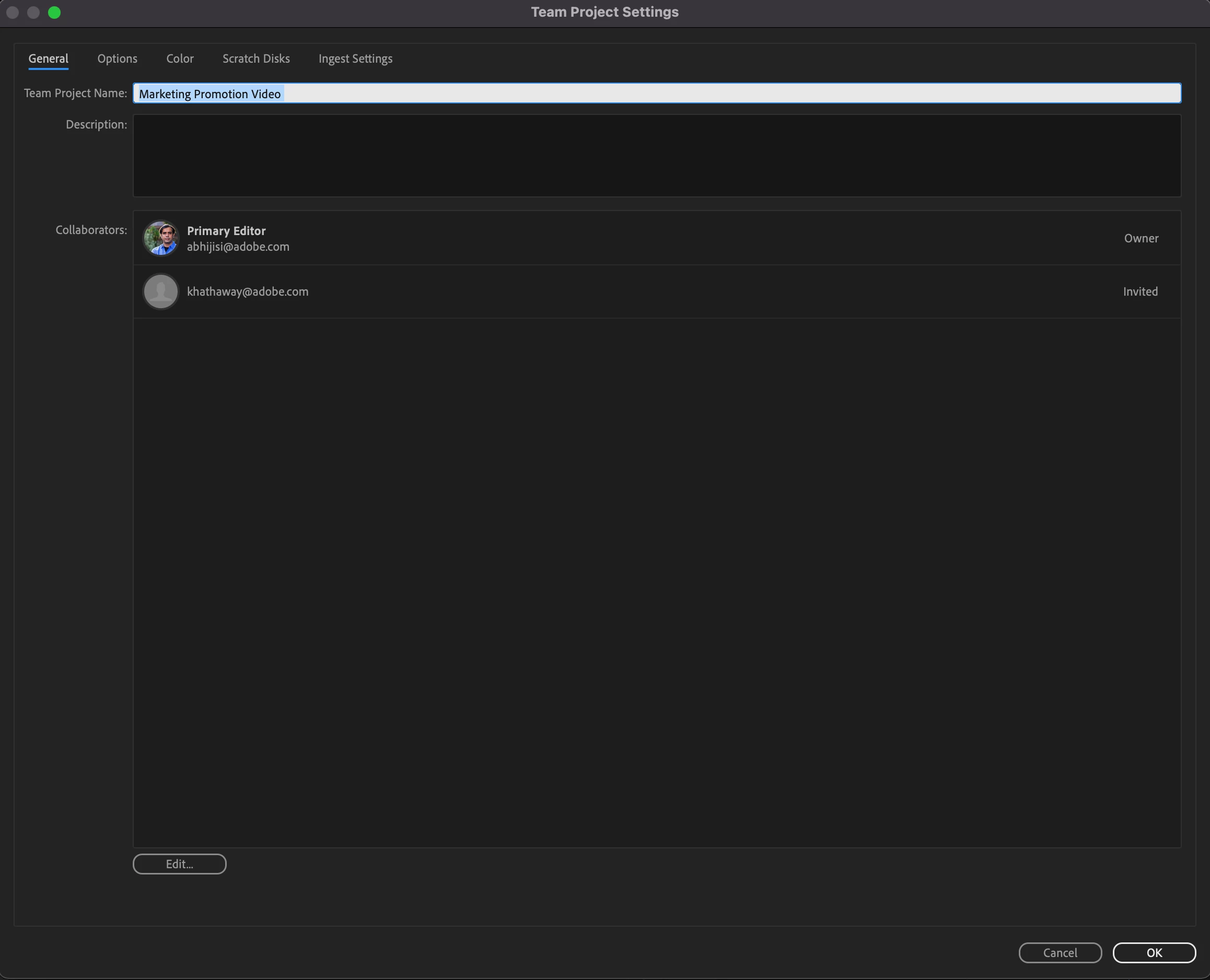
Selecting Team Project Settings opens the Team Project Settings dialog which lets you edit the Team Project Name, the Description, the Collaborators as well as a number of other settings including Color, Scratch Disks, Ingest Settings, etc.
To learn more auto saves and versions of Team Projects:
https://helpx.adobe.com/premiere-pro/using/view-auto-saves-and-versions-of-team-projects.html
This feature is intended to make discovering and accessing your auto-save and version history location for your Team Project easier.
We look forward to your feedback.
Abhi Singh
Principal Product Manager,
Cloud and Collaboration
Adobe
 AdChoices