



Now in Beta: Using media import methods to install MOGRTs
In Premiere Pro Beta (Pr 23.3), you can now install MOGRTs by using the regular media import methods. We'd like your feedback.
How to use the feature:
(1) Choose File > Import or double click in the Project Panel to open the Import dialog.
(2) Point to one or more mogrt files and click Import.
OR
(2) Use Media Broswer > Import or drag and drop mogrt file(s) into the Project Panel.
Result:
You will see this File Import Notification dialog and your mogrts will be installed the same as if you installed them directly using the EGP.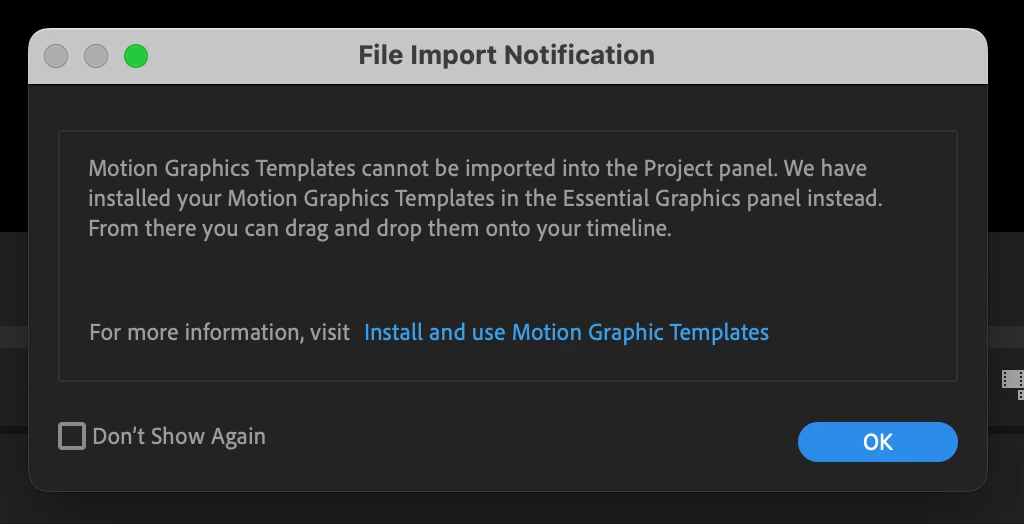
Why is this useful?
People often try to Import their mogrts like regular media. Previously, when attempting to Import mogrts into a project, we showed you the "File Import Error" dialog. This left users clueless about what to do to actually install mogrts so that they show up in the Essential Graphics Panel. With this feature, we now install your mogrts for you when you try to Import them like media. We also show you a dialog to explain that your mogrts were installed, not imported.
Note: If you still have questions about the difference between importing and installing mogrts, leave them below and we'll answer them as soon as we can.
 AdChoices