




Question
Now in Premiere Pro Beta: Bleep Censored Words
Have you ever interviewed someone who couldn’t control their potty mouth? Do you have a list of words that can’t be broadcast in your region? Well, we have the answer for you! Now you can mute or bleep any censored words using Text-Based Editing, in Premiere Pro Beta v25.6 build 38 or later.
How to use it:
- Open a sequence with transcribed clips
- Open the Text Panel to the Transcript tab
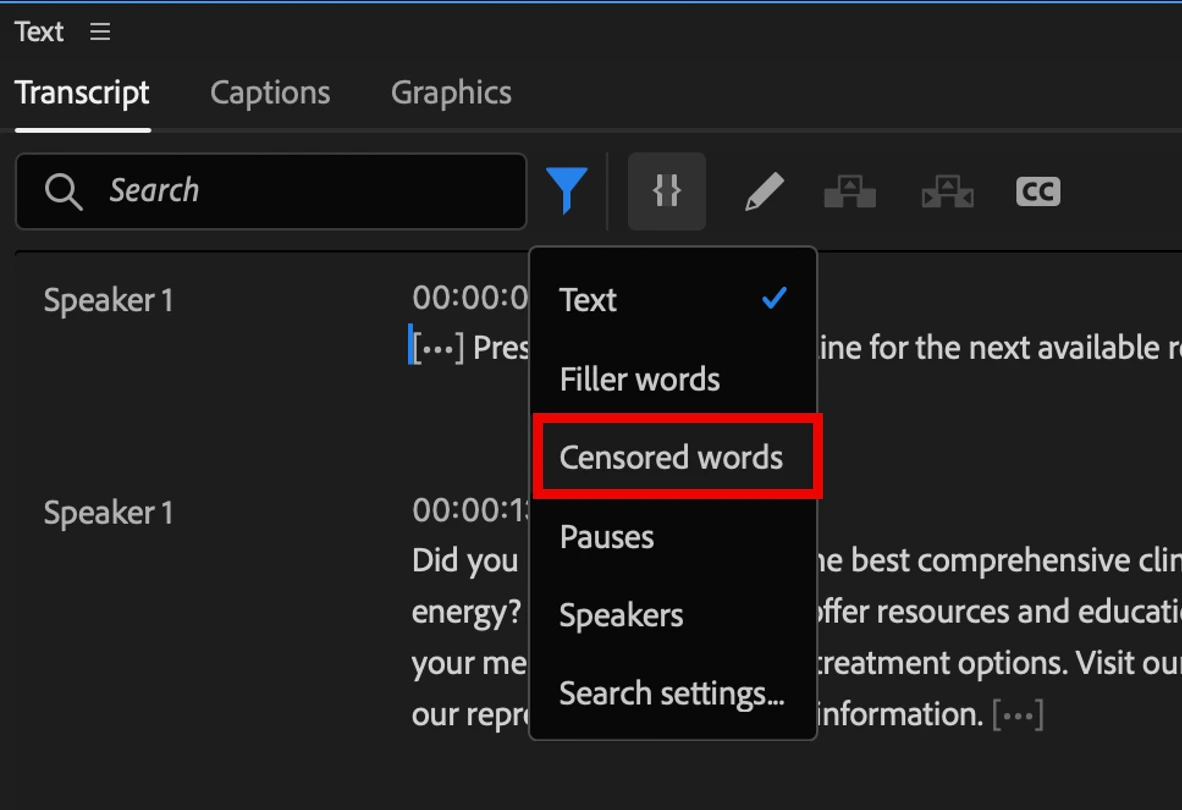
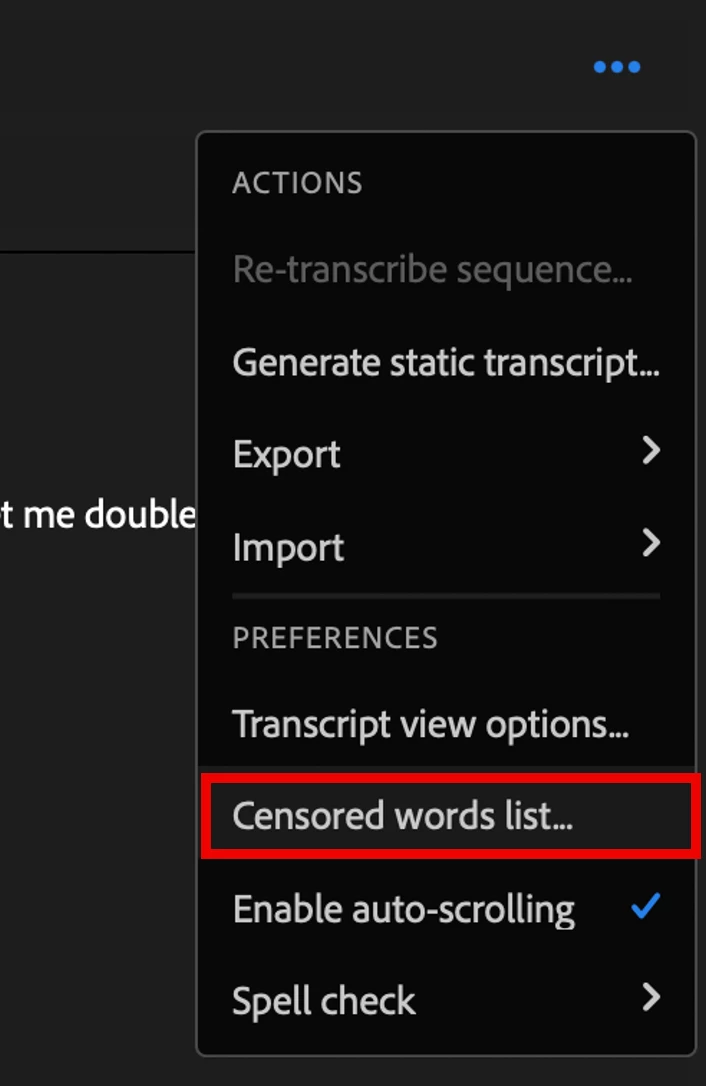
- Click the Filter button, choose “Censored words”, then the Censored words list dialog will open
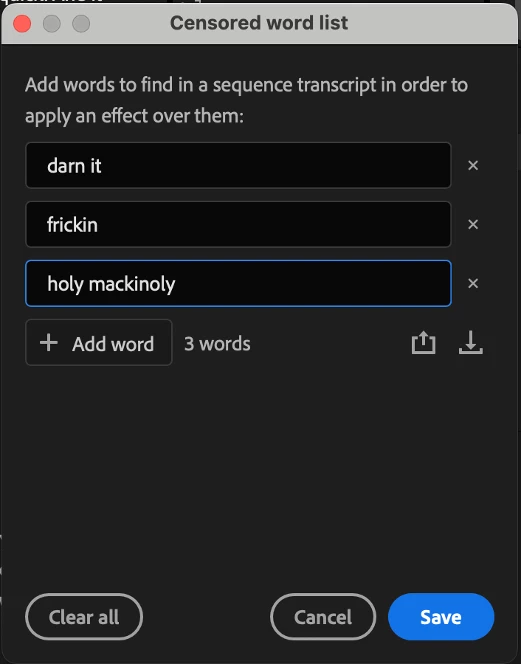
- Add your words to the list, then click Save
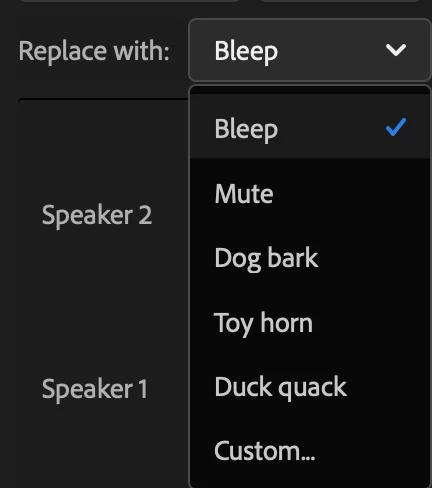
- In the Transcript, click Apply Effect and choose an effect
- Click either Replace or Replace all
Premiere Pro will then mute the dialog where the censored word occurs and, if you chose Bleep, cut in a tone on a new track. (We have other fun sounds as well, some of which were recorded in the homes of our own team members.) The mute is done with an instance of the Amplify effect, so your existing volume levels or keyframes won’t change.
We want to hear from you:
- Are there other effects you want to add?
- How do you want to represent your bleeped words in your captions? (F***, F**k, ****, or something else?)
 AdChoices