




Answered
[Now Released] OTIO Import and Export
Premiere Pro Beta has support for Open Timeline IO interchage format (OTIO). Our current implementation includes the basic information for interchange with other products that support the OTIO standard:
- names
- cutlist with clips at correct place in sequence
- source in/out
- durations
- starting timecode and timecode formats
- fps
- multiple tracks
- track names
- linear speed
- sequence markers (start time, duration, name, color)
Premiere Pro's OTIO support includes Premiere round-tripping information as well:
- clip markers (start time, duration, comments, name, color).
- Seqence frame size
- Sequence sample rate
When importing OTIO files created outside of Premiere Pro, some sequence settings may not transfer automatically and will require manual adjustment.
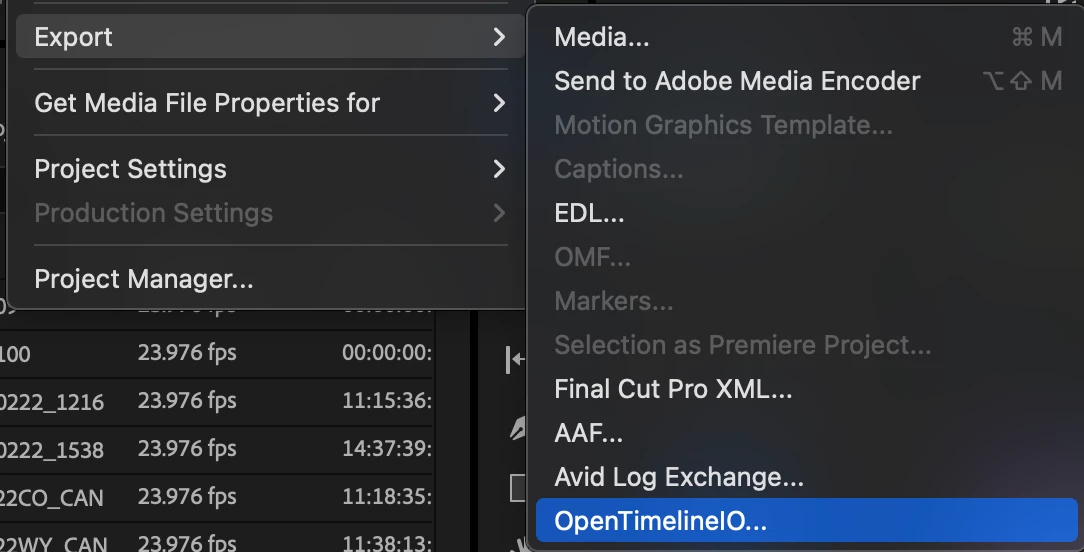
To export a sequence to OTIO, go to File menu/Export/OpenTimelineIO.
To import an OTIO sequence, go to File menu/Import or use the Media Browser.
Please give OTIO Import and Export a try and let us know what kind of workflows you want to use this for. Let us know what we are missing.


 AdChoices