




[Now Released]: ‘Override Media Color Space’ now available for all media formats except raw formats
Please note: This feature has been released in Premiere Pro. If you've got questions or comments about it, please post to the main Premiere Pro support forum.
Currently for certain supported formats (TIFF, DNxHD, DNxHR, XDCAM HD, etc.), Premiere Pro displays these clips as ‘Not color managed’. For these clips, customers cannot override the color space of these clips . Also, the ability to add any input LUT via ‘Source Clip’ section is disabled.
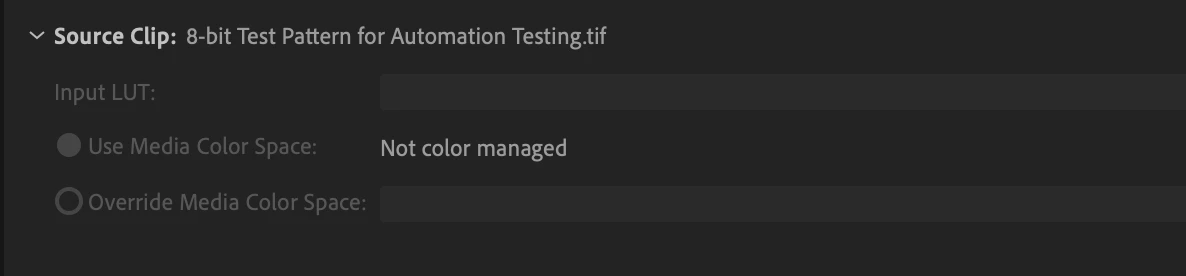
Previous behavior of Lumetri Color > Settings > Source Clip for TIFF media
In Adobe Premiere Pro 24.3 beta, customers can now manually override media color space in such cases for all type of supported media formats except raw formats. Additionally, customers will also get an option to apply LUT directly via Lumetri Color > Settings > Source Clip > Input LUT
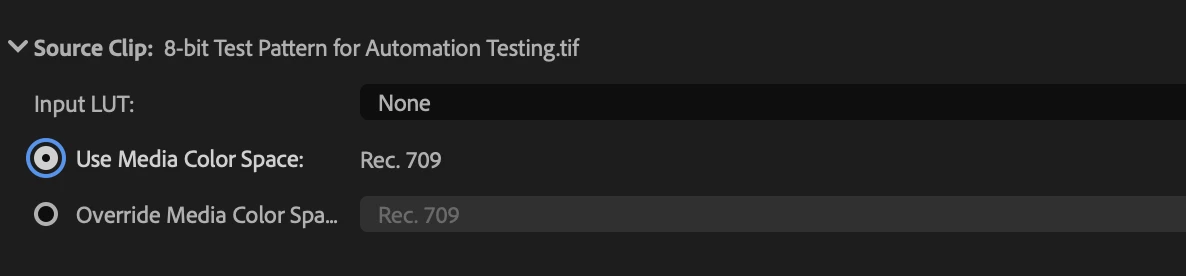
Enhanced behavior of Lumetri Color > Settings > Source Clip for TIFF media with this feature
We would much appreciate your feedback on this new feature!
 AdChoices