


Community Manager
July 24, 2025
Question

[Now Released]: Ripple Edit Live Feedback in Premiere Pro

  • July 24, 2025
  • 3 replies
  • 2621 views

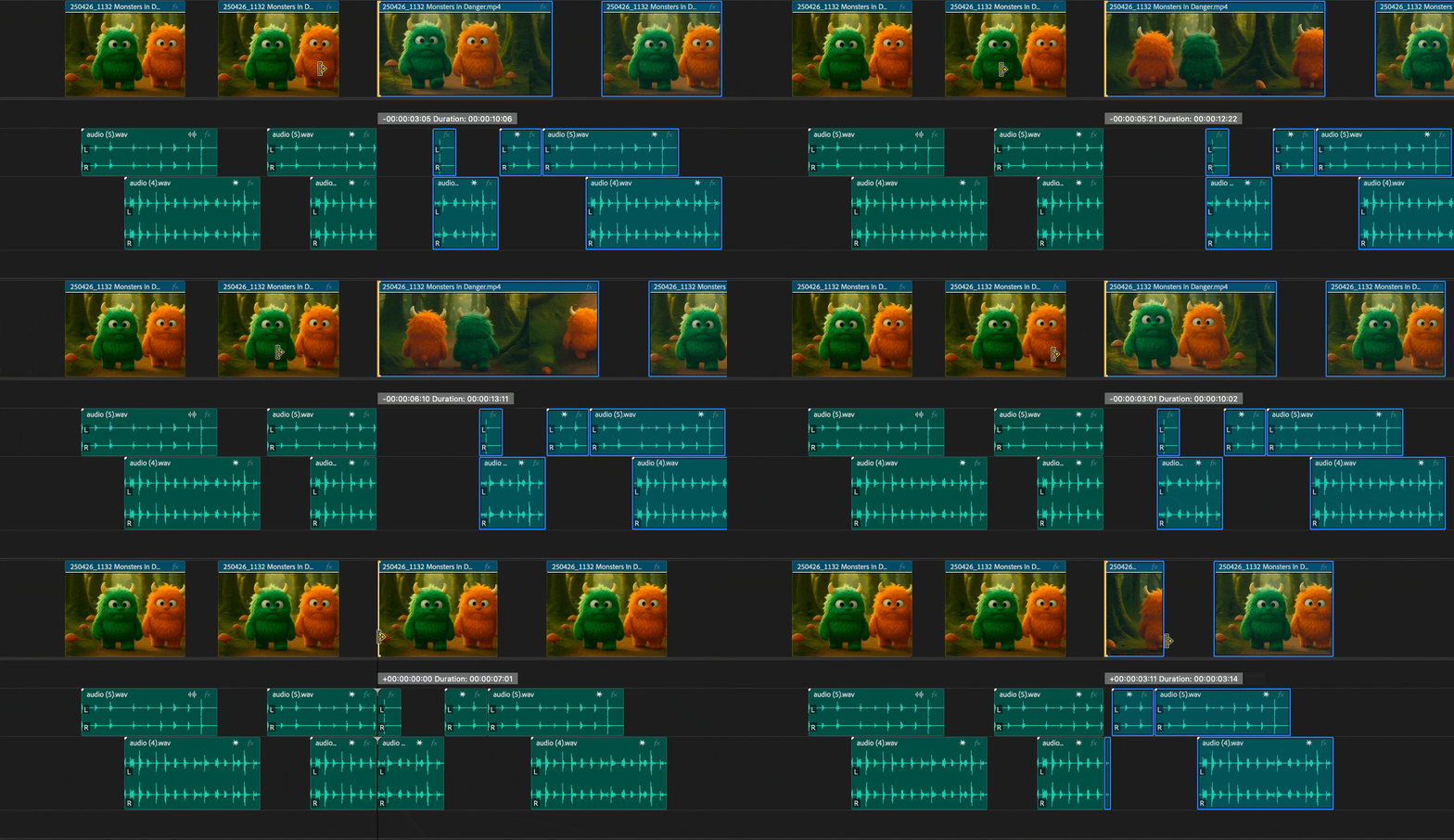
The Premiere Pro Team is excited to introduce a new Beta feature: Ripple Edit Live Feedback. This enhancement brings real-time visual feedback to ripple edits, allowing editors to instantly see how their changes affect the timeline as they work.

By making ripple edits more transparent and intuitive, this feature helps streamline workflows, reduce errors, and improve sync across complex edits.


Key Enhancement:

Ripple Edit Live Feedback
Watch the timeline update dynamically as you perform ripple edits. Whether you're trimming clips or shifting content downstream, changes are reflected in real time. This eliminates guesswork and reduces the need to scrub back and forth.

Why It Matters:

  • Provides immediate visual confirmation of ripple edit impact.
  • Helps maintain sync and rhythm across edits.
  • Reduces the need for backtracking or rechecking.
  • Makes the editing process faster, more precise, and more intuitive.


Try It Out
This feature is available in the latest Beta build. Jump in, test it with your workflows, and share your feedback. It helps shape the future of editing.

Note: We’re still polishing some interactions, so expect to see improvements as we iterate.


Happy editing!

3 replies

FlyingFourFun
Inspiring
July 27, 2025

I am finding it annoying when using this to trim the start of clip, specifically when I want to trim/snap to the playhead position..  Its not obvious that is it snapping to the playhead, and all the thumbs changing as you drag is visually disturbing.  


The snapping to play head needs to be improved, and the thumbs maybe should not change when triming to avoid the visual noise they currently generate.  It seems they are pulling the image from the current trimmed to point, and this doesn't need to be happening until at least the trim has exceeded the frame size of the thumb on the timeline - it seems to update (currently) for every frame moved in the trim.

Adolfo H.Community ManagerAuthor
Community Manager
July 27, 2025

This is great feedback! Thank you!


FlyingFourFun
Inspiring
July 27, 2025

@Adolfo H. I forgot to mention,  it would be nice to possible at least have the option for the playhead to move to the cut point after the trim.  currently it stays at the absolutate value on the time line, and I would find it helpfull if it could also follow the trim, so I can start playing the video without moving the playhead manualy.  Maybe this would not work for everyone, but if it was at least an option I think it would be valuable.


I am looking forward to the next update of the trim tool to see if you have changed it in some way.

Participant
July 25, 2025

Doesnt this feature already exists within the viewers when you ripple trim ? 
It's cool but this will require much ressources from small computers...

Adolfo H.Community ManagerAuthor
Community Manager
July 27, 2025

@AlexisCourtois hope you are doing amazing. If you get a chance to test it out, please let us know how it works for you.


Inspiring
July 25, 2025

this is a dope feature, I just wish the legth of my timelines didn't bring prem to its knees 😓 (this is a 1h45min timeline... 3h timelines are even worse, or even 2h timelines with more lav tracks is rough as well)
edit: don't want to sound too negative though this is really cool and I am glad to see it. Can't wait to use it in an actual edit

Participant
July 28, 2025

Yes..... There is been for ages. Very sad and annoying problem. Multicam mode is also getting worse with new versions. I always go back to 25.0 because the new ones just freeze the playback 😞