




[Released] Now in beta: selectable Viewer Gamma
Edit: This feature is now shipping in Premiere Pro v24. Thanks to everyone who provided feedback while it was in beta!
A common question from Premiere Pro customers on macOS is why exported videos look desaturated and washed out when opened in other applications, like QuickTime Player, Safari and other applications on macOS.
The reason for this is a difference between how Premiere Pro displays video and how macOS displays video. Premiere Pro uses television broadcast standards, while macOS uses a less common standard. An excellent description of this issue is available on Todd Dominey’s website: https://www.todddominey.com/2021/01/24/why-are-videos-washed-out-on-the-mac-exploring-quicktime-gamma-shift/
Premiere Pro Beta v24 offers a simple solution to this issue: providing an option for you to choose how video is displayed in Premiere Pro.
The Settings tab of the Lumetri Color panel now has a Viewer Gamma option, enabling you to choose either the broadcast standard 2.4 gamma or the macOS 1.96 gamma. (The option is also available in Project Settings, Team Projects Settings, Production Settings, and the Color section of Media Encoder Preferences.)
For native Rec.709 video, this feature will work anywhere in the application where the video is displayed, like the Source Monitor and the Program Monitor. For video that is color managed (for example, log video where the color space is auto detected and then tone mapped into Rec.709), Viewer Gamma will affect how the video is displayed only in the Program Monitor.
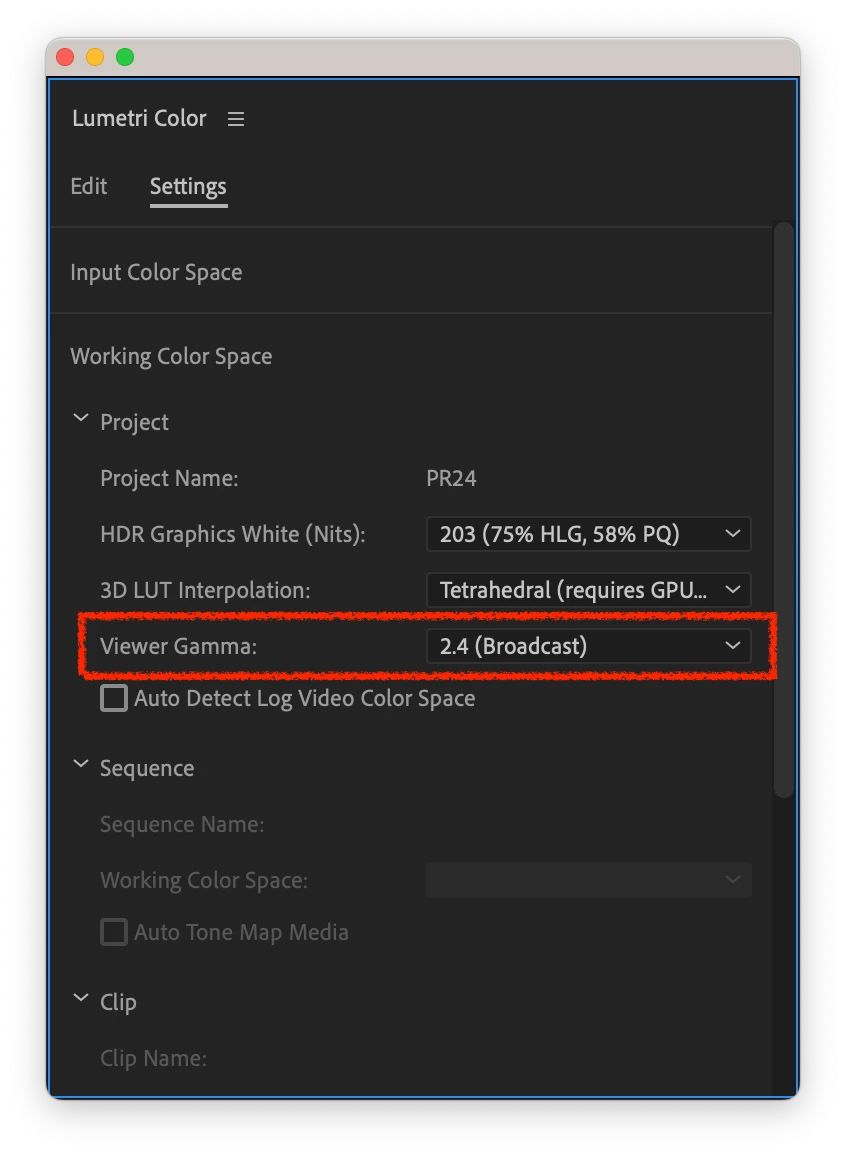
We would love to get your feedback on this feature!
 AdChoices