




[Released] Timeline tone mapping
This feature is now shipping in v23.2 of Premiere Pro. More information is available here.
------------
In this latest public beta, Premiere Pro introduces automated tone mapping for HDR (High Dynamic Range) video to SDR (Standard Dynamic Range) video workflows.
Tone mapping works with iPhone HLG, Sony S-Log, Canon Log, and Panasonic V-Log media, as well as media that is in HLG and PQ color spaces.
TWO STEPS TO TONEMAPPING
Tone mapping is done in Two-Steps. First, you set the clip’s color space to the wide gamut color space it was recorded in (like Sony S-Log) in the Interpret Footage dialogue.
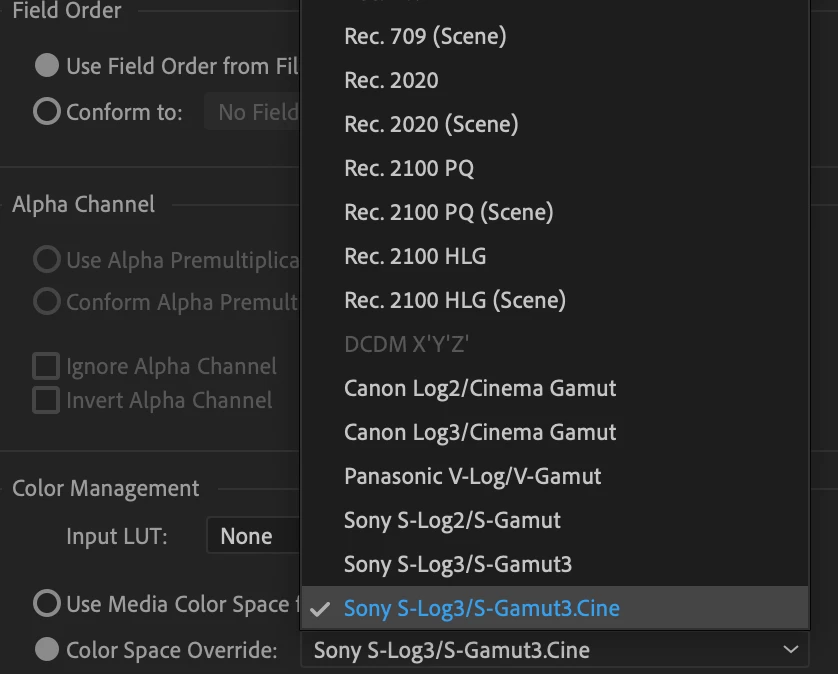
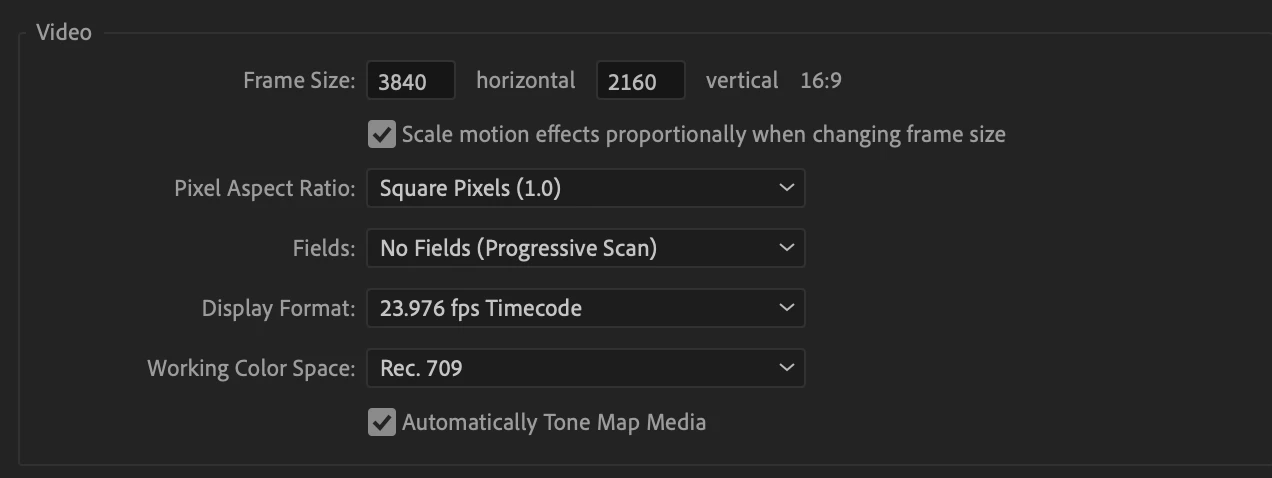
Then you must drag that clip to a Rec. 709 timeline. Tone mapping will automatically be applied, but you can confirm that “Automatically Tone Map Media” is checked in the Sequence Settings:
SOME CLIPS INTERPRET AUTOMATICALLY, SOME REQUIRE YOUR INPUT
iPhone HLG clips are automatically detected and interpreted on import and you don’t have to do anything, just drag and drop them on to a Rec. 709 timeline.
For Sony XAVC S-Log media, you can enable Automatic Detection and interpretation with “Log Color Management” in File > Preferences > General and checking “Log Color Management”:
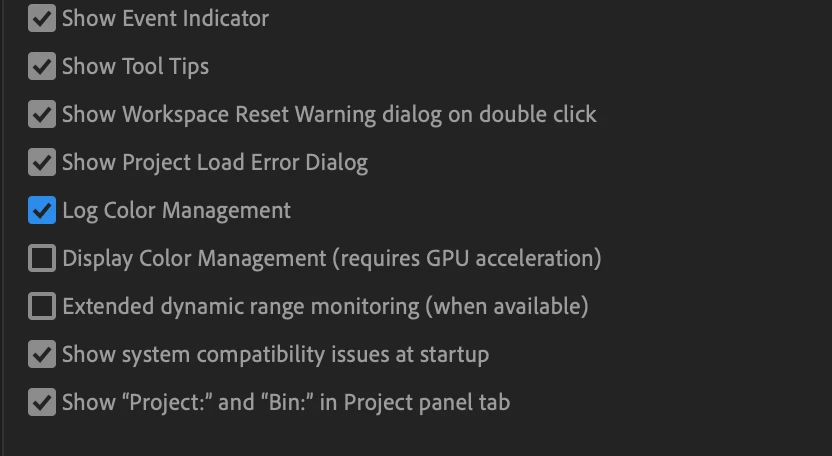
All other log media must be enabled manually by overriding the color space in the Interpret Footage Dialogue.
COLOR MANAGEMENT GOING FORWARD
Tone mapping currently works with iPhone HLG, HLG, PQ, Sony S-Log, Canon Log and Panasonic V-Log formats.
Currently, Automatic Detection is supported only on iPhone HLG, HLG, PQ and Sony XAVC S-Log media. Other HDR and log formats will be supported in future beta releases.
Tone mapping HDR source media to SDR timelines is one part of a larger color management system in development for Premiere Pro that is being introduced and validated through the beta program.
This workflow offers a LUT-free way to transform your media from HDR to SDR. This is a first step, and more functionality and control will be added.
You can, of course, continue to work with log footage and LUT-based color workflows. This new method is another, alternative color workflow model that exists alongside it.
We want to know what you think. Please join the conversation below.
 AdChoices