



How to Turn Content into Presentations with AI in Adobe Acrobat
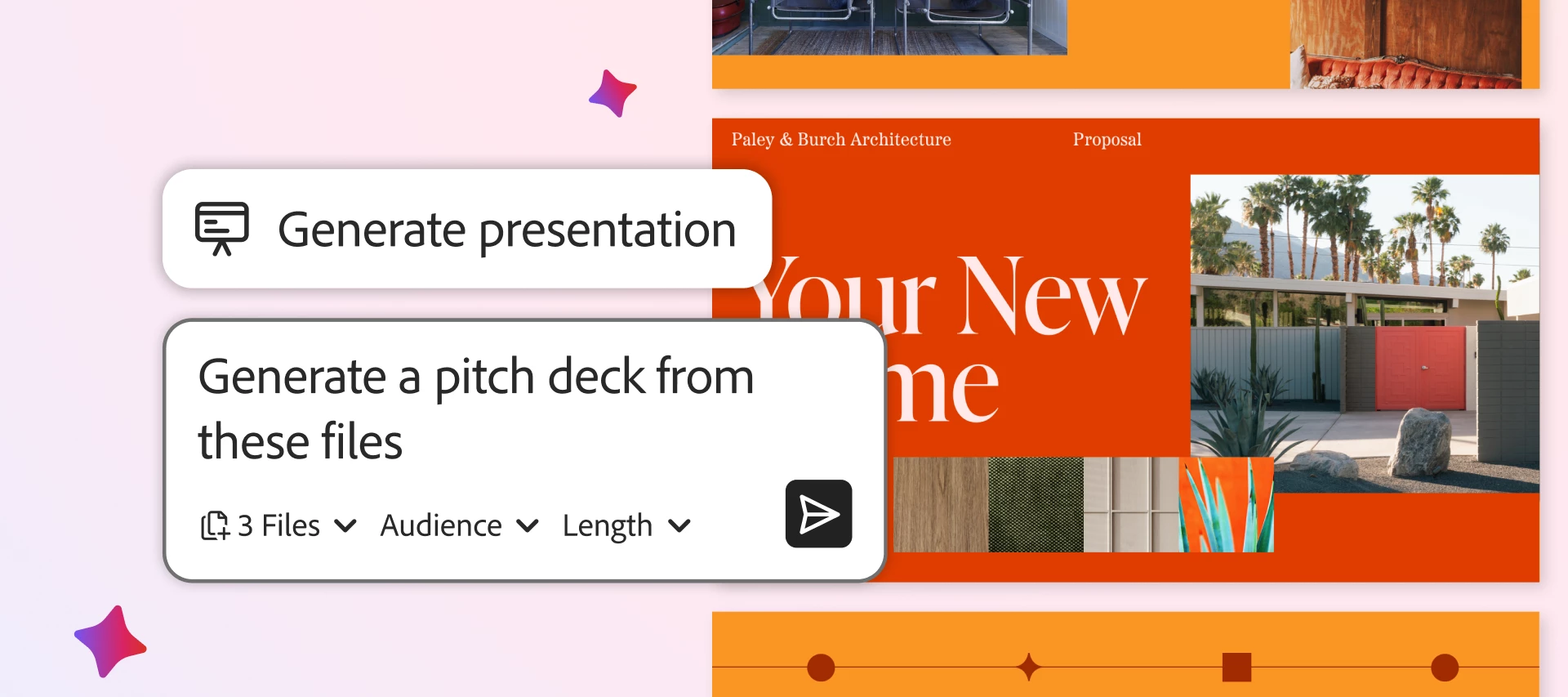
Skip the blank slide and use AI to create professional presentations fast.
TL; DR (full article: ~2 min read): Adobe Acrobat's Generate Presentation (in Acrobat Studio) lets you turn existing documents, notes, and prompts into polished, presentation-ready decks in minutes, skipping the blank-slide and manual-formatting time sink. You generate slides from a source plus a prompt, apply professional templates, refine length and tone with AI Rephrase, then present, share, or export as PDF or PPT. It works across desktop and web and connects with Microsoft 365 and Dropbox, serving teams from marketing and sales to HR, legal, students, and small businesses.
Creating a presentation shouldn’t take longer than the work behind it. Unfortunately, for most teams, it does. In fact, the average office worker spends nearly 20 hours a month working on presentations, and up to 40% of that time is lost to formatting, layout tweaks, and staring at a blank slide.
It’s a familiar problem: you have the data and the content, but turning it into a professional slide show takes forever! That’s why so many people are searching for the best generative presentation creation tool and exploring how to use AI for document creation to close the gap between thinking and doing.
With Generate Presentation, Adobe Acrobat Studio provides one of the best AI creative workspaces for transforming your documents and ideas into professional presentations in minutes. Instead of starting from scratch, you can use Acrobat AI Assistant to generate slides from some of the most recommended templates for documents, all within a unified, intelligent workflow.
In this blog, we’ll give you a step-by-step guide for creating standout slide decks in minutes with Acrobat.
Creating Presentations with One of the Best Generative AI Tools: A Step-by-Step Walkthrough
Acrobat isn’t only one of the best AI-powered productivity tools for working with PDFs, it’s quickly becoming a top AI platform for creating and converting PDFs into ready-to-share deliverables. With Generate Presentation, Acrobat becomes one of the best AI creative workspaces for transforming your documents, ideas, and notes into polished, ready-to-share decks in minutes.
Here’s how it works:
- Generate your presentation. Start with a document, a set of notes and sources, and a prompt that describes what the desired specifics of your presentation.
- Leverage professional templates. Next, skip the tedious manual formatting by instantly applying professionally designed templates and layouts to your content. You get clean, consistent visuals from the start using one of the best tools for creating professional document templates and presentation-ready content.
- Fine-tune your storyline: Once you have the initial deliverable, you can customize the content based on your audience, adjust the length, and tailor the level of detail.
- Use AI Rephrase: Recreate Slide. Need to refine your message? Use AI to rewrite slides or adjust the tone for different audiences. Acrobat makes it easier to improve your storytelling and engage audiences, without having to rebuild your presentation from scratch.
- Present, share, and collaborate. Export your presentation as a PDF or PPT, share it to encourage real-time collaboration, or present directly from Acrobat. Built-in audio and video recording options make it easy to deliver content asynchronously and extend the value and reach of your work.
- Follow the step-by-step workflow. Don’t know where to start? Open Acrobat and prompt your AI Assistant with what you wish to create. You can attach source files or pull from an existing PDF Space to provide input. Next, select a template, customize your outline and generate your presentation. Once that’s done, you can refine it with AI, then share or export your final deck.
With these capabilities, Acrobat eliminates the gap between insight and execution, redefining how to use AI for document creation in a unified, intelligent workspace.
Next, let’s explore real-world use cases for generating presentations with AI in Acrobat.
Real-World Use Cases for the Best Generative Presentation Creation Tool
As one of the best AI creative workspaces, Acrobat makes it practical to use AI for document creation in real scenarios, helping you transform a variety of existing content into a structured, presentation-ready document, without starting from scratch. Here’s how different teams can benefit:
- Marketing Teams: Turn campaign data, performance reports, and strategy documents into internal updates or client-ready presentations. Instead of manually building slides, use AI to structure insights and apply some of the most recommended templates for documents to create consistent, professional decks.
- Sales Professionals: Convert research, discovery notes, conversations, and briefs into tailored pitch decks. Acrobat helps sales teams quickly generate presentations customized to each prospect, saving time while improving message clarity and consistency.
- Human Resources Reps: Transform employee handbooks and training materials into engaging onboarding presentations. AI helps simplify complex content and present it in a structured format that’s easier for new hires to understand.
- Legal Personnel: Break down dense contracts, compliance documents, or case files into digestible internal briefings. Using AI for document creation makes it easier to summarize key points and communicate critical information to stakeholders.
- Students: Turn your ideas, research notes, and citations into structured class presentations. AI helps summarize content and build polished slides. You can also use AI to quickly adjust the tone and better organize your story, so it’s clear and easy to present.
- Small business owners: Create product or service presentations from business plans or even rough ideas. Acrobat quickly generates decks with timelines and messaging, and structures the presentation appropriately so it’s ready to share with clients or investors.
No matter the use case, Acrobat Generate Presentation provides a faster, more efficient way to consolidate your thoughts into polished slides in a single AI workspace. It’s simply one of the best AI platforms for one of the best generative presentation creation tools, and using them to express and share your unique ideas.
From Documents to Presentations – without the Friction
Using AI isn’t just about gaining speed. It also helps you rethink how you’re creating documents, end-to-end. By combining one of the best generative presentation creation tools with one of the best AI creative workspaces, Adobe Acrobat helps you generate polished presentations from your ideas and documents in minutes.
Acrobat works with PDFs across desktop and web, and connects to the tools you already use, such as Microsoft 365 and Dropbox, for a truly seamless experience. Finally, you can use all of your different types of content to generate presentations in less time, without having to use multiple tools and platforms.
Spend less time formatting and more time delivering ideas that make an impact with Adobe Acrobat.
💬 Was this helpful?
If these tips made PDF work easier, we'd love to hear it! Hit Like and jump into the thread to share which feature you're most excited to try.


 AdChoices