



JoeSantiago
Community Manager
Acrobat Evangelist
August 5, 2026
StickyVideo

Job Hunting Made Easier: Use Adobe Acrobat Right Inside ChatGPT
  • August 5, 2026
  • 37 replies
  • 1202 views

Hey everyone, Joe here.

If you've ever juggled a resume, cover letter, and references across separate files while job hunting, I put together a quick way to pull them into one clean PDF without leaving ChatGPT.  

What you need: A ChatGPT account. No Adobe account required; you can use it as a guest or sign in. 

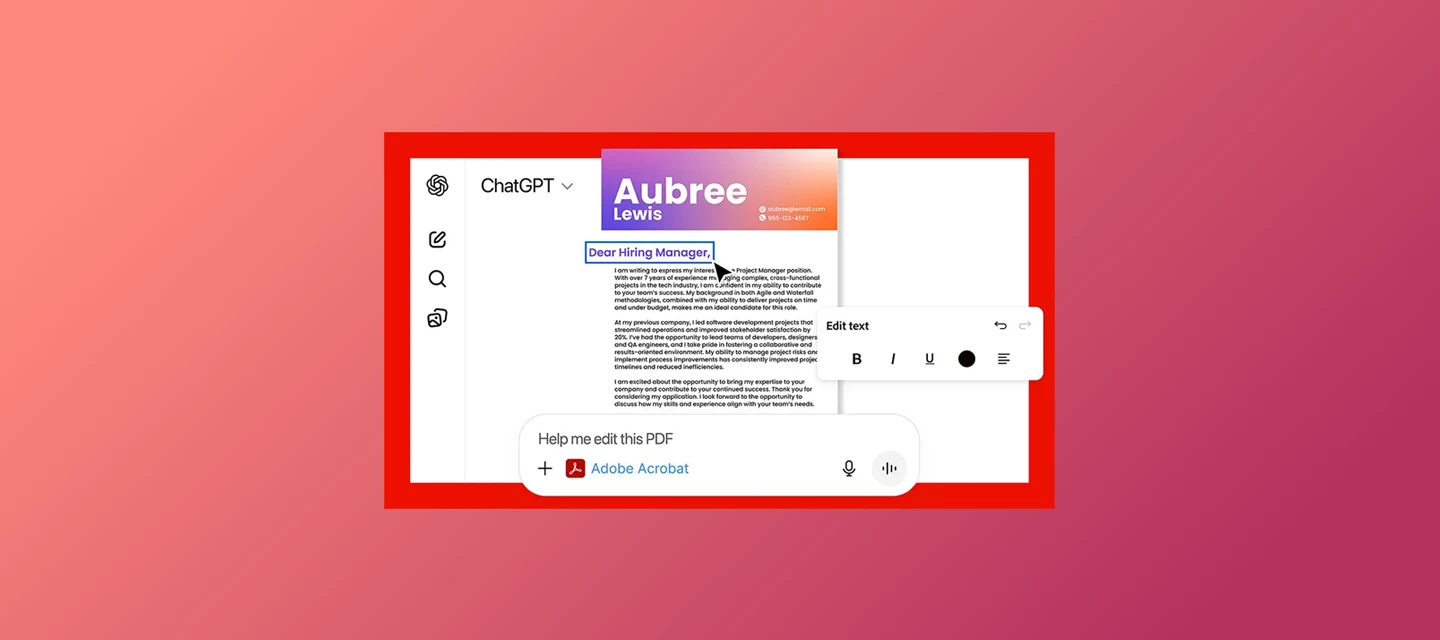
What you can do: Combine your resume, cover letter, and references into one PDF, edit text like a company name, reorder or remove pages, and download the finished file. 

Try it yourself: 

  1. First, add the Adobe Acrobat plugin.  
  2. Go to Settings → Plugins, search "Acrobat," and add it. Choose "Sign in with Adobe Acrobat" if you want to save files to your Adobe account, or "Use without an account" to skip that step. 
  3. Then type: 

     Prompt 1"@Adobe Acrobat, combine my resume, cover letter, and references into a single file" 
    Upload your three files, and Acrobat merges them in order. Need to tweak something first, like swapping in a specific company name in your cover letter? I ask directly: 

    Prompt 2"@Adobe Acrobat, I need to edit the company name in the file" 
    Once it looks right, you'll see a preview with a download button right there. Select it to save the finished PDF to your device.


Watch the full walkthrough below.


Good to know: 

  • Free for all ChatGPT users, no paid Adobe subscription needed 
  • Files aren't auto saved to your Adobe account unless you sign in 
  • English-only for now 
  • Upload limits: 10 files per chat, 512MB max per file. Free plans get 3 uploads a day; others get up to 80 every 3 hours (details
  • Availability varies by region; check the overview page below if unsure 
  • Scanned or image-based resume? You can still upload it; see supported formats 
  • Installing the plugin requires ChatGPT web or desktop; once installed, it works in mobile chats too 

Note: You might also come across a plugin called Adobe in ChatGPT. It's the successor to the old Photoshop plugin, now expanded to cover Creative Cloud tools and Acrobat's document features too, including creating and converting PDFs. It works the same way, whether you are a guest or signed in. This walkthrough is dedicated specifically to the Adobe Acrobat plugin. 


👉🏼 New to the integration? Start with the Acrobat for ChatGPT overview and the step-by-step setup guide, or read Introducing Adobe for ChatGPT for the full picture. 


I'll be in the comments. Drop a note on how you'll use it for your own job search or ask me anything. 

— Joe 

37 replies

Participant
August 15, 2026

🤣😻


Participant
August 15, 2026

This is a really useful integration for anyone managing multiple documents during a job search. Being able to merge a resume, cover letter, and references into one professional PDF directly in ChatGPT can save a lot of time and reduce the hassle of switching between different tools. The updated @Adobe Acrobat activation syntax is also a helpful detail to include. Definitely a practical use case for AI and PDF workflows.

BaniVerma
Community Manager
Community Manager
August 26, 2026

Hi ​@magnificent_Lightningdb61,

Thanks for pointing that out. The @Adobe Acrobat syntax shown in the prompts is the current way to activate it in chat.

Thanks,
^BS

Participant
August 15, 2026

very useful article


perfect_artistry99f1
Participant
August 13, 2026

This could be really handy for job applications. Keeping the resume, cover letter, and references together should make the whole process a lot less frustrating, especially when applying to multiple roles.

Sharing useful resources and practical information online.
Participant
August 12, 2026

This looks like a really useful workflow, especially for keeping a job application package organized without having to switch between multiple PDF tools.

I like that the files can be merged and reordered directly from ChatGPT. For a complete application package, I’d also recommend checking the final PDF before sending it to make sure the page order is correct, formatting hasn’t shifted, and the resume and cover letter remain readable. anyone can also check it with this oc

The ability to handle these document tasks through a simple prompt should make the process much faster for people who regularly work with multiple PDFs.

Participant
August 12, 2026

Really useful workflow. Keeping the resume, cover letter, and references inside one ChatGPT conversation can save a lot of back-and-forth between tools. The quick PDF merge and edit capability is especially helpful when tailoring applications for different roles.
 

Participating Frequently
August 12, 2026

This is a really useful integration. Keeping the resume, cover letter, and references together without constantly switching apps could save a lot of time. I’m curious how well it handles real-world resume formatting after multiple edits.

BaniVerma
Community Manager
Community Manager
August 13, 2026

Hi ​@Jhonwickson,

Thanks for the kind words.

The integration supports merging, reordering pages, and editing PDFs directly inside ChatGPT, so you can iterate on your resume without switching tools.

The step-by-step guide covers each supported task in detail: https://helpx.adobe.com/acrobat/web/use-acrobat-extensions/acrobat-for-chatgpt/pdf-tasks-in-chatgpt.html

Give it a try and let us know how it works for your workflow.

Thanks,

^BS

Participant
August 11, 2026

Yes, currently there are rumors that Adobe added Acrobat directly inside ChatGPT — handy for job hunting since you can drop a resume or job posting PDF straight into the chat and tailor/reformat it on the spot, no copy-pasting back and forth.

Anyone tried it for resume tweaks yet?

BaniVerma
Community Manager
Community Manager
August 13, 2026

Hi ​@Incredible_Mountain6a8f,

Confirming this is officially live. Adobe is now available as a plugin inside ChatGPT, with Acrobat included alongside tools from across our creative and productivity apps.

Add the Adobe plugin, type @Adobe in a new chat, and describe what you want to do, from merging your resume, cover letter, and references into one PDF to editing and reordering pages. Learn more. 

Give it a try and let us know how it goes.

Thanks,

^BS

jamicarter
Participant
August 10, 2026

This looks really useful for keeping the whole application package organized in one PDF. I can also see this being useful for local service businesses that need to keep things like insurance documents, business licenses, or service agreements together, for example, a locksmith business like Jacksonville LockWorks could keep its customer-facing documents organized this way. The ability to do that directly inside ChatGPT should save quite a bit of back-and-forth between tools.

jamicarter
Participant
August 11, 2026


bluebrad
Community Expert
Community Expert
August 8, 2026

This is a grate addition and It would be cool to see adobe linking up with LMstudio and Opencode so i can run local models and have the ability to build out my own segregation of data. 

Illustrator is open almost 24/7 and just about the same for Bridge and Photoshop
BaniVerma
Community Manager
Community Manager
August 13, 2026

Hi ​@bluebrad ,

Interesting suggestion, thanks for sharing. Hey ​@JoeSantiago, curious to hear your thoughts on this one as well.


Thanks,

^BS

JoeSantiago
Community Manager
Acrobat Evangelist
August 14, 2026

Hi ​@bluebrad, that’s a great suggestion. I’ll be sure to pass it on to our team to see if it’s something they can research.


Have a great day!

Joe Santiago