



JoeSantiago
Community Manager
Acrobat Evangelist
August 5, 2026
StickyVideo

Job Hunting Made Easier: Use Adobe Acrobat Right Inside ChatGPT
  • August 5, 2026
  • 37 replies
  • 1202 views

Hey everyone, Joe here.

If you've ever juggled a resume, cover letter, and references across separate files while job hunting, I put together a quick way to pull them into one clean PDF without leaving ChatGPT.  

What you need: A ChatGPT account. No Adobe account required; you can use it as a guest or sign in. 

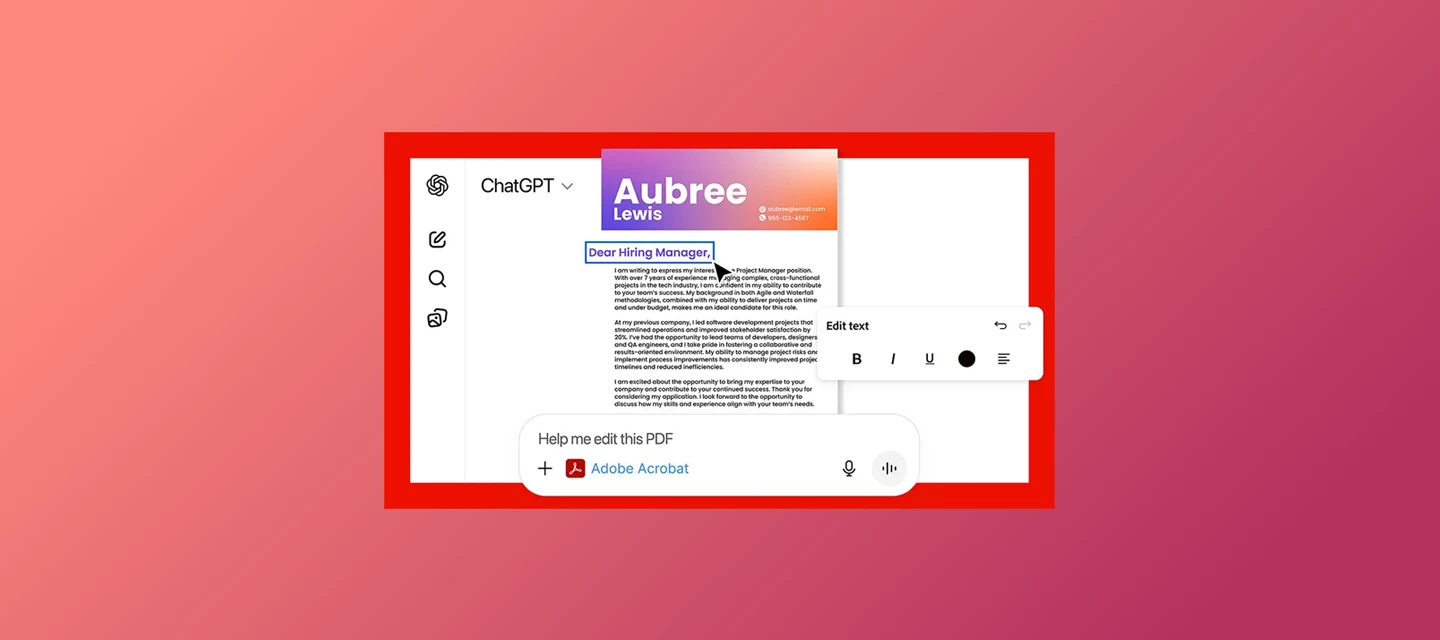
What you can do: Combine your resume, cover letter, and references into one PDF, edit text like a company name, reorder or remove pages, and download the finished file. 

Try it yourself: 

  1. First, add the Adobe Acrobat plugin.  
  2. Go to Settings → Plugins, search "Acrobat," and add it. Choose "Sign in with Adobe Acrobat" if you want to save files to your Adobe account, or "Use without an account" to skip that step. 
  3. Then type: 

     Prompt 1"@Adobe Acrobat, combine my resume, cover letter, and references into a single file" 
    Upload your three files, and Acrobat merges them in order. Need to tweak something first, like swapping in a specific company name in your cover letter? I ask directly: 

    Prompt 2"@Adobe Acrobat, I need to edit the company name in the file" 
    Once it looks right, you'll see a preview with a download button right there. Select it to save the finished PDF to your device.


Watch the full walkthrough below.


Good to know: 

  • Free for all ChatGPT users, no paid Adobe subscription needed 
  • Files aren't auto saved to your Adobe account unless you sign in 
  • English-only for now 
  • Upload limits: 10 files per chat, 512MB max per file. Free plans get 3 uploads a day; others get up to 80 every 3 hours (details
  • Availability varies by region; check the overview page below if unsure 
  • Scanned or image-based resume? You can still upload it; see supported formats 
  • Installing the plugin requires ChatGPT web or desktop; once installed, it works in mobile chats too 

Note: You might also come across a plugin called Adobe in ChatGPT. It's the successor to the old Photoshop plugin, now expanded to cover Creative Cloud tools and Acrobat's document features too, including creating and converting PDFs. It works the same way, whether you are a guest or signed in. This walkthrough is dedicated specifically to the Adobe Acrobat plugin. 


👉🏼 New to the integration? Start with the Acrobat for ChatGPT overview and the step-by-step setup guide, or read Introducing Adobe for ChatGPT for the full picture. 


I'll be in the comments. Drop a note on how you'll use it for your own job search or ask me anything. 

— Joe 

37 replies

Participant
August 25, 2026

Integrating Adobe Acrobat directly into ChatGPT is a massive workflow upgrade, especially for managing resumes, cover letters, and multi-page job application PDFs without switching between tabs.

If you want to quickly summarize job descriptions, extract key requirements, or optimize your resume formatting right inside the chat interface, using the Acrobat extension streamlines the entire process.

For anyone setting this up or looking to get the most out of PDF workflows alongside AI tools, I’ve put together a practical breakdown with key tips.

BaniVerma
Community Manager
Community Manager
August 26, 2026

Hi ​@Dynamic_coder5d43,

Thanks for the detailed breakdown.

To clarify one point for anyone reading: summarizing job descriptions and general resume tailoring happen through ChatGPT itself, while the Acrobat plugin specifically handles merging, editing, and reordering the PDF files. The step-by-step guide covers each Acrobat task: https://helpx.adobe.com/acrobat/web/use-acrobat-extensions/acrobat-for-chatgpt/pdf-tasks-in-chatgpt.html

Thanks,
^BS

Participant
August 21, 2026

This is a really practical integration! Being able to merge a resume, cover letter, and references into a single PDF directly inside ChatGPT saves a lot of time and eliminates switching between tools during job applications. Thanks for sharing this tip, Joe!

Participant
August 21, 2026

Using the Adobe Acrobat integration inside ChatGPT streamlines the job search process by allowing you to view, edit, and optimize your job application materials directly within your chat workflow.

Instead of switching back and forth between different apps, you can upload your documents to ChatGPT and leverage Acrobat tools on the spot.

Key Ways it Helps in Job Hunting:

  • Resume & Cover Letter Customization: Easily upload your existing PDF resume, ask ChatGPT to tailor your bullet points or cover letter to a specific job description, and use Acrobat to make instant text or layout edits.

  • Document Management: Merge multiple files (like your resume, portfolio, and references) into a single, polished PDF before submitting applications.

  • PDF Organization: Reorder, split, or compress your PDF application files so they meet strict upload size limits on job portals.

  • Review & Proofreading: Highlight text, add sticky notes, or annotate feedback directly on your CV as you refine your content.

How to Get Started:

  1. Open ChatGPT and ensure you have the Adobe Acrobat GPT/extension enabled.

  2. Upload your PDF document (Resume, CV, or Portfolio) into the chat.

  3. Use natural language prompts to interact with your document, and use the integrated Acrobat tools to make direct edits or exports.

Participant
August 21, 2026

One thing I really like here is the low barrier to entry. Being able to use Acrobat inside ChatGPT without first needing an Adobe subscription or even an Adobe account makes this much more practical for job seekers.

The next step I’d love to see is a more complete application workflow — for example, taking a master resume and cover letter, tailoring them for a specific job description, checking everything for consistency, and then packaging the final documents into one polished PDF.

Support for additional languages would also make a big difference, especially for people applying internationally.

This feels less like simply “merging PDFs” and more like the beginning of a useful document workflow inside the conversation itself.

BaniVerma
Community Manager
Community Manager
August 26, 2026

Hi ​@caring_nature89b5,

Thank you for the thoughtful feedback. The plugin is English-only for now, as noted in the post above. We'd encourage you to share your suggestion for an end-to-end tailoring workflow on our Feature Request board, where it can be tracked by the team: https://community.adobe.com/feature-requests-603

Thanks,
^BS

Participant
August 20, 2026

This is a really useful integration for job seekers. Combining resumes, cover letters, and references into one professional PDF directly inside ChatGPT can save a lot of time. The editing and page-reordering features make the whole job application process much easier and more convenient.

I
BaniVerma
Community Manager
Community Manager
August 26, 2026

Hi ​@wonderful_fightera0cc,

Thank you for trying it out. We're glad the editing and reordering features are useful for your job search workflow.

Thanks,
^BS

Participant
August 19, 2026

Really useful workflow. Keeping the resume, cover letter, and references inside one ChatGPT conversation can save a lot of back-and-forth between tools. The quick PDF merge and edit capability is especially helpful when tailoring applications for different roles.

Participant
August 19, 2026

This looks like a useful integration for anyone managing several documents during a job search. Being able to combine a resume, cover letter, and references into one PDF without switching between different applications could save quite a bit of time.

The ability to make quick edits before creating the final PDF is especially convenient. I’m also glad that an Adobe account is not required to try the feature.

It would be interesting to see whether future updates add support for more languages and additional document formats.

BaniVerma
Community Manager
Community Manager
August 26, 2026

Hi ​@sincere_skill7796,

Thank you for trying it out. The plugin is English-only for now, as noted in the post above. We appreciate you sharing this feedback.

Thanks,
^BS

Participant
August 19, 2026

This sounds really useful, especially for anyone who regularly has to keep resumes, cover letters, and references organized during a job search. Having everything combined into one PDF and being able to make quick edits without switching between different apps could save a lot of time. Thanks for sharing this!

BaniVerma
Community Manager
Community Manager
August 26, 2026

Hi ​@quirky_enthusiasmbf36,

Thank you for the kind words. We're glad this could be useful for your job search.

Thanks,
^BS

sincere_reporterf11e
Participant
August 19, 2026

This would actually be useful for me. I often end up with different versions of documents and it can get confusing keeping everything organized. Being able to combine and edit them directly inside ChatGPT would save a few extra steps. I also like that you can try it without needing an Adobe account first.

BaniVerma
Community Manager
Community Manager
August 26, 2026

Hi ​@sincere_reporterf11e,

Thank you for sharing this. Keeping different document versions organized in one place is exactly the kind of workflow this was built for.

Thanks,
^BS

Participating Frequently
August 17, 2026

This is a pretty practical use case for Acrobat. Being able to review and work with job documents without constantly switching between tools could make the whole application process a lot smoother.

BaniVerma
Community Manager
Community Manager
August 26, 2026

Hi ​@Jhonwickson,

Thank you for the feedback. Glad this could help simplify the review process for job documents.

Thanks,
^BS