



Adding Swatches to CC Library via Swatches panel or Create New Swatch dialog is not working
Adobe Illustrator 2025 (v29.1)
Creative Cloud Libraries Synchronizer (CC Library) 4.8.23.1
Libraries 1.0.10.4
macOS Sequoia 15.2 (Apple Silicon)
Adding Swatches to CC Library via Swatches panel or Create New Swatch dialog is no longer working.
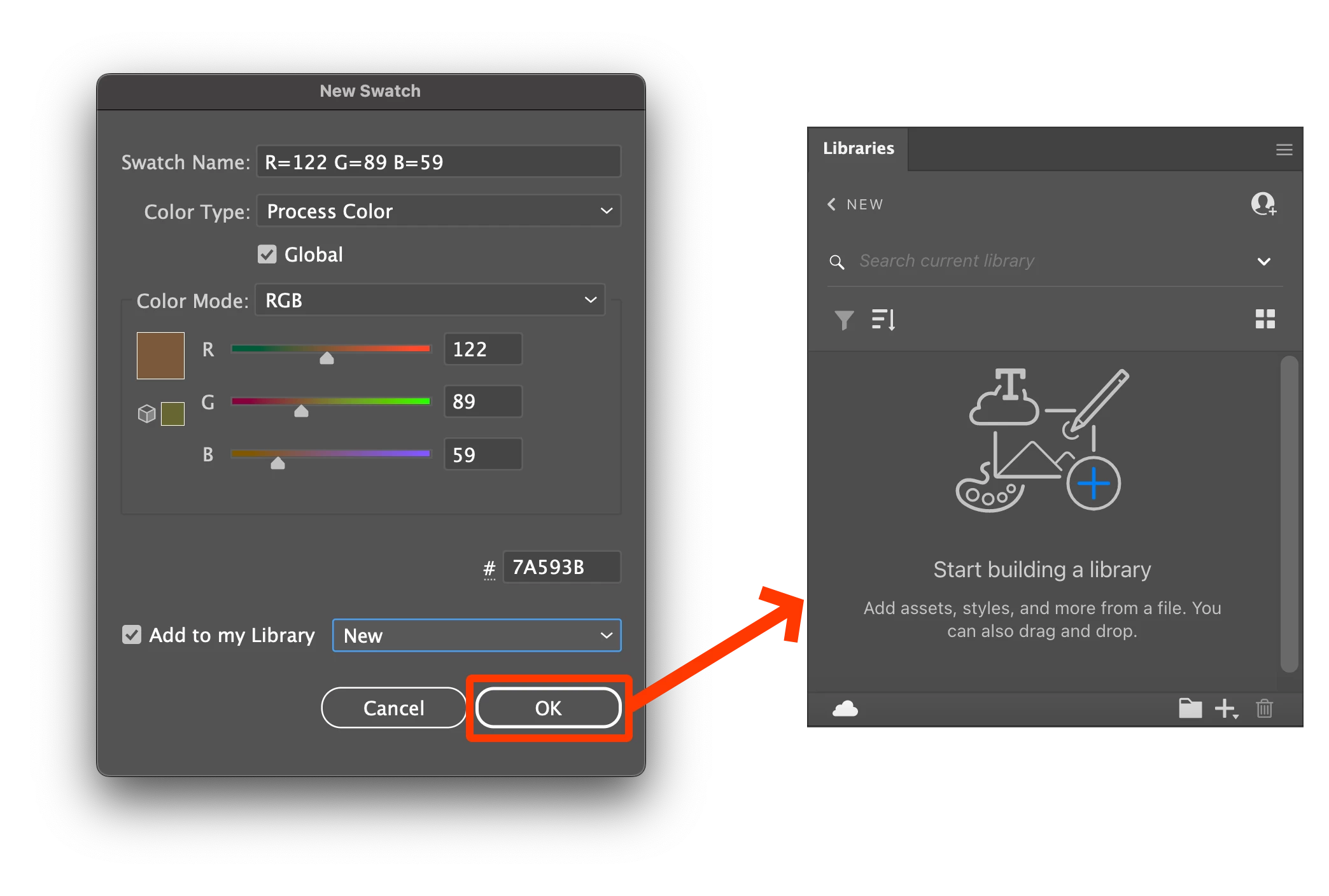
In the Create New Swatch dialog, if the "Add to my Library" option is checked and a valid CC Library is selected from the accompanying dropdown, after clicking the "OK" button, said swatch would previously show up immediately in the associated Library in the Libraries panel. At this time, it no longer behaves this way. Nothing is added to the Library after clicking the "OK" button.
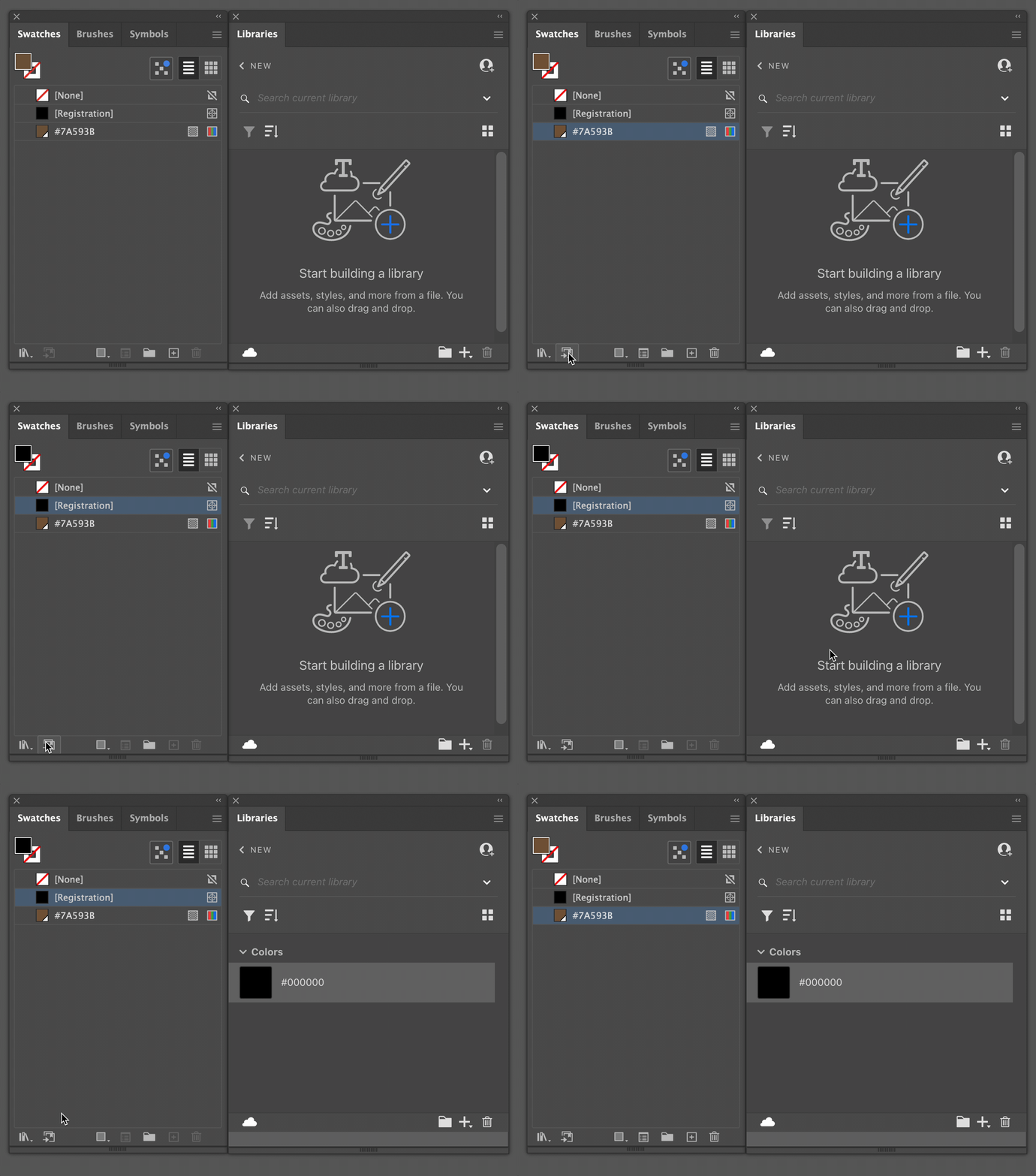
Likewise, when a Swatch is selected in the Swatches panel, after clicking the "Add selected Swatches and Swatch Groups to my current Library" button, the Swatch is not added to the current Library, despite previously behaving accordingly.
 AdChoices