


Open for Voting
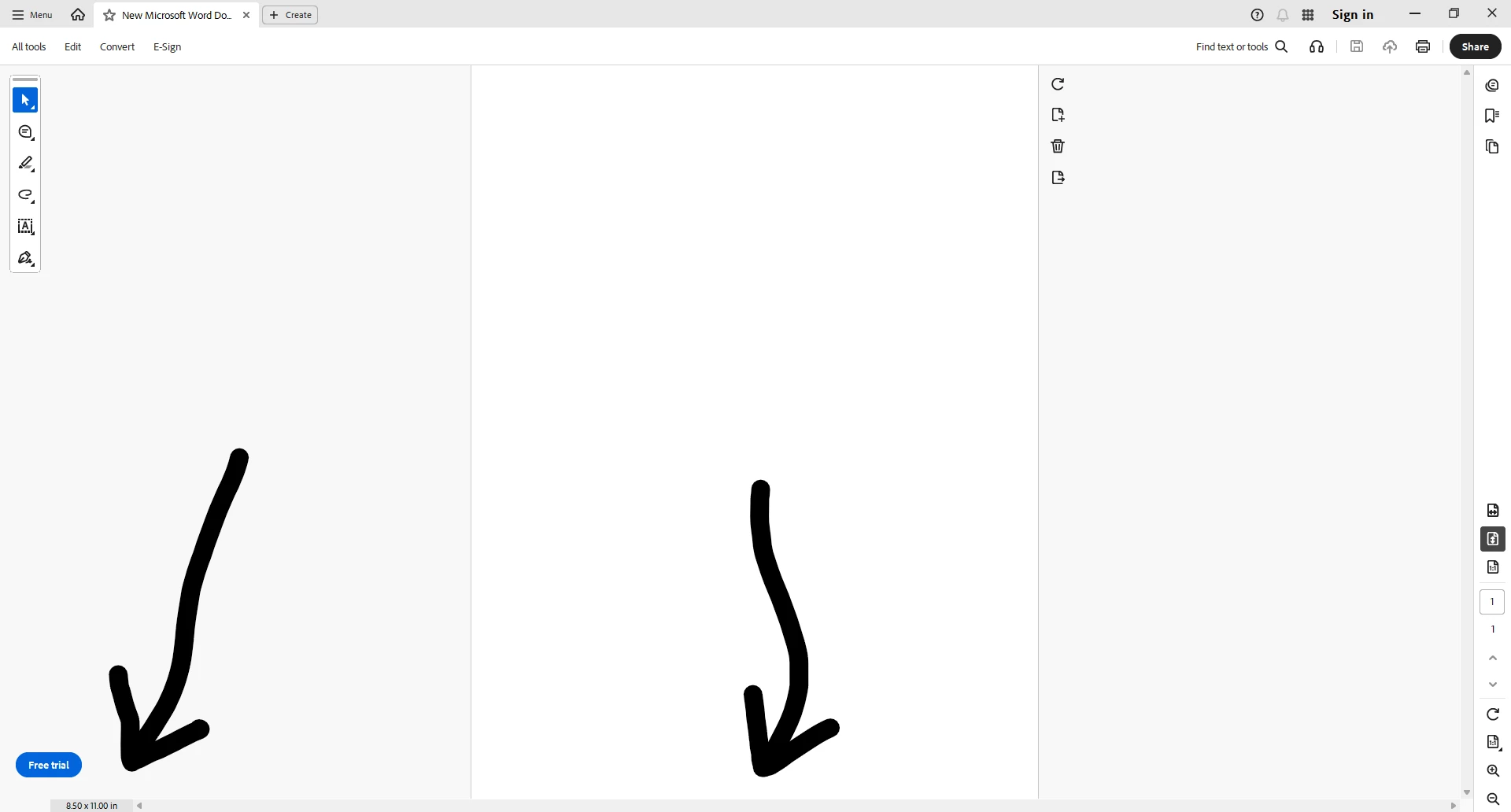
Adobe PDF reader shows page size and empty horizontal scroll bar even if it's disabled in Preferences
This is how you can reproduce this bug:
1. Open a PDF file;
2. In “Menu->Preferences->Page Display”, uncheck “Always show document size page”;
3. In “Menu->Preferences->Documents”, check “Restore last view settings when reopening document”;
4. In the right-side panel, click “Resize the page to fit vertically within the window”;
5. Close the PDF file;
6. Open the PDF again and see that the static page size and empty horizontal scroll bar are still present in the bottom left corner of the screen.
7. Also, please remove the empty horizontal bar to the bottom where the page size in contained. It should be shown only when pages are zoomed in!
 AdChoices