Hello, I used AI to summarize the problem and performed actions. 1. Problem I Face
The blue "Download" button on the Adobe Stock website is completely unresponsive when downloading licensed video assets (footage) and audio (.m4a!). Crucially, downloading static images works perfectly normal, but the failure ONLY happens when trying to download video assets. Both Website and downloading from Adobe Cloud doesn’t work.
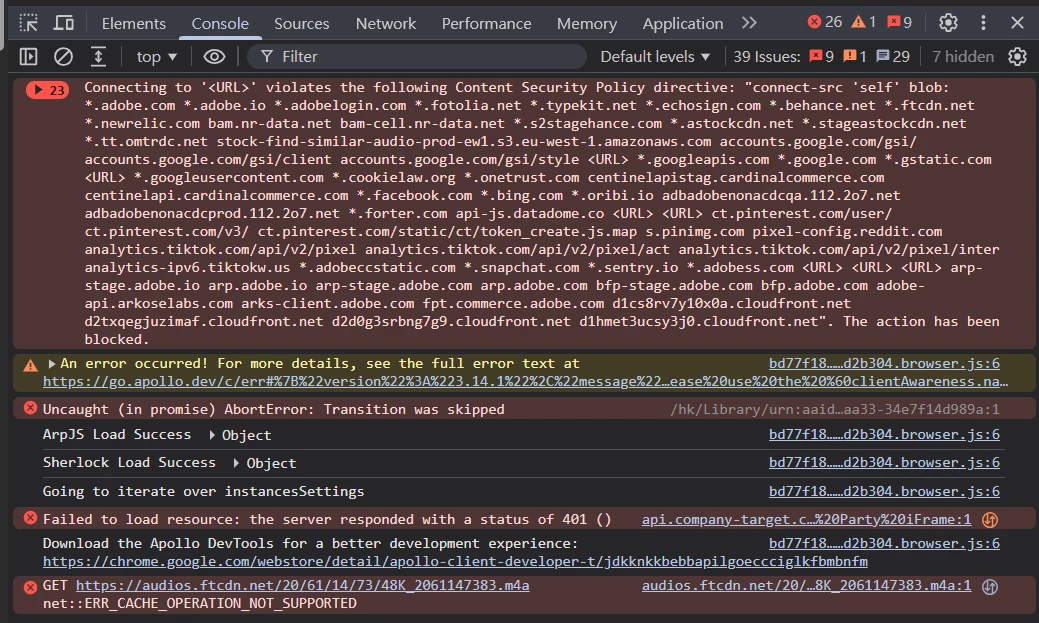
When I press F12 to check the browser console during a video download attempt, it shows the following errors in a continuous loop:
net::ERR_CACHE_OPERATION_NOT_SUPPORTED! on the media asset temporary URL
Failed to load resource: the server responded with a status of 401 () immediately after clicking download.
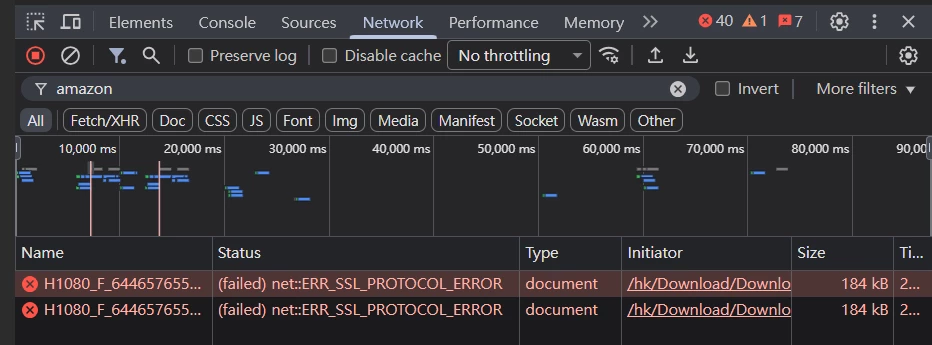
net::ERR_CACHE_OPERATION_NOT_SUPPORTED when requesting audio assets from audios.ftcdn.net (e.g., 48K_2061147383.m4a). Error showing after clicking re-download for licensed assets.Error report when trying to download with cache disabled.
2. What I've Done So Far
To isolate the issue, I have performed extensive troubleshooting on my local environment:
Account Refresh:Completely signed out, cleared site data/cookies via Chrome Site Settings, and signed back in.
Network Environment Reset: Performed a full Windows Network Reset, flushed DNS, cycled the physical router's power, and manually changed the DNS server to Google Public DNS (8.8.8.8).
Security Configuration: Executed elevated Command Prompt instructions to stop and reset the Windows Cryptographic Services (Catroot2) database. Verified no malicious certificates are installed in the Trusted Root list.
Cross-Website Test: The general download function on Google Chrome works perfectly fine on all other websites, and I can download Stock images without any issue. The failure strictly occurs during Adobe Stock video/audio downloads, which indicates a regression bug between Adobe's chunked media fetch script and Chromium's cache/CSP validation.
3. System Information
OS:[Windows 10 Home
Google Chrome Version: 149.0.7827.156
Asset Type Causing Issue:Video Footage (Images work perfectly)




 AdChoices