


Participant
November 13, 2025

GenAI asset in search results despite "Exclude Generative AI" filter

  • November 13, 2025
  • 3 replies
  • 61 views

Hi,

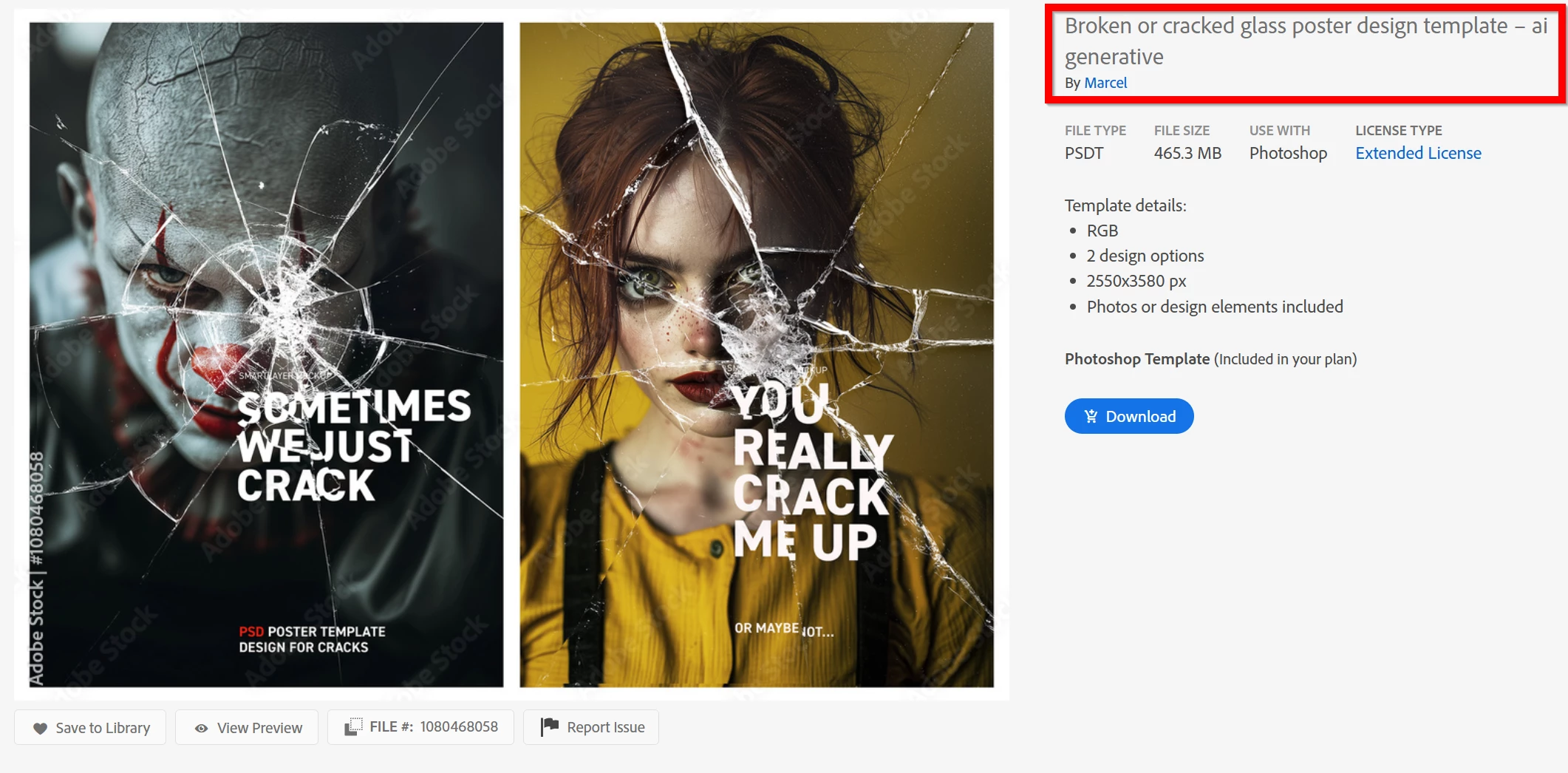
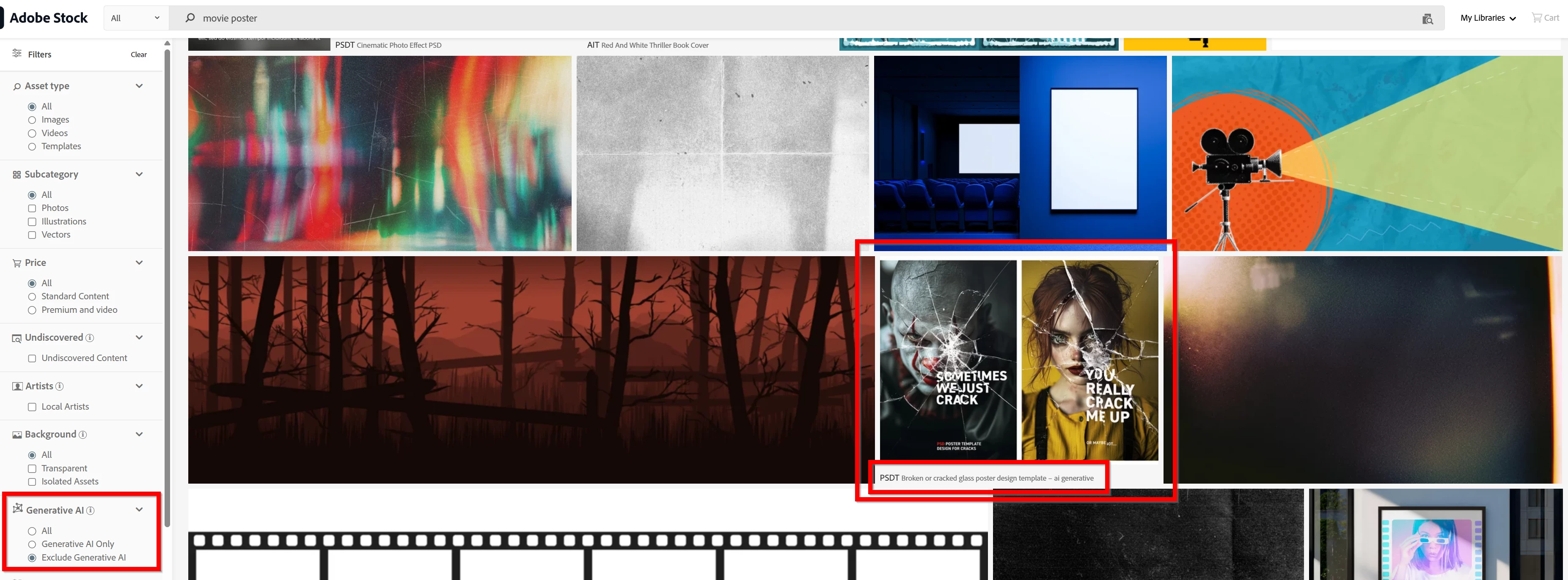
Adobe Stock is returning GenAI results in earches even though i've checked "Exclude Generative AI" in the filters. This one popped up today:
https://stock.adobe.com/uk/templates/broken-or-cracked-glass-poster-design-template-n-ai-generative/1080468058

I mean come on, the title of the asset even SAYS "AI generative"! This is not the first time AI results have appeared in filtered earch results, either.

Adobe, this is simply unnaceptable. Many professionals like myself take careful steps to avoid using GenAI in our work for many valid copyright, editorial, ethical, and technical reasons. This is jsut sloppy. For the how much CC and Stock cost i'd expect your search filters to work better than this. Please rectify this error if at all possible.
3 replies

Community Manager
November 21, 2025

Hello @maxj123, I've sent the details of asset 1080468058 to be reviewed internally. Thank you for the report and sorry for the problem with the template.

Abambo
Community Expert
Community Expert
November 20, 2025

The contributor of this asset made an error, when they submitted this. At the time, they were required to include "generative AI" in the title and keywords. After that, Adobe introduced a flag to mark assets. All correctly marked assets got this flag associated, and that is what search uses to filter assets out. 


@Contributor1 may be interested in looking into such assets that you pointed out.

ABAMBO | Hard- and Software Engineer | Photographer
daniellei4510
Community Expert
Community Expert
November 13, 2025

Making the AI Exclude Generative AI filter permanent was updated relatively recently, long after Adobe simplified the process of uploading AI by checking a box. When Adobe first allowed AI to be submitted, the requirement was to note that it was AI generated in the title and keywords. I suppose it's possible that the exclude filter doesn't take this update into account, but that's just a guess. But it appears some improvement is needed.

Adobe Community Expert | If you can't fix it, hide it; if you can't hide it, delete it.