


Participant
April 18, 2025

How to report AI images not marked as such?

  • April 18, 2025
  • 4 replies
  • 412 views

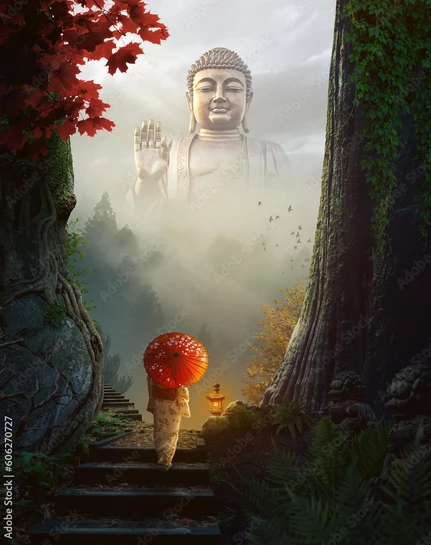
I'm looking for high-quality photos of places and objects that exist in the real world, not fantasy slop churned out by a mindless algorithm. Using the "exclude generative AI" filter helps a lot, but I still sometimes run into images that are blatantly AI-generated, like the one below. Is there an easy way to report these images? Thank you.


4 replies

Community Manager
September 25, 2025

Hello @john34578490wfz0, I've sent the details of image 1510933340 to be reviewed internally. Thank you for the report and sorry for the problem with the image.

Participant
September 24, 2025

I also have one to report: 1510933340. You can tell by how the piece was put together once opened and by the random shapes going around the corners of the presents at the bottom. It's really annoying to find these pieces when specifically filtering to avoid them. 


Community Manager
April 18, 2025

Hello @IHateTheNameYouGenerated, I've sent the details of image 606270727 to be reviewed internally. Thank you for the report and sorry for the problem with the image.

daniellei4510
Community Expert
Community Expert
April 18, 2025

They can be reported here. Include the asset numbers.

Adobe Community Expert | If you can't fix it, hide it; if you can't hide it, delete it.
Participant
April 18, 2025

Should I just report on this thread, then? The AI-generated image I ran across today is Asset #606270727.

daniellei4510
Community Expert
Community Expert
April 18, 2025

Perhaps @Contributor1 can take a look.

Adobe Community Expert | If you can't fix it, hide it; if you can't hide it, delete it.