Known Participant
August 23, 2023

Poor search results for simple searches

  • August 23, 2023
  • 19 replies
  • 1266 views

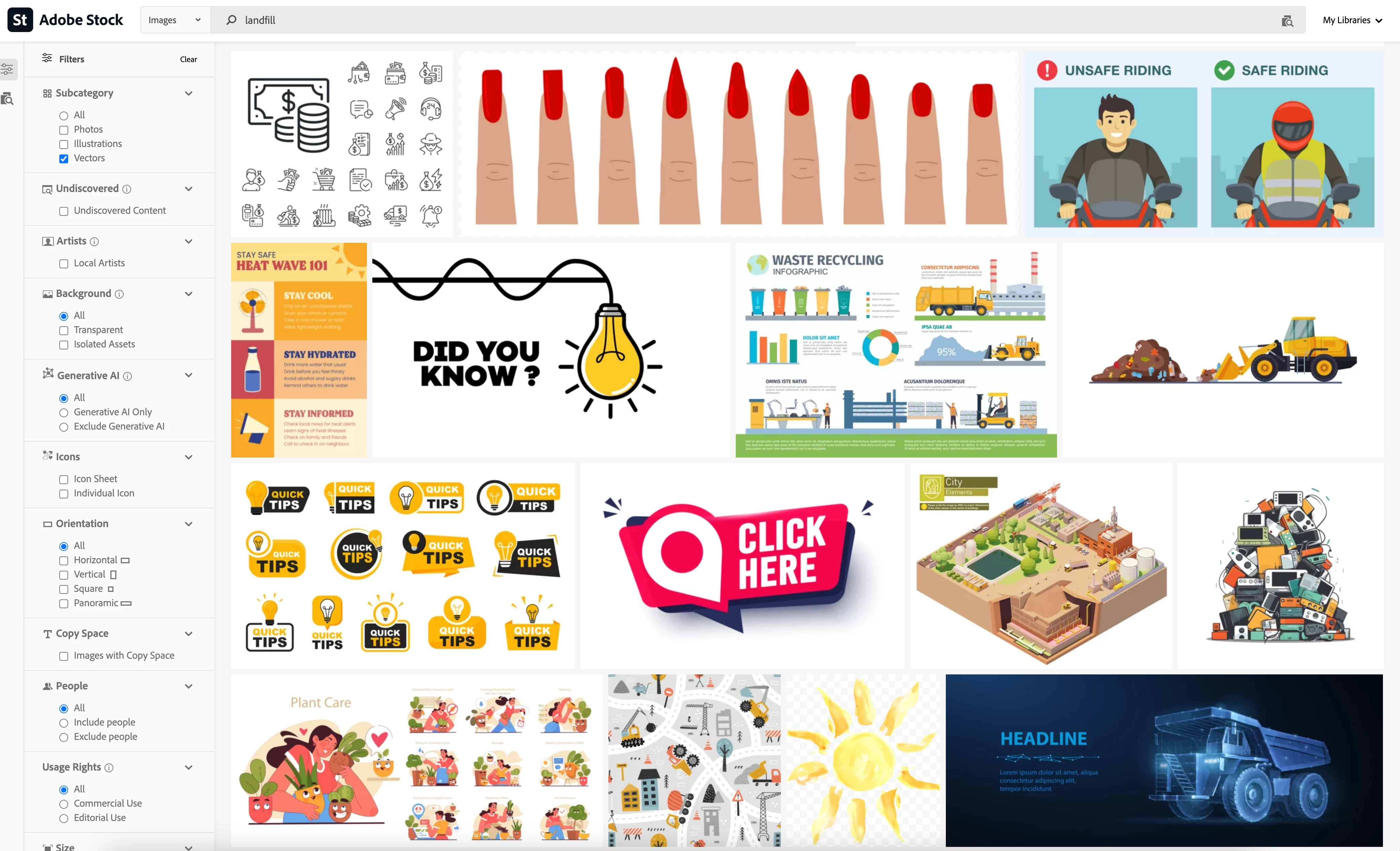
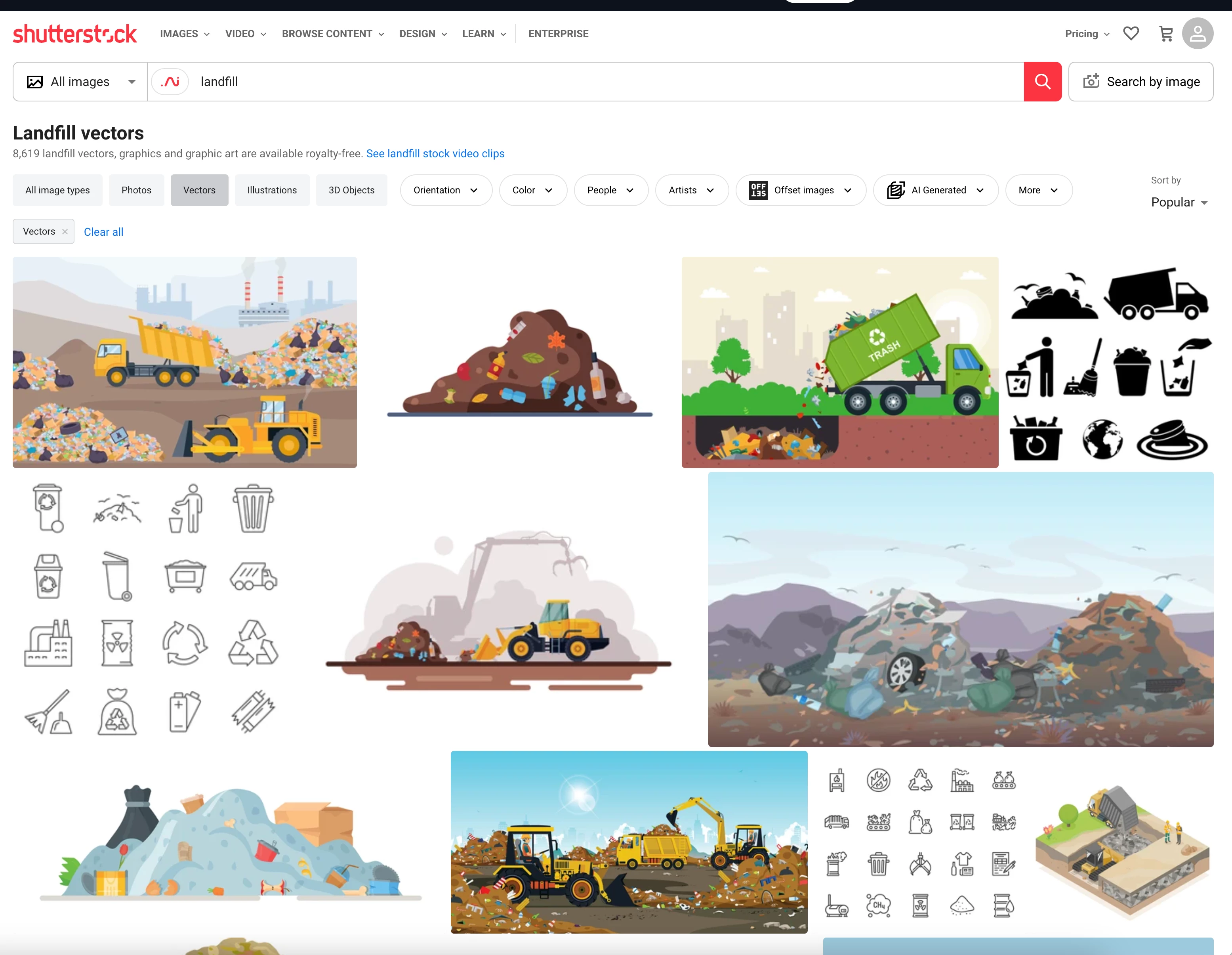
So... I did a search for one simple word "landfill". Here are the results on page one of Shutterstock search results vs Adobe Stock. Shutterstock returned consistently relevant results, whereas Adobe Stock returned a bunch of random stuff – starting on the first page of results! This has been an annoyance for years and, as illustrated by this particular search word, it's not a matter of narrowing things down with filters.  I guess my suggestion is for Adobe to: a) review keywords regularly and/or apply more scrutiny to submissions, and; b) perhaps create something like a hierarchy for keywords, where the content submitter can put primary keywords for the obvious content of the image, then secondary keywords for any tangiential matches. Or something. I don't know. That's Adobe Stock's job to figure out. Not sure how it works now, but it's clearly not very good and competitors are doing a significantly better job. It's frustrating that this consistently makes my projects take much longer than necessary.
19 replies

Abambo
Community Expert
Community Expert
November 20, 2025

@Peter Grecco,


I agree with you that it is not optimal, and that there could be better results. BTW: relying on the keywords from the contributors is also suboptimal, as for some assets, you may have Paris, Stockholm and Madrid and other towns as keywords included. And for generative AI, this is even worse, as no generative AI is a correct depiction of any town... 


For me and my professional needs I have decided that I do not use generative AI (except for my own generative AI, where I control the quality...). And legally, I can't even use it every where, especially not in my industrial applications. Having tuyeres going nowhere does not make your picture representing a reliable product, and the engineer immediatly sees that the asset is fake. Bad for your reputation.

ABAMBO | Hard- and Software Engineer | Photographer
Known Participant
November 20, 2025

Thank you for having a look into it!

I guess whatever the algorithm is, there's one thing I can safely say... it's not optimal for my needs. LOL

Abambo
Community Expert
Community Expert
November 20, 2025

@Peter Grecco ,

Crosschecking with one of my assets: It looks like "similar keywords" are indeed the keywords used by the contributor. This lets one assume that there is some fuzzy logic about the search results. I have, in my asset, just one keyword, where they exchanged that one with a synonym, which let's me think that they use kind of dictionary with synonyms. In addition the keywords get translated into different languages, so I suppose that they are doing also some syntax check to get the results right. I'm not sure about that however, as I run my keywords through a spellchecker (what I do not do always with my posts here... 😉 )

ABAMBO | Hard- and Software Engineer | Photographer
Known Participant
November 20, 2025

Thanks @Abambo . Indeed modifiers can be useful. Having just tried that specific modifier (-bulbs),  it took away a few of the bulbs, but not all (which is odd in itself), but the instances of "Tips" remained. Again, not sure the relation of "tips" to "garbage dump" or "landfill", but there must be something I'm not thinking of. Anyway, by then adding another modifier (-tips), a lot of the images I actually wanted to see – garbage trucks and landfills – disappeared with them. So... not as effective as logic would suggest. In any case, this is a specific instance we are discussing, but it happens with many searches that should logically be straightforward and the fact remains that initial results should be better and I shouldn't have to anticiapate what (seemingly random) modifiers I'll need to add. 


Here's another question... How do I see what keywords are designated for a given image? When I click on a (not-relevant-to-my-search) result, I see a "Similar Keywords" section. But I see no "garbage" or "dump" or "landfill" listed among these words. Surely, this list of keywords being shown is not the complete list for that image? How do I find the complete list so I can see how "tips" or "bulb" relate to "garbage", "dump" or "landfill"?


Abambo
Community Expert
Community Expert
November 20, 2025

@Peter Grecco.,


Not to defend the results, but there are modifiers for keywords in search requests, like -bulb.

ABAMBO | Hard- and Software Engineer | Photographer
Participant
November 20, 2025

Keywords are the worst

Known Participant
November 12, 2025

Wow! Yet another year has passed and things haven't much improved with Adobe Stock search results. I just searched the term "garbage dump" with vectors selected and "exclude AI". Here's a screenshot of what I get on PAGE 1 of the search results. Out of 100 photos, only 66 have anything related to the keywords. Inexplicably, 31 of them are lightbulbs/tips and the other 3 are random – a page layout template, some kind of medical implement, and an iceberg? I really cannot think of any way that "lightbulb" and "quick tips" can share any keyword with "garbage" or dump" to warrant 31% of the results. It would be comical at this point if it wasn't wasting so much of my time. They charge my credit card with great efficiency, so I guess there's no problem there. Unless Adobe can offer any sort of assurance that they plan to fix their search engine, I think it's past time I spend my money on a better service. 

Known Participant
October 31, 2024

More than a year later and here's the search result I get when I search "appliance" and turn on "include people". This is the top of the results and 1/3 do not have any people in the photo, and nearly half don't have a discernible relation to the word "appliance". It doesn't really get better as you scroll down either. I guess my question is... will Adobe be working to improve their search functionality and keywords or not? Just want to know if I should get my hopes up. I'm a Toronto Maple Leafs fan, so I know what it's like to hold out hope while at the same time knowing it's never going to happen. Thanks.

Abambo
Community Expert
Community Expert
February 29, 2024

@Lynn Mackey,

Upvote!

ABAMBO | Hard- and Software Engineer | Photographer
Participant
February 11, 2024

Agreed. I can find images soooo much faster on Shutterstock, iStock, Getty - anywhere! My main client only has Adobe Stock, so I waste hours looking for good images for them.