koin games
Participant
February 26, 2026
Sticky

Art layers glitch out when selecting a transparent background

  • February 26, 2026
  • 13 replies
  • 274 views

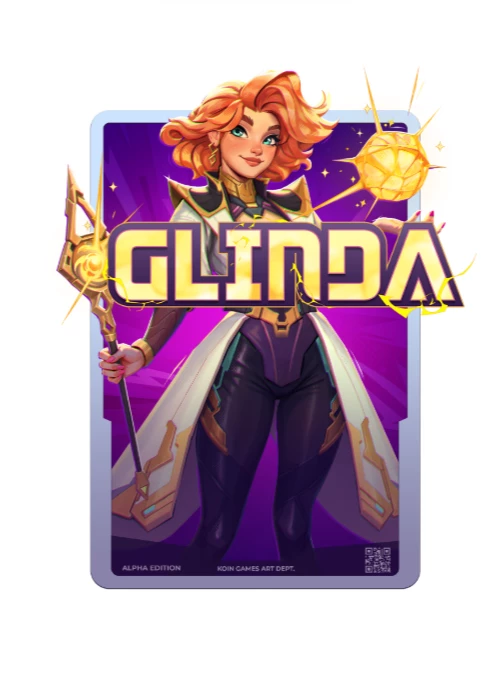
I have a file with different layers for an asset we are using


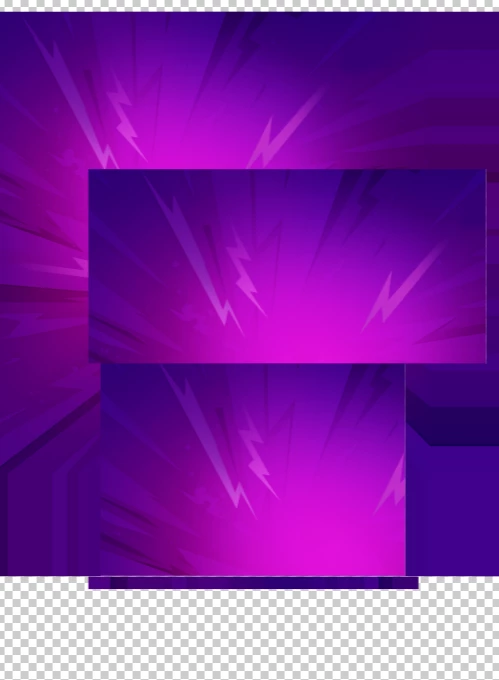
Since today the art is completely broken and glitchy, whenever i select a color for a background it goes back to normal 


Once i select a transparent background, it’s broken again
 

    Pinned Reply By Abhi.G @ ADBE

    Hi, we’ve just deployed a fix for this. Could you please try again now (you may want to refresh your browser tab or restart your app to pick up the fix)?

    Thanks
    Abhi G

    13 replies

    Adobe Employee
    February 27, 2026

    Hi,

    Sorry for the late reply, but we had deployed a fix for this yesterday. Could you please try again now (you may want to refresh your browser tab or restart your app to pick up the fix)?


    Thanks
    Abhi G

    Adobe Employee
    February 26, 2026

    Hi, we’ve just deployed a fix for this. Could you please try again now (you may want to refresh your browser tab or restart your app to pick up the fix)?

    Thanks
    Abhi G

    Participating Frequently
    February 27, 2026

    It looks like it's working properly now. 

    Thx

    Ahmedomara
    Participant
    March 31, 2026

    It looks like it's working properly now. 

    Thx


    JazzWotan
    Participant
    February 26, 2026

    Yeah this is still an issue unfortunately

    Participating Frequently
    February 26, 2026

    Same issue across a huge amount of templates. This is a massive problem. No meaningful response from Adobe for hours now. Sad.

    LUIS5
    Participant
    February 26, 2026

    TENGO EL MISMO PROBLEMA MIS PLANTILLAS NO CARGAN


    Amitej S
    Community Manager
    Community Manager
    February 26, 2026

    Hi ​@Frederik23035552ijya ​@koin games ​@Mae33212692aot3, thanks for bringing this up! 

    Some other users have reached out with a similar issue, and we’ve shared it with the team and will get back to you with more details. 

    Manuela_Romero
    Participant
    February 26, 2026

    What is the estimated time to get this fix? :( Even when adding titles the issue comes up

    Participant
    February 26, 2026

    We are experiencing the same issue across a huge amount of templates that haven't been working all day. This is a massive problem and makes our marketing operations incredibly vulnerable. It is honestly frustrating that Adobe isn't addressing a problem of this scale with more urgency.

    Mae33212692aot3
    Participant
    February 26, 2026

    I am having the same issue with several files, and duplicate files with identical elements but over half are not showing up. This is upsetting and I hope they get this fixed soon.

    A WanderingWonder
    Participant
    February 26, 2026

    I am using Adobe Express in the Chrome browser. I’ve recently updated it the browser, and cleared cache. 

    I notice this happening to my projects too, across all of them. 

    But one thing I just found out is that it doesn’t happen when I switch the background from transparent to a solid color. 

    When I switch it back to transparent background and download it, it’s in that fragmented broken state again. 


    Le1797320eaxt
    Participant
    February 26, 2026

    Eine von uns in Adobe Express erstellte Datei (Video)

    wird nicht mehr korrekt dargestellt. In der Vorschau ist alles korrekt. Wenn wir auf die Elemente an sich klicken, wird als Vorschau aber das korrekte Bild dargestellt. Ich habe meinen Cache geleert, aber es funktioniert dann auch nicht. Ich habe Firefox und Chrome ausprobiert, bei beiden der gleiche Fehler. Mein gnazes Team kann nicht mehr korrekt auf die Datei zugreifen. Auch eine Wiederherstellung der Versionen half nicht.
    Auch beim Login in Adobe Express habe ich Probleme, dass die Maske zum Login mehrmals angezeigt wird.


    A WanderingWonder
    Participant
    February 26, 2026

    Deleting to move this to a proper place in the thread.