


Participating Frequently
May 30, 2026

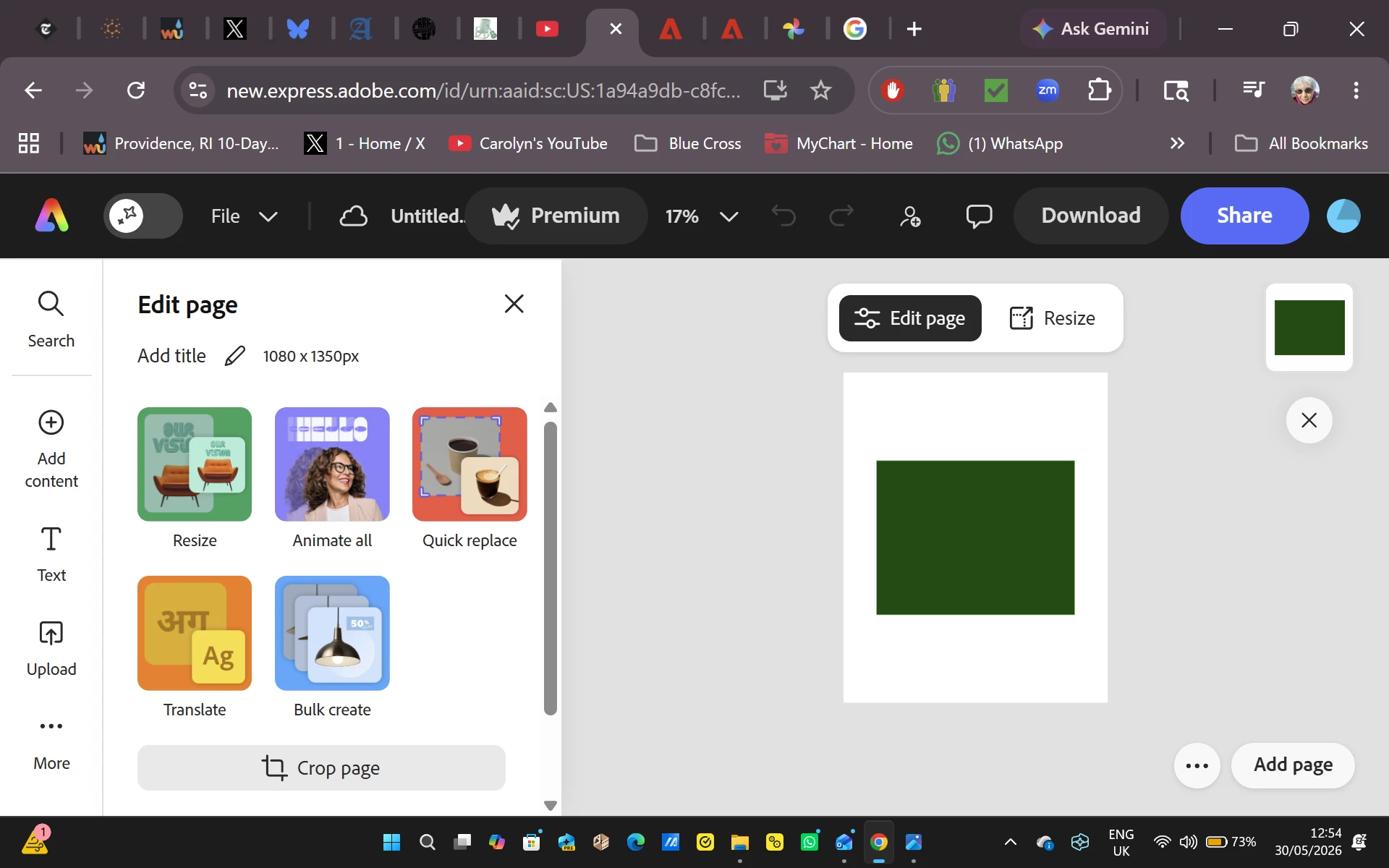
As soon as I start to edit an image, the entire image turns dark green. This is replicated on many images on both the Google Chrome and Microsoft Edge browsers for the past two days.

  • May 30, 2026
  • 33 replies
  • 586 views

I begin a new file, import a photo from Adobe Express, and attempt to work on it.  As soon as I do, the entire image turns dark green.  This began two days ago, and everything I have tried to do since has resulted in a solid green box replacing the image I selected.  To verify that the problem isn’t related to Google Chrome I attempted the same procedure on Microsoft Edge with exactly the same results.  Since I use Adobe Express multiple times a day for projects, this is creating a massive problem for me.


    Pinned Reply By Amitej S

    Hi everyone! 

    Our team is working on this issue and will let you know once the fix is released. Stay tuned to this community thread, we’ll be updating the status here! 

    Thanks!

    33 replies

    Participating Frequently
    June 2, 2026

    How can I send you the private message?  

    Tarun Saini
    Community Manager
    Community Manager
    June 3, 2026

    Hi ​@carolynfahm,


    Our product team is looking into this issue. You can share your project here- https://community.adobe.com/inbox/overview


    Regards,

    Tarun

    Participating Frequently
    June 3, 2026

    Tarun - I get to the site but there is no option to start a new message.  But I can tell you how to find one of the images that turned into a green box when I started to edit it.  Type in Baroque Letters, and find the capital letter B that looks like it was created out of brass.

    Stanley25373514nmfe
    Participant
    June 2, 2026

    I am also experiencing this issue. I’ve cleared the cache, and signed in and out, restarted the computer, and it persists. 

    Tarun Saini
    Community Manager
    Community Manager
    June 3, 2026

    Hi ​@Stanley25373514nmfe ,


    Thanks for sharing the project URL. I have shared it with our team internally, and will share the update once I hear anything from them.

    Regards,
    Tarun

    Daniel3867810592ow
    Participant
    June 1, 2026

    Also getting this issue as of today, Not all my images are doing it just select slides across a multiple panel project, when importing brand new images it shows the image at first but then almost loads or renders the image resulting in it turning into a green box as above with a burn like effect on the page of some of the image’s shadows? Cant even start a new project without it doing the same over and over.

    Tarun Saini
    Community Manager
    Community Manager
    June 1, 2026

    Hi ​@carolynfahm ​@Daniel3867810592ow,


    Welcome to the Adobe Express community! We’re sorry to hear about your experience. To help us better understand what might be causing this, could you please try the following and let us know the results:

    • Does the issue occur in Incognito/Private mode?
    • Have you tried using a different device or the mobile app?
    • Do you have any browser extensions or plugins installed? If yes, please try disabling them and check if the issue persists.
    • Is this happening with all images, or only specific ones?
    • If possible, could you share a screen recording of the issue? That would really help us investigate further.

    As a quick troubleshooting step, you can also try:

    • Clearing your browser’s cache and cookies.
    • Signing out and signing back into Adobe Express.

    Please let us know if any of these steps help or if the issue continues, we’ll take it forward from there.


    Regards,

    Tarun

    kristin_0508
    Participant
    June 2, 2026

    I am also experiencing this issue. All cookies and browser cache have been cleared and I have signed in and out of Adobe. I also restarted my device.