


Participating Frequently
May 30, 2026

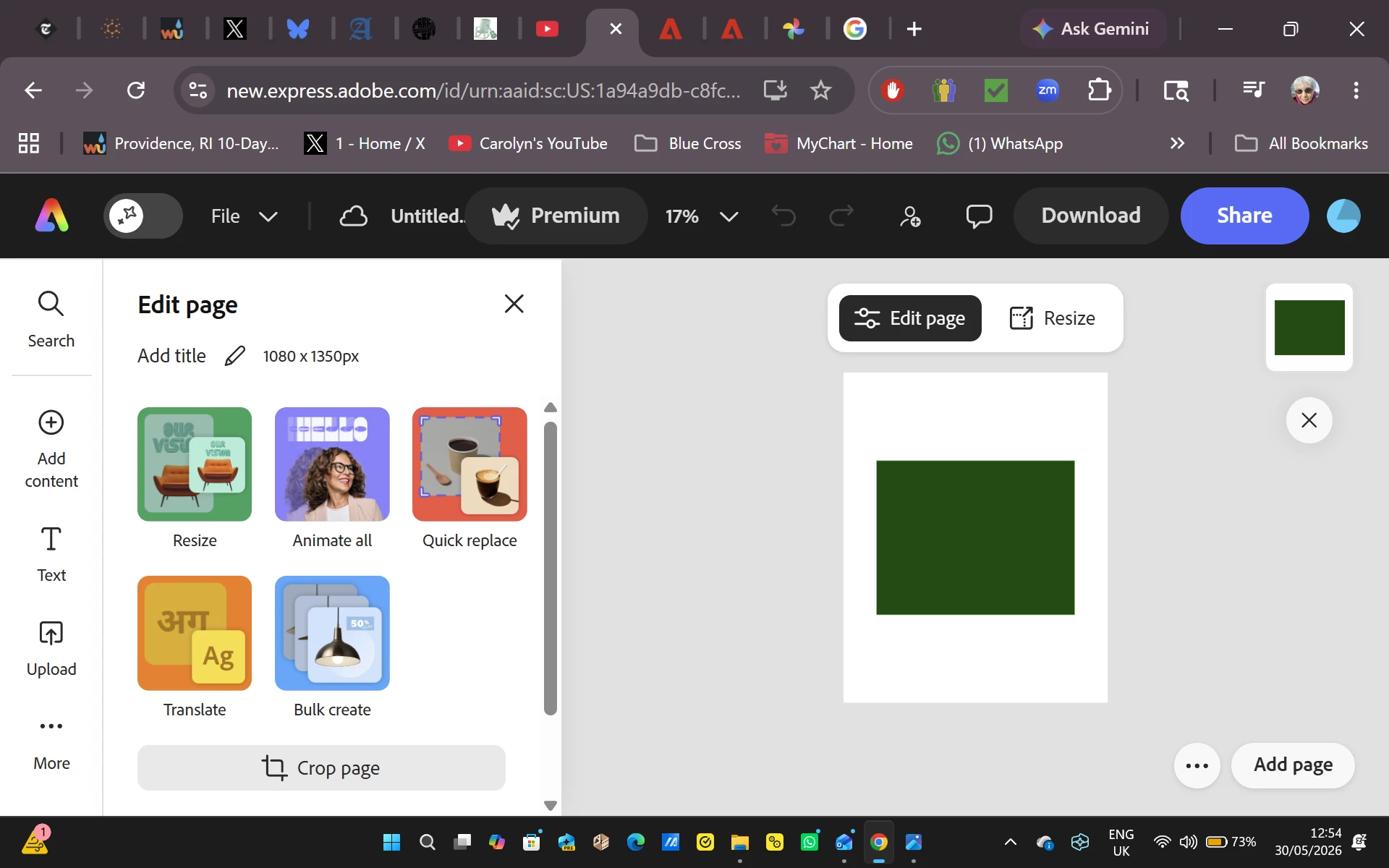
As soon as I start to edit an image, the entire image turns dark green. This is replicated on many images on both the Google Chrome and Microsoft Edge browsers for the past two days.

  • May 30, 2026
  • 33 replies
  • 586 views

I begin a new file, import a photo from Adobe Express, and attempt to work on it.  As soon as I do, the entire image turns dark green.  This began two days ago, and everything I have tried to do since has resulted in a solid green box replacing the image I selected.  To verify that the problem isn’t related to Google Chrome I attempted the same procedure on Microsoft Edge with exactly the same results.  Since I use Adobe Express multiple times a day for projects, this is creating a massive problem for me.


    Pinned Reply By Amitej S

    Hi everyone! 

    Our team is working on this issue and will let you know once the fix is released. Stay tuned to this community thread, we’ll be updating the status here! 

    Thanks!

    33 replies

    e-JY987654321
    Participant
    June 8, 2026

    When I upload/import an image from the media, I see that the image is green/black. 

    I've checked internally with my colleagues, but they don't seem to have the same issue. I've requested them to upload the same image file, where they can upload it seamlessly without any image quality issue. 


    ltam
    Participant
    June 8, 2026

    I’ve been having the same issue for over a week! Very frustrating - when will this be fixed?

    olivermyers
    Participant
    June 7, 2026

    This is exactly whats happening to my projects as well, even on past pages where images are. Its replacing all images I’ve uploaded with a green overlay like shown in this thread

    Rayen1
    Participant
    June 6, 2026

    I am also having the same issue, both when trying to to upload my own images into project, or when trying to use existing or stock library images. It’s very frustrating. 

    Participating Frequently
    June 5, 2026

    Images are in jpg format.  The problem occurs in all images, both mine and images within the program.  However vector files are not affected.  If I add content from the Media files, the file immediately transitions into the green box. So far, however, everything from the Elements files functions normally, as does text.

    Tarun Saini
    Community Manager
    Community Manager
    June 5, 2026

    Hi ​@carolynfahm ​@Daniel3867810592ow ​@kristin_0508 ​@Stanley25373514nmfe ​@sara_8358 ​@jennih27140690 ​@Ntash26 


    Thanks for your patience. While the team is still investigating the issue, could you help us with a bit more detail about the images that are not rendering properly?

    • What format are they in (PNG, JPEG, etc.)?
    • What’s the resolution or size?
    • Do you see any pattern between images that work vs those that don’t?


    Regards,

    Tarun

    jennih27140690
    Participant
    June 5, 2026

    It seems to be ALL pictures that I click on to edit.

    sara_8358
    Participant
    June 6, 2026

    Same here! Elements do work but all images turn green, even the ones that were fine until last week are now showing green. All my designs have been affected and I can't continue working with Adobe like this… 


    Ntash26
    Participant
    June 5, 2026

    I’m also having the same issue. I was trying to add a background, and it either doesn’t load at all or when it is applied it turns green within a few moments. 

    Stanley25373514nmfe
    Participant
    June 5, 2026

    Has anyone figured out how to resolve this? I’ve shared my files as asked, but have gotten no status updates, nor does the issue show on the Known Issues page. 

    I can’t afford to pay for a graphics program that doesn’t work. Please update!

    sara_8358
    Participant
    June 3, 2026

    I have exactly the same issue since yesterday. Incognito tab doesn't work, clearing cache doesn't work, tried multiple browsers and the app, all the same issue. Not just in my new project but all my old projects as well: they only show my images as dark green

    jennih27140690
    Participant
    June 3, 2026

    I’m also having this issue. I’ve rebooted. I’ve tried another browser. I’ve tried incognito mode. Nothing helps.