



Jennifer33605755onq5
Participant
November 2, 2024

Consistent Issues for Past 2 Days With Uploading Media to Posts

  • November 2, 2024
  • 38 replies
  • 6209 views

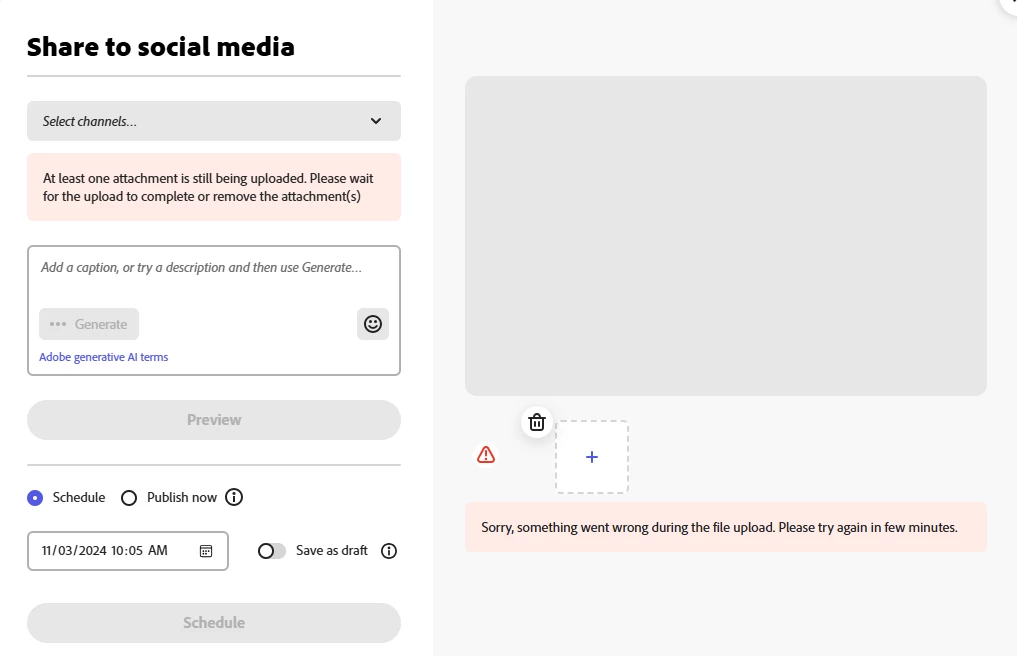
I have been receiving the error shown in the screen shot below for the last two days every time I attempt to upload media to a post in the Adobe Express Scheduler.


It is taking 7-10 attempts before the media will upload successfully. I have closed/reopened the website, cleared cookies, rebooted - none of these steps has any effect on the issue.


The issue is also occuring on my iPhone Adobe Express app.


I have never encountered this issue before. This is having a negative impact on my posting schedule and becoming very time consuming. 


Is something broken? Please advise and resolve. 
38 replies

Participating Frequently
November 3, 2024

Same issue here since Friday, 11/01/2024

Participant
November 3, 2024

Exact same issue.  I'm moving back to Meta for the IG and FB post that are urgent.

thejanebradbury
Community Expert
Community Expert
November 3, 2024

Hello anyone with uploading issues! Please log them here and upvote this post. Provide as much information as you can. Bear in mind this may not always be an Adobe Express problem, sometimes the social media providers have issues too. 

charlesp99786319
Participating Frequently
November 3, 2024

We're moving to Canva on an emergency basis. Can't trust Adobe anymore. 

Participant
November 3, 2024

Having this same issue now as well!

Participant
November 2, 2024

Same exact problem here. Same issue whether using chrome, firefox or the windows app version of express.

Known Participant
November 2, 2024

I'm having the same issues. New features are cool, but I do wish the basics were more solid.

Participant
November 2, 2024

I'm experiencing an issue with Adobe Express Scheduler. Every time I try to upload an image, I get the error message:


“Sorry, something went wrong during the file upload. Please try again in a few minutes.”


Troubleshooting Steps I’ve Tried:

  1. Waited a few minutes and retried the upload.
  2. Cleared my browser’s cache and cookies.
  3. Tried different browsers (Chrome, Safari), but the issue persists.
  4. Disabled browser extensions to rule out interference.
  5. Attempted to upload in incognito/private mode.

Despite these efforts, I still encounter the same error.


Could someone please assist me in resolving this?


Thank you!

Participant
November 3, 2024

I am having the same issue today. Just like you I have tried everything. Hopefully they can resolve this issue.