


Participating Frequently
June 20, 2025

Media didn’t Import issue

  • June 20, 2025
  • 18 replies
  • 5631 views

Hey for the last week or so I've been getting this error. 


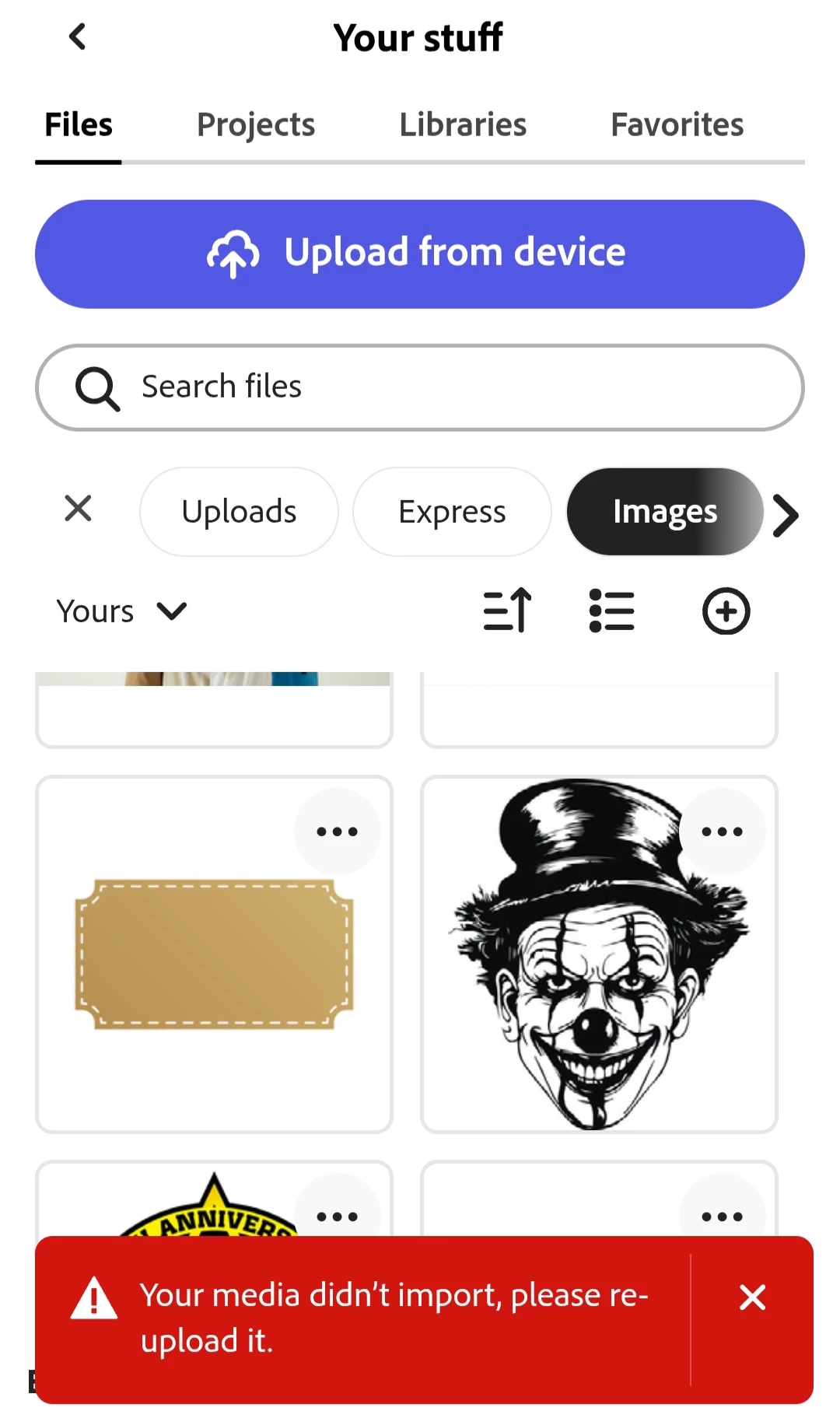
"Your media didn't import, please re upload it." 


This is for every single image I've ever uploaded. Even after I upload an image again it still doesn't import and gives the same error. When I go to "My Stuff" I can see these images multiple times but none of them will import. Anyone else having this problem or know how to fix it? There was an update to the app yesterday but this did not fix the issue. This is frustrating when im trying to work fast as I dont want to have to upload the same image I already uploaded 20 times.
 

18 replies

crowland_3505
Participating Frequently
October 7, 2025

I've been experiencing the same issue as everyone else and I also noticed that the majority of the files in my CC Library renamed themselves to the description and not the default file name of "AdobeStock_[ID#]". I cleared my cache and SOME of the files have been corrected, but others are still showing the description title from Adobe Stock. All I know is that I didn't rename any of these files when I put them in CC. There are hundreds of images and I don't have the time to go back and reimport all of them or even rename them.

Tarun Saini
Community Manager
Community Manager
October 7, 2025

Hi @crowland_3505 


I'd recommend reaching out to and working with our support directly as a next step. They can be reached here: https://adobe.ly/4nBp3rH


Regards,

Tarun

Community Manager
August 7, 2025

Hi @charm_8200 ,


To resolve the issue, please try clearing your browser's cache.

Since you're using Chrome, you can do this by visiting the following link:
chrome://settings/clearBrowserData

After clearing cached images and files, restart the browser and try again.
If the issue continues, please let us know so we can assist you further.

ˆMM

Participating Frequently
August 7, 2025

DITTO

Participant
August 7, 2025

I have just started to have this issue in the last 2 days, can someone point me to whatever fix has been developed?  Note, this is for both images I try to upload AND images in Adobe Express' own  design elements selections.

Community Manager
August 7, 2025

Hi @charm_8200,


Thanks for the update, and sorry to hear you're still running into this issue.

Our team recently deployed a fix that resolved the problem for some users, but we understand it’s still affecting you and others. We’ve flagged this with our engineers again and are actively investigating why uploads (including Adobe-provided assets) are still failing.

In the meantime, could you please try clearing your browser/app cache and reloading the project? If the issue persists, feel free to share a screen recording or specific filenames so we can dig deeper.

Appreciate your patience — we’ll keep you posted with any updates.
Thanks,


^MM

Participant
July 25, 2025

The issue is resolved for me. Thanks for the fix. 

Amitej S
Community Manager
Community Manager
July 28, 2025

Thanks for confirming that it works for you, @yana_4187. Let us know if you face it again! 

Adobe Employee
July 25, 2025

Hi @Matt29992174ax3h @shawna_8112 @yana_4187 @queenielou 


Could you please check now? We've deployed some changes that attempt to fix this issue.


Thanks,

Abhi G

Adobe Employee
July 11, 2025

Hi @shawna_8112 


A fix is still in development. Thanks for your patience.


Abhi G

Participant
July 10, 2025

@Tarun Saini @Amitej S @David__B @Abhi.G @ ADBE 

As you can all see, this is NOT an isolated incident. How many of us have to keep commenting and saying that it is an issue? It is all well and good that you, as Adobe employees, have a functioning app; however, we, as paying customers, do not. You're not going to be able to ignore or gaslight the issue away. When will there be an actual response or update from Adobe about this issue, please? 

Participant
July 8, 2025

Same here. Any updates on getting it fixed?

Participant
June 28, 2025

Same issue here on Mac desktop. Are there any fixes for this issue yet?


Tarun Saini
Community Manager
Community Manager
June 30, 2025

Hi 

@queenielou

,

Welcome to the community! I'd like to inform you that our product team is working on this issue. We will keep you posted with any updates.


Regards,

Tarun