


Participant
November 15, 2023

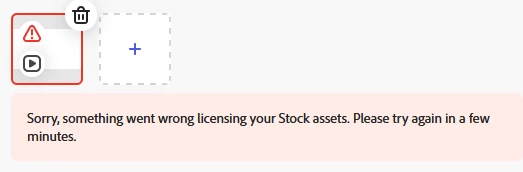
"Something went wrong licensing your Stock assets"

  • November 15, 2023
  • 15 replies
  • 1634 views

I have Adobe Express Premium and am unable to schedule a post including a stock Thanksgiving video for my business. Error message below happens when attempting to post from the web host. If anyone has any input I'd appreciate it.


15 replies

Participant
March 7, 2025

I am currently having this same issue, I only have two items within the post that are stock assets and I checked that both are still available. Not sure if this has to do with the fact that I just moved this post into a project? I am now trying to schedule the post but keep getting this stock error. I need to get this post out for a client. 

David__B
Adobe Employee
Adobe Employee
March 7, 2025

Hi @Chelsea Schmidt

Sorry to hear about your difficulties. Would it be possible to create a duplicate instance of the file with the issue and share it with me privately? I'd like to check the file first-hand?


Thanks,
Dave

Participating Frequently
February 26, 2025

how do I do that?

David__B
Adobe Employee
Adobe Employee
February 26, 2025

Typically, this means that the licensing for some assets used in the file have changed and need to be removed and updated. Please open the layers for the file and check for any blank layers (including audio tracks if this is a video project) and delete them. After deleting the blank layers you should no longer receive this error.


Hope this helps,

Dave

Participant
January 17, 2025

I can only assume my issue is the audio, as I build the images in PS and the only thing I added from AE is the audio. I've now tried four different audio tracks all from the AE library. None are getting flagged as problematic inside the AE file/interface as I work. I have to upload the whole thing to the post and try to schedule for it to generate this stock assets error. But I just found the audio in your library minutes before I tried to save the post. Once I removed the audio from my file, it uploads and schedules just fine. Why are so many of your audio files are expired, but still options in your asset library. Maddening! How do I know which works without wasting all this time on it by sheer trial and error?

Participant
April 22, 2024

It worked now. Thank you for your help. Best.

Adobe Employee
April 16, 2024

Sorry for the delay, @israeln63407722 


Asset #404709447 refers to this "Global network icon"


This asset had to be removed from the Stock collection because of some content moderation issues. You'd have to remove/replace it in your Express file in order for download to succeed. Sorry for the inconvenience.


Abhi G

Participant
April 11, 2024

Yes, I did what you instructed me to do but nothing comes up with that number. Dead end.


Adobe Employee
April 11, 2024

Hi @israeln63407722 


Yes, you will continue to see the same error until you delete or replace the asset that the error dialog refers to (#404709447)
The post I had linked to simply provides a way to identify that asset. If you were not able to identify it, let me know.


Abhi G


Participant
April 11, 2024

Nope, it didn't help. And I still get the same error message. I guess I wasted my time with this tool.

Adobe Employee
April 2, 2024

Hi @israeln63407722 


This post may help identify the Stock asset that can't be licensed: https://community.adobe.com/t5/adobe-express-discussions/asset-can-t-be-licensed/td-p/14485577


Abhi G

Participant
April 1, 2024

I finished my resume and when trying to download a PDF, error message as well. 

How can I find the item to replace it?