

Participant
June 7, 2024

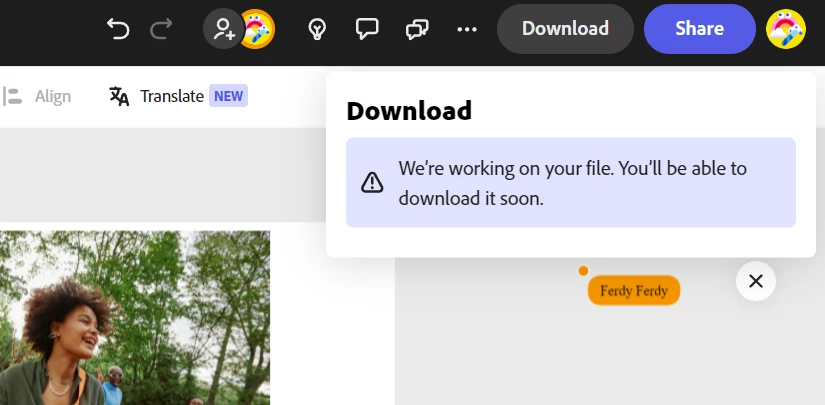
We're working on your file. You'll be able to download it soon!

  • June 7, 2024
  • 20 replies
  • 23026 views

Hi could you help me? My working file is stuck and can't be downloaded
 

20 replies

Participating Frequently
August 13, 2025

To update the thread, I had other pages on the project that needed to be deleted.  Now it's working great.  Thank you @Abhi.G @ ADBE 

Adobe Employee
August 13, 2025

To keep this post updated, we were able to indentify a couple of problematic videos in one of @ackpack34's files. Deleting them allowed download to contiue.


As mentioned earlier, the team is working on making this (identifying problematic assets) easier. Thanks for your patience.


Abhi G 

Participating Frequently
August 12, 2025

I DM'd you, but it won't let me share.  It looks like the same error.

Adobe Employee
August 12, 2025

Ok, thanks for the update. I sent you a DM for file-sharing too.


Abhi G

Participating Frequently
August 12, 2025

An update is that the one I copied that worked, just now started to let me download.

Participating Frequently
August 12, 2025

@Abhi.G @ ADBE , unfortunately, I have tried them all.  As well as the app on my phone.  None of them work.

Adobe Employee
August 12, 2025

Hi @ackpack34 


Sorry to hear you are running into this pesky issue. I was wondering if one of the tips on this post help, for example, trying another browser or an incognito window of your preferred browser?


Thanks

Abhi G

Participating Frequently
August 12, 2025

I am having the same issue as everyone else.  I understand the need for the wait and have done that in the time I've used the system.  However, at the moment, I have 3 different videos that I need to download that all are giving me the same notification.  I have waited several days and still no luck.  


One of the videos I duplicated and started slowly deleting things and trying to download after each deletion.  I got down to where I had added a blank scene and it still wouldn't download.


I then tried going to a video I have downloaded before.  It worked fine.  But then I duplicated it to try and then add things to it slowly to get it to work.  I get the message that it's working on the file now, even after just copying and not making any changes.


I'm really hoping we can get a better notification, but this doesn't make sense.

Adobe Employee
July 17, 2025

Ok, the fact that incognito works suggests that clearing site data (cache, cookies) from your regular browser might also do the trick; this will hopefully need to be done only once.


Your logs tell me that you are using Chrome. In Chrome, go to chrome://settings/content, then delete data for adobe.com (you can use the search field on the top right).


Let me know if that does/doesn't help.


Thanks

Abhi G


Participating Frequently
July 17, 2025
This seems to have fixed the problem for now.
Community Manager
July 18, 2025

Hi @Gabriel37244784c469,


Great to hear it's working now! If the issue returns or you run into anything else, don’t hesitate to reach out — we're happy to help.


^MM

Adobe Employee
July 17, 2025

Hi @Gabriel37244784c469 


Understood; did you happen to check these questions in my last response:


I am curious if you make any edits before the issue recurs, and if so, what kinds (uploading assets, for example?)


Also, could you try another browser or an incognito window of your preferred browser?


Thanks

Abhi G

Participating Frequently
July 17, 2025
Maybe 20?

Incognito works fine, but I can't do that on a consistent basis. That would require me to log in so much.
