





Not Prioritized
About the thumbnail display of reference images on the Firefly Board(Fireflyボードの参照画像のサムネイル表示)
▼ Version of the app
Firefly Board
▼ Platform and OS version
MacBook Pro 13-inch, M1, 2020
Browser: Arc ver. 1.123.0
▼Basic steps to reproduce the problem
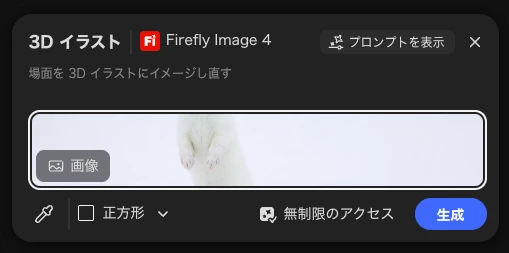
1. On the Firefly Board, select “Preset”.
2. In “Reference image,” use the eyedropper to pick an image on the canvas and apply it.
3. The thumbnail becomes horizontally stretched, and the entire image is no longer visible.
▼Expected result and actual result
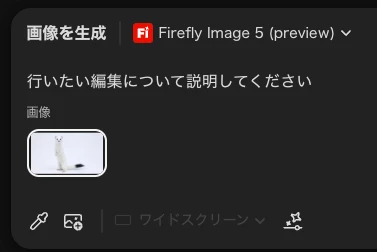
As with “Generate Image,”
I would like the image to be displayed in a reduced size while maintaining its aspect ratio (so that the entire image is visible).
I would like the image to be displayed in a reduced size while maintaining its aspect ratio (so that the entire image is visible).
 AdChoices