
Participant
May 19, 2023

downloading a file

  • May 19, 2023
  • 2 replies
  • 143 views
  1. Version of the app - cant find out what version we are one. 
  2. Platform and OS version  - macOS Ventura 13.3.1 (a)
  3. Basic steps to reproduce the problem - below
  4. Expected result and actual result - self explainitory


I downloaded one of the examples made some changes to one of the examples. I also applied some additional Content type like Photo. refreshed the rendering.


I selected an image. The image enlarged and I chose one of the files to download. the name was the same as the file I had preveously downloaded.
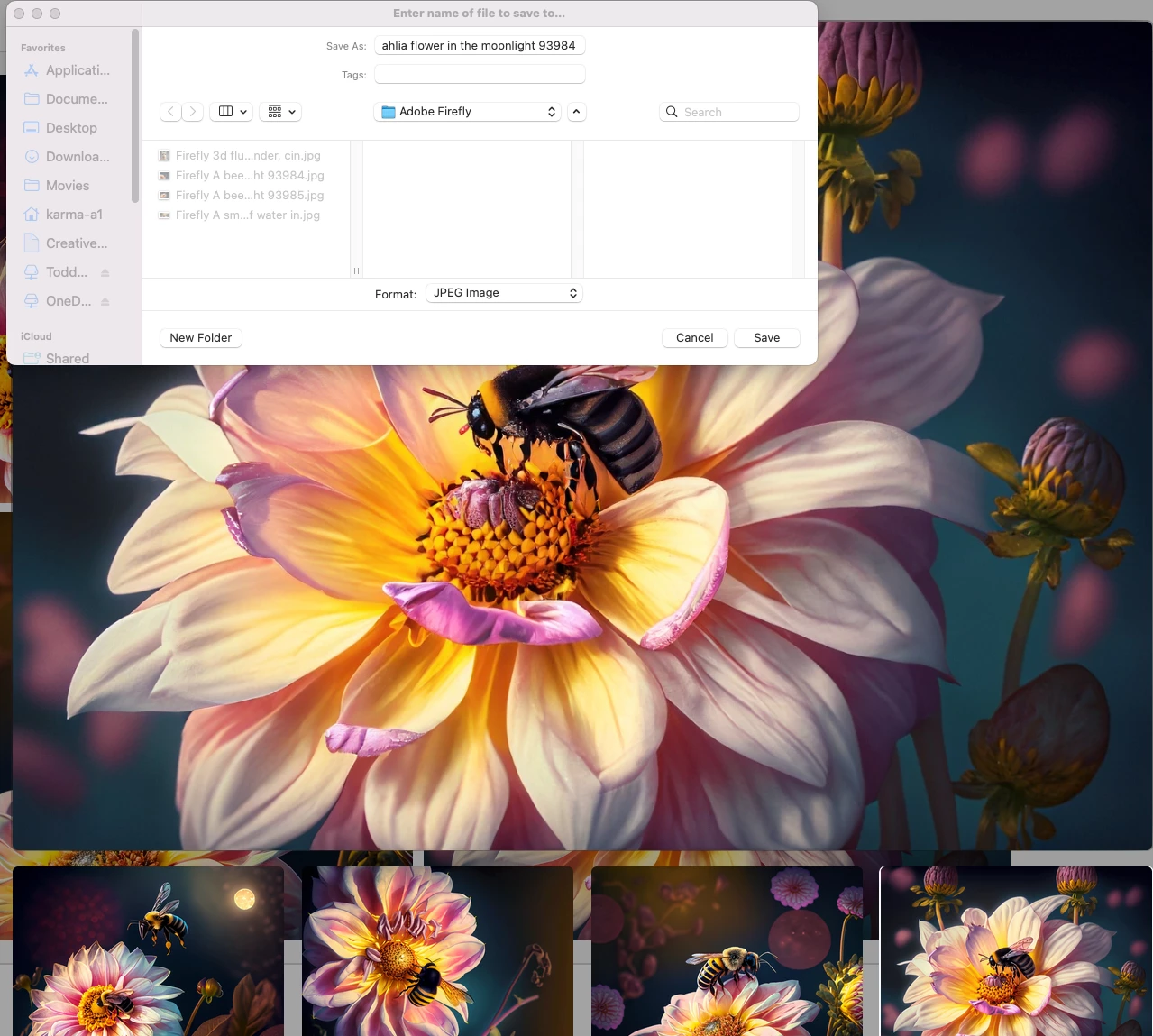
I was not able to reduplicate the issue.


feature or bug is for you to decide. I hope this helps or at least something to keep an eye out on.


Thank you for the opportunity to help

2 replies

Participant
May 20, 2023
Yes that is correct.


--
Thanks,

Jerry Poynter

Email: jerrypoynter@gmail.com


This e-mail may contain privileged or confidential information. If you are not the intended recipient: (1) you may not disclose, use, distribute, copy or rely upon this message or attachment(s); and (2) please notify the sender by reply e-mail, and then delete this message and its attachment(s). Jerry Poynter and his affiliates disclaim all liability for any errors, omissions, corruption or virus in this message or any attachments.
J E L
Community Expert
Community Expert
May 20, 2023

Hi @Jerry29186789q9zd, if I read your post correctly, it sounds as though you generated four images, downloaded one, went back to download a second, but the file name was the same as the first, even though it was a different image. Is that what happened? This could have been a cache issue if you had been working in the program for some time. Or, just a temporary glitch. So far, I've always had a unique number assigned to the file name for each image in a batch. Something to look out for though!