
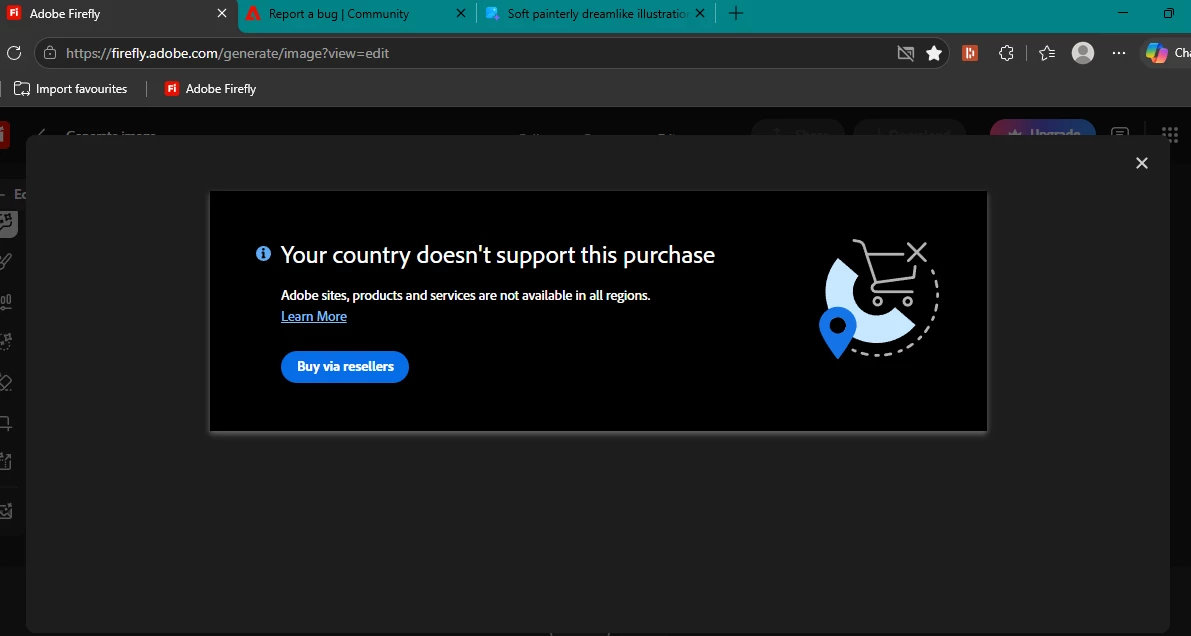
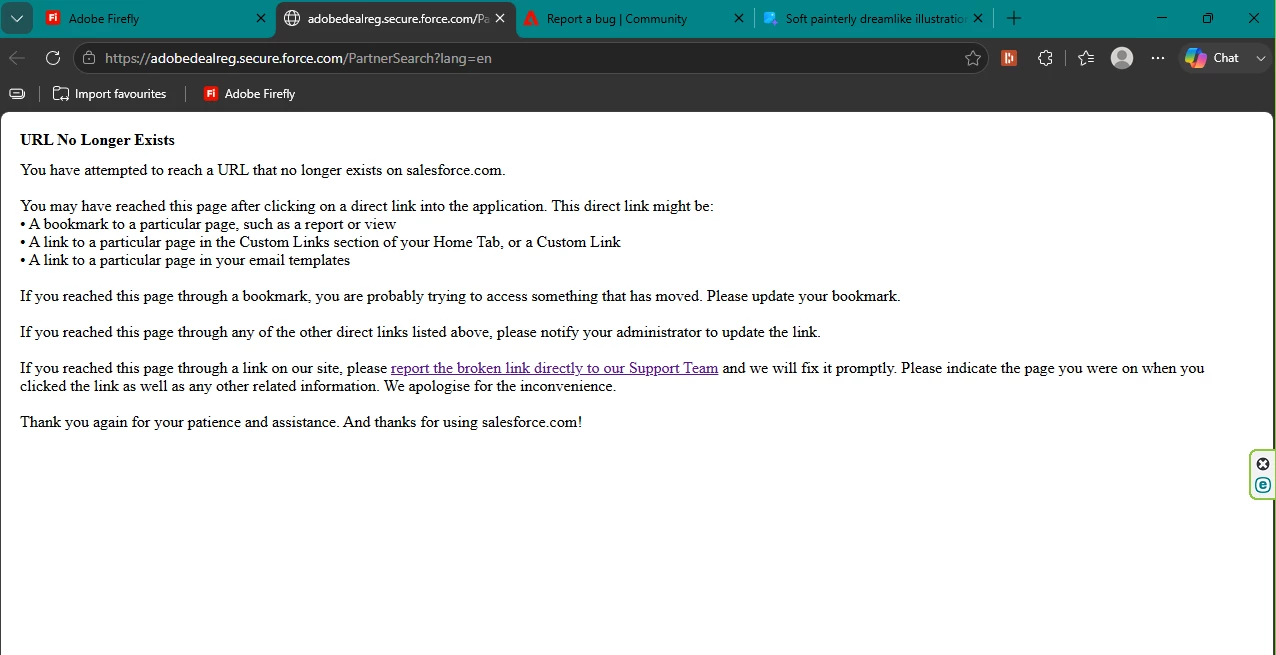
Firefly purchase blocked: "country not supported" popup, and "Buy via resellers" link is broken (404 on adobedealreg.secure.force.com)
Steps to reproduce:
- Open Firefly and go to generate an image (firefly.adobe.com/generate/image?view=edit)
- Click "Upgrade" / "Purchase" to buy a plan
- A popup appears: "Your country doesn't support this purchase — Adobe sites, products and services are not available in all regions"
- Click the "Buy via resellers" button in that popup
- This redirects to adobedealreg.secure.force.com/PartnerSearch?lang=en, which returns a Salesforce "URL No Longer Exists" error page (404 — broken/expired link)
Expected behavior: Either the purchase should go through normally, or the "Buy via resellers" link should take me to a working page where I can actually find a reseller.
Actual behavior: I'm blocked from purchasing entirely — the primary purchase flow rejects my region, and the fallback link Adobe provides is dead, so there's no way to complete a purchase at all.
Additional info:
- Screenshots attached showing both the regional block popup and the broken reseller link page
- This affects the checkout/purchase flow specifically, not the Firefly generation features themselves


 AdChoices