




Firefly video error when frame image differs from chosen aspect ratio
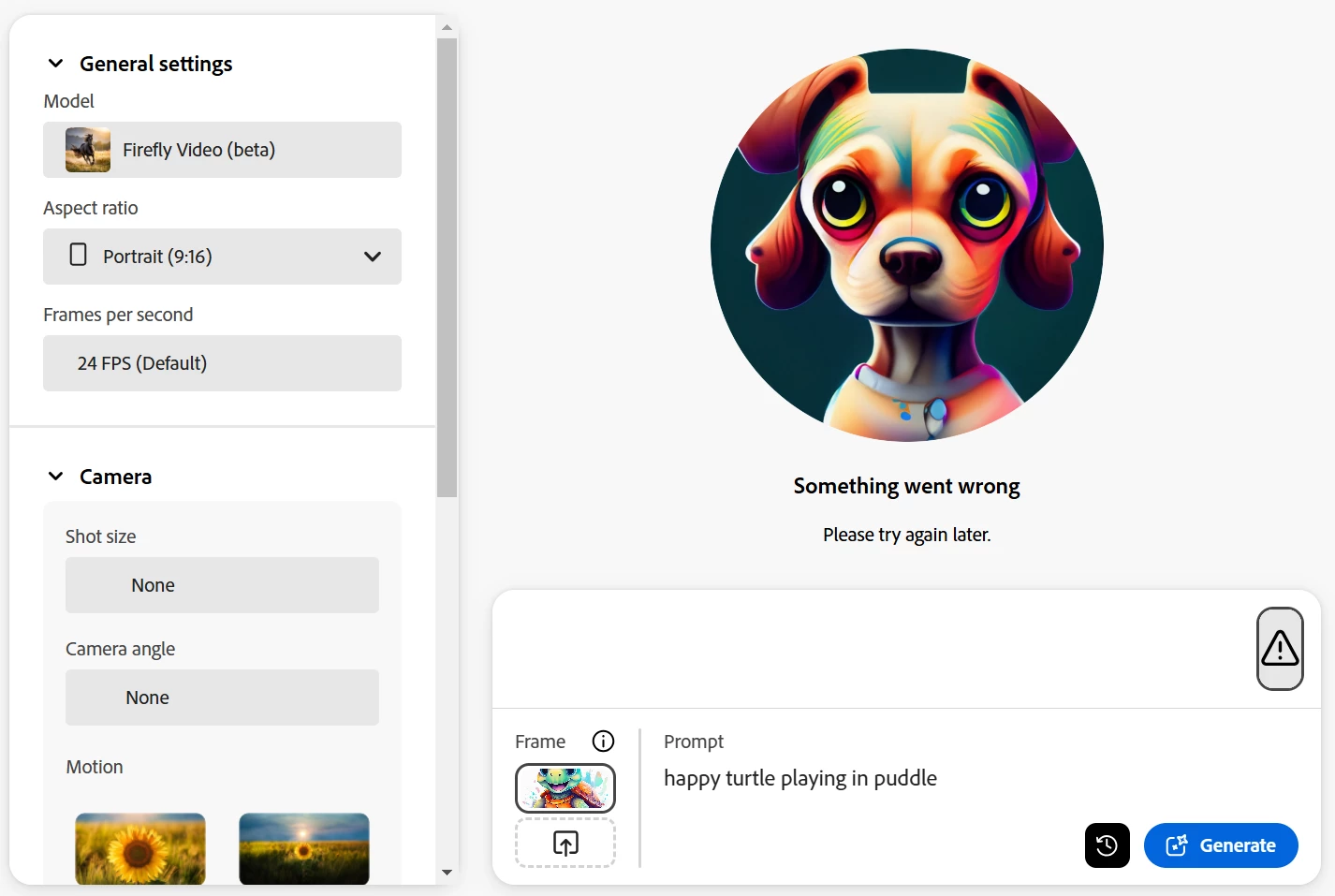
As of today (31/1/25), Firefly generate video gives a 'Something went wrong' message if you upload an image for the first frame (or first and last frame) that does not match the aspect ratio.
Steps:
1. Add an square image or 4:3 image to first frame area.
2. Choose Aspect ratio Portrait (9:16) or Landscape (16:9).
2. Type in a short prompt.
3. Click Generate.
Result
"Something went wrong. Please try again later" message (as below).
This has been reproduced consisently with different images. If am image with a size that matches the selected Aspect ratio is uploaded, there will not be an error message.
Previously, the frame image would be adjusted to fit the aspect ratio. This was often a cropped version to match the aspect ratio.
Expected/preffered results would be that it keeps as much of the content from the orginal image (no cropping) and then using generative expand to fill the extra space to fit the aspect ratio.
 AdChoices