
Jackie722
Participant
February 3, 2026
Open for Voting

Firefly video generation is not using the first frame I've uploaded

Screenshot attached. I uploaded a first frame image, and the generated video does not use it. 
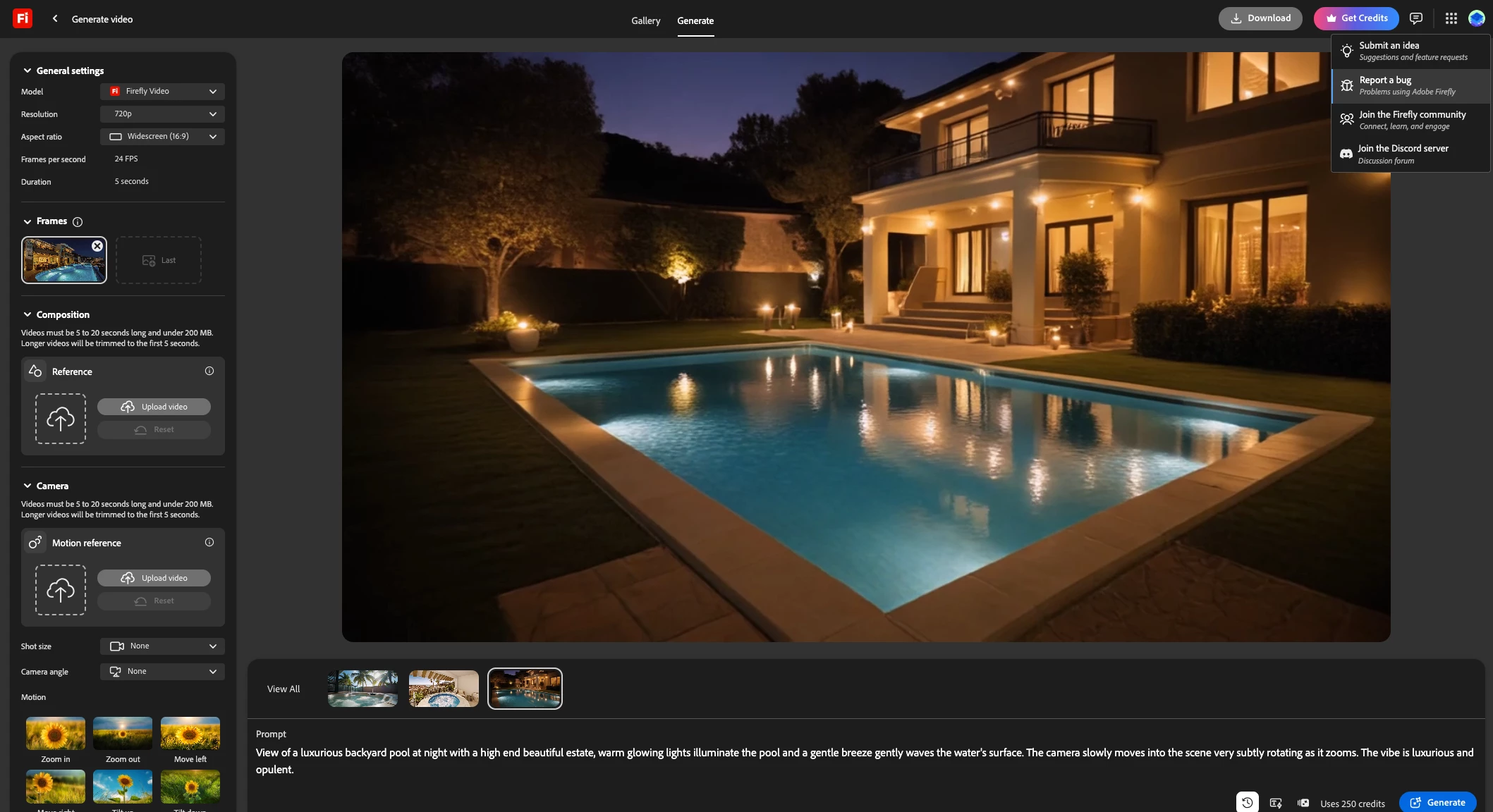
 

My image that I uploaded


    3 replies

    Mike McCarthy
    Community Expert
    Community Expert
    February 4, 2026

    I started experiencing the same issue yesterday.  It has never happened to me before, so they must have tweaked something that broke it.  In my case, resubmitting the same prompt caused it to work properly, but the issue happened repeatedly, usually on the first generation from a given still frame.  I was using Veo 3.1 Fast at 4sec, with 4sec being an unusual setting for me.

    Translate
    N8.
    Community Expert
    February 4, 2026

    Hey ​@Jackie722 


    I used the same ref image and added: keep original image at the beginning of the prompt using Adobe Firefly and was able to create a video using the image provided.

    Cheers

    Nate

    Translate
    Jackie722
    Jackie722Author
    Participant
    February 4, 2026

    I tried that and got the same result. 


    Translate