



Kristian_Haughton4313
Participant
May 30, 2026

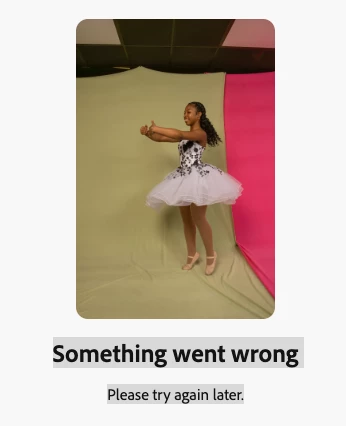
Get error message : something went wrong - try again later - later seems to be forever
  • May 30, 2026
  • 2 replies
  • 24 views

Here is the prompt in Firefly - Extend the existing studio backdrop seamlessly in all directions (top, bottom, left, and right). Preserve the original backdrop colors exactly as they appear: one half vibrant green and one half vibrant pink. Maintain a perfectly straight, clean vertical dividing line between the two colors with no color bleeding, blending, gradients, or transitions. The backdrop should appear as a continuous professional seamless paper background with a smooth, uniform surface, no wrinkles, folds, creases, texture variations, shadows, seams, or imperfections. Match the original lighting, color saturation, and tone precisely. The extended areas should be indistinguishable from the original backdrop and maintain a flawless studio-quality appearance.

    2 replies

    droopydog500
    Community Expert
    Community Expert
    June 1, 2026

    Hi ​@Kristian_Haughton4313,


    A full screen shot of what you are doing would help us here. We cannot diagnose the problem just from the error message and prompt (Please see How to Report Firefly Issues Effectively (Required Details for Faster Support)).


    You can expand an image two ways (at least). One way is with generative expand:

    You cannot use a prompt with this, but can then use Markup or Fill to make corrections.


    You can also use your image as a reference image in a new generation, however this might alter the image in the generation process, so it might take multiple tries:

    I used your prompt (with negative prompting removed). That might not be the best prompt for a reference image situation.


    Note: negative prompting generally does not work. So using "not [X]", "no [X]", "exclude [X]", "minimise [X]", "with no [X]", and "without [X]" does not generally work.


        droopy


    Adobe Community Expert (not an Adobe employee)
    May 30, 2026

    Hey ​@Kristian_Haughton4313 


    In cases like this I would use Expand Image
    Put in your image and let FF do it’s magic.


    Cheers

    Nate