


Participant
September 10, 2026

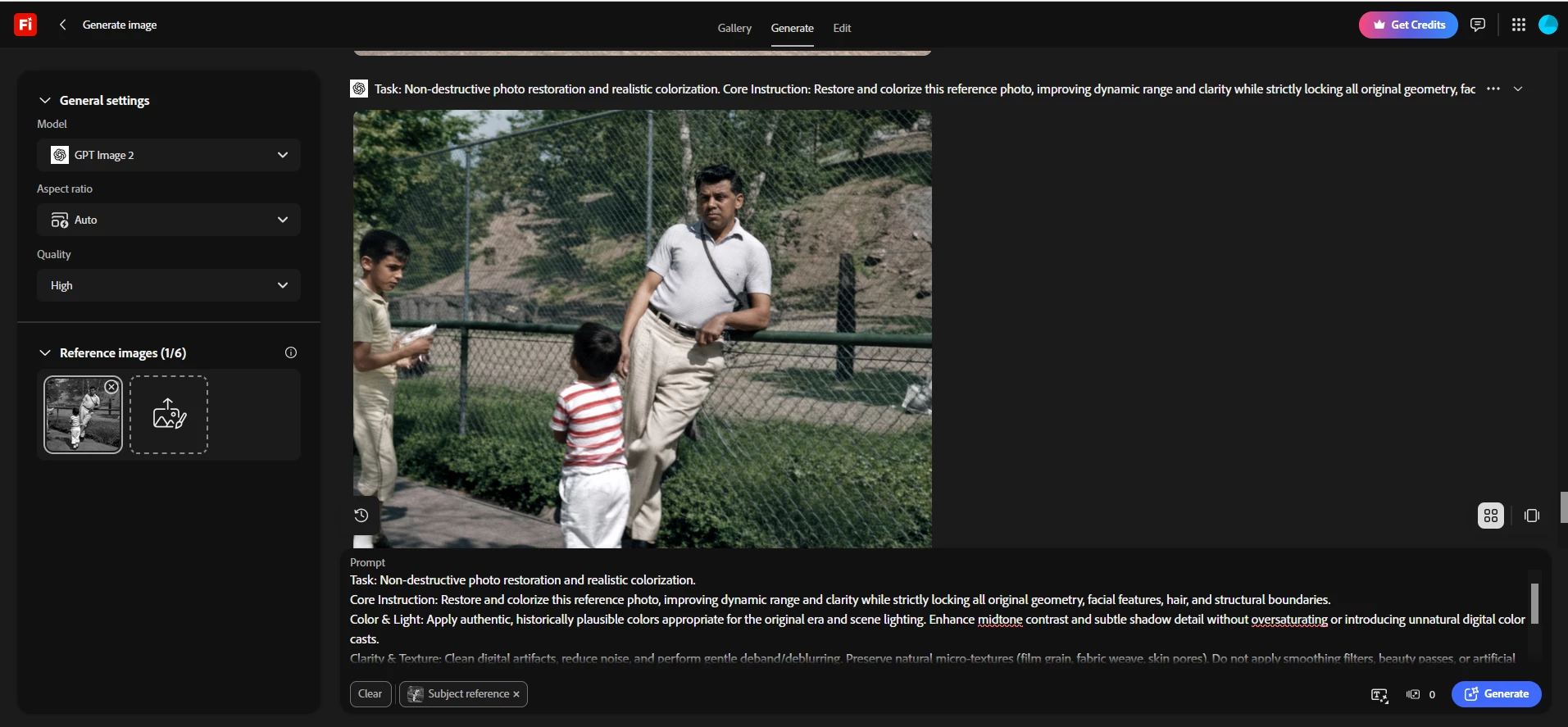
GPT Image 2 on high setting showed 0 for credit but is charging 80 credits
  • September 10, 2026
  • 11 replies
  • 58 views

after your addition to the new GPT options like sunburst the option to use the GPT image 2 is showing 0 credits for usage. I tried this on high and was charged 80 credits. I would like my credits back or at least 75 of the 80 credits

    Pinned Reply By Kartika Rawat


    Hi all!

    Our Product team is aware of the issue and is actively investigating it. Meanwhile, our marketing team is also looking into the credit refund process for the impacted users reported in this thread.


    Thanks for your patience. 

    Kartika

    11 replies

    Participant
    September 24, 2026
    Kartika Rawat
    Community Manager
    Community Manager
    September 24, 2026

    Hi intuitive_doer8f80!

    I have merged your thread into the main post for updates. How much credits it costs you? I'll reach out to the team to get your credits back. You'll get the notification about that. 


    Kartika

    N8.
    Community Expert
    September 24, 2026

    Hey ​@intuitive_doer8f80 

    Regarding your credits:

    1) Before you hit generate take a screenshot.

    2) Then press generate

    3) If you get the error msg check your balance.

    4) ​​​​​​take a screenshot of your points after generating.
    Post the 2 separate point value screenshots here: the point value before and point value after.

    Make sure to hide any personal information before posting to the forum.

    >>>Note: if you have multiple tabs generating, just generate on the one tab<<<

    >>>Note 2: only press the generate button once and wait.

    Cheers

    Nate

    Participant
    September 24, 2026

    The  gpt model is currently shown as Free, but when I use it, the generation still deducts credits from my Generative Credits balance.

    This appears to be incorrect behavior, since the model is explicitly labeled as free.

    Expected behavior: Using a model labeled “Free” should not consume Generative Credits.

    Actual behavior: Credits are being deducted despite the model being marked as Free.

    Please investigate this issue and restore any credits that were incorrectly deducted.


    N8.
    Community Expert
    September 18, 2026

    Hey ​@paulg30665490 

    Thank you for the kind reply and the extra details.

    Pardon the late reply. Are you using any other apps: PS, Illustrator, InDesign, Express, Premiere where you might be using AI?
    Please make sure to use the full tag? :)
    Cheers

    Nate


    Kartika Rawat
    Community Manager
    Community Manager
    September 10, 2026


    Hi all!

    Our Product team is aware of the issue and is actively investigating it. Meanwhile, our marketing team is also looking into the credit refund process for the impacted users reported in this thread.


    Thanks for your patience. 

    Kartika

    droopydog500
    Community Manager
    Community Manager
    September 10, 2026

    Hi ​@conrad57x5,

    I can confirm this seems to be broken. I have asked Adobe to look into this.

        droopy

    Adobe Community Expert (not an Adobe employee)
    Participant
    September 10, 2026

    This just happened to me also: It showed as costing 0 credits and charged more. 

    N8.
    Community Expert
    September 10, 2026

    Hey ​@paulg30665490 

    Help us. Help you.

    We want to assist you and help resolve the challenges you are encountering. When things are not working as expected it is frustrating.
    Could you provide more information to proceed. Without the requested information it is difficult to assist you resolve the issue.


    Could you create a full screen video of your workflow showing us what is happening? This would help considerably.

    Provide your prompt and reference image(s) if there are any?

    Which model(s) are you using?
    Consider clearing cache, cookies, and using a different browser.

    Could you give us more information: what msg are you receiving? Are the images your own photos/ images? Were the images generated by another AI Source, if so which one(s)?
    >>Make sure to remove person details: email address, name... before posting<<
     

    Cheers

    Nate


    Participant
    September 10, 2026

    Morning ​@nat - hope you R having a great day.

    The issues is something is eating my allowed credits.(had 2700 @ one point) I highlighted in red the problems? “if I click the generation cost says ‘0’ there. 

    its not the end of the world.

    Paul

    Participant
    September 10, 2026

    quick Q - when I do generation cost and I see '0' GPT Image 2.0 and any changes I do is always '0' @ the bottom next to the generation blue button is always ‘0’ but I can see I'm loosing credits on top right corner? Am I missing something, thanks?