


Known Participant
October 19, 2026
Answered

GPT models charge 80 credits but output remains at 1K resolution despite maximum settings

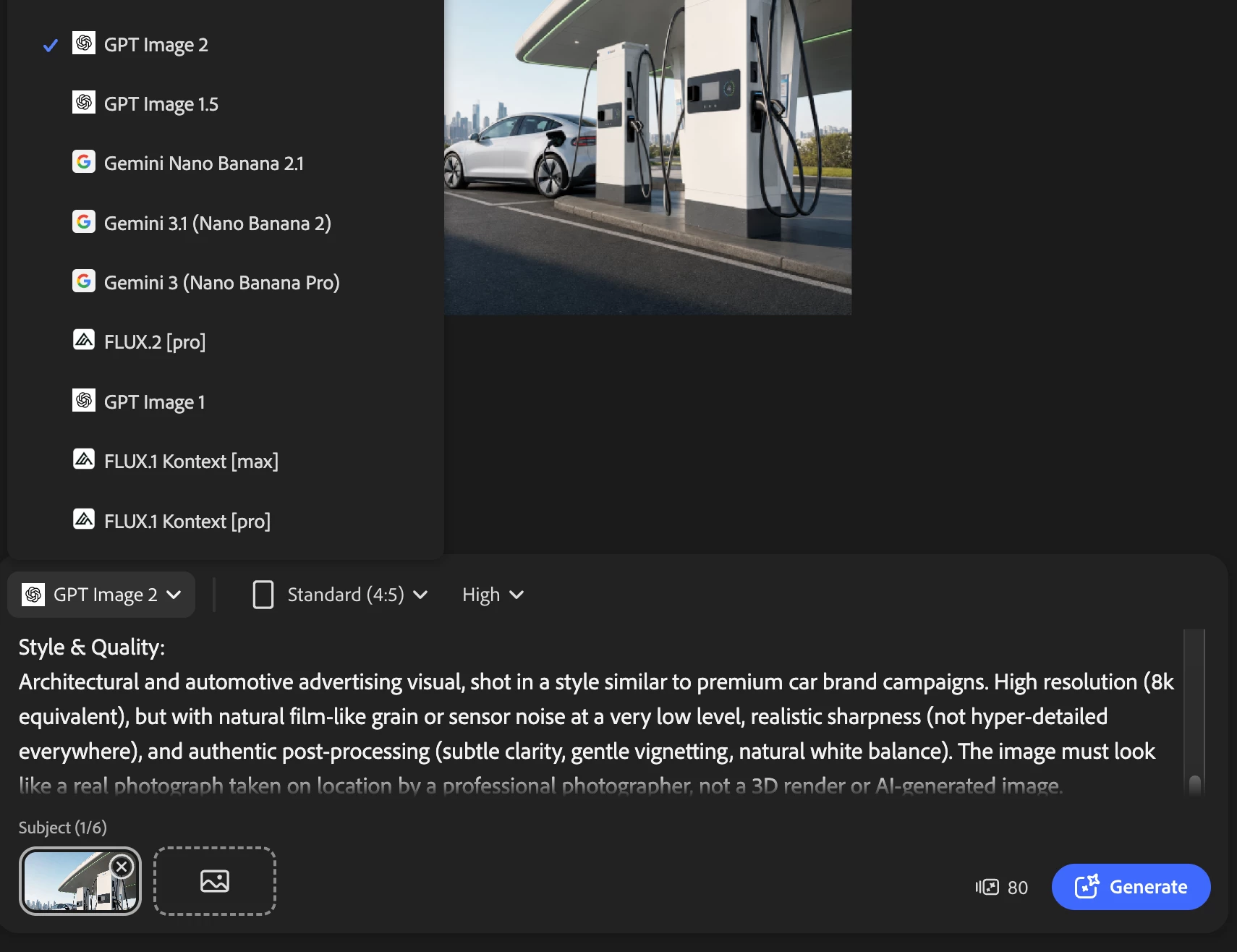
Today I encountered an issue in Adobe Firefly: when generating images with any GPT model, the final output remains at approximately 1K resolution, even though all quality/resolution settings are set to the maximum.

Despite this, Firefly charges 80 generative credits per generation, which appears to correspond to the “High resolution” tier for GPT Image 2. According to Adobe’s documentation, GPT Image 2 costs 5 credits at low resolution, 20 at medium, and 80 at high resolution, so users would reasonably expect a higher-resolution output when paying the 80-credit cost.

In my case, however, the downloaded image is still only around 1K. This creates a mismatch between the credits consumed and the actual file resolution delivered.

 

    droopydog500
    droopydog500Correct answer
    Community Manager
    October 19, 2026

    Hello ​@Milkoconlaelle,

    Thank you for raising this — it is a genuinely confusing aspect of how GPT Image 2 works within Firefly, and the frustration is understandable.

    The "High" quality setting in GPT Image 2 does not control output resolution. It is an OpenAI API parameter that controls generation quality — specifically detail fidelity, texture rendering, and prompt adherence. Resolution is a separate parameter entirely (which is not exposed as a user controlled parameter in Firefly). This means that selecting "High" produces a more detailed and accurate generation at the same output dimensions, rather than a larger image.

    This is documented in OpenAI's own image generation documentation: https://platform.openai.com/docs/guides/image-generation

    The higher credit cost for the High setting reflects the additional compute required to generate at that quality level, not an increase in output resolution. Adobe's UI does not currently make this distinction clear, which is what leads to the reasonable but incorrect assumption that High means higher resolution.

    My best,

        droopy

    Adobe Community Expert (not an Adobe employee)

    2 replies

    droopydog500
    Community Manager
    droopydog500Community ManagerCorrect answer
    Community Manager
    October 19, 2026

    Hello ​@Milkoconlaelle,

    Thank you for raising this — it is a genuinely confusing aspect of how GPT Image 2 works within Firefly, and the frustration is understandable.

    The "High" quality setting in GPT Image 2 does not control output resolution. It is an OpenAI API parameter that controls generation quality — specifically detail fidelity, texture rendering, and prompt adherence. Resolution is a separate parameter entirely (which is not exposed as a user controlled parameter in Firefly). This means that selecting "High" produces a more detailed and accurate generation at the same output dimensions, rather than a larger image.

    This is documented in OpenAI's own image generation documentation: https://platform.openai.com/docs/guides/image-generation

    The higher credit cost for the High setting reflects the additional compute required to generate at that quality level, not an increase in output resolution. Adobe's UI does not currently make this distinction clear, which is what leads to the reasonable but incorrect assumption that High means higher resolution.

    My best,

        droopy

    Translate
    Adobe Community Expert (not an Adobe employee)
    Known Participant
    October 20, 2026

    Hi droopy, Thank you for the clear technical explanation! It makes perfect sense now. However, Adobe really needs to update the UI to reflect this. Without a clear distinction between "Quality" and "Resolution," the current interface is highly misleading and causes users to unintentionally waste credits. Thanks again for your help!


    Translate