

Participant
September 18, 2026

Upscale rendered pictures aren't saving.

  • September 18, 2026
  • 4 replies
  • 37 views

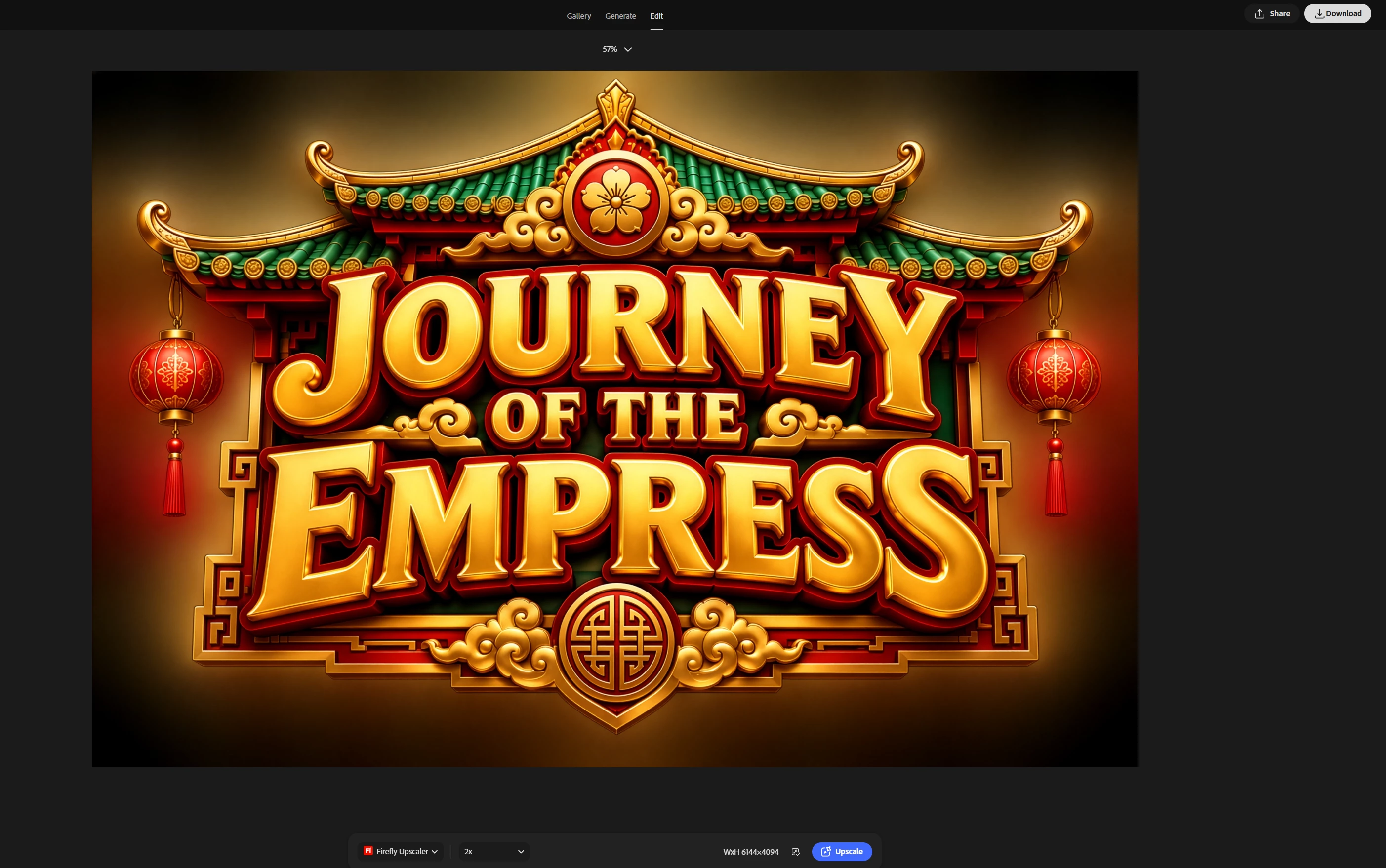
I used the Firefly upscaler 2X to bring the image to 6144x4094 resolution. I pressed the download button on the top right corner.  
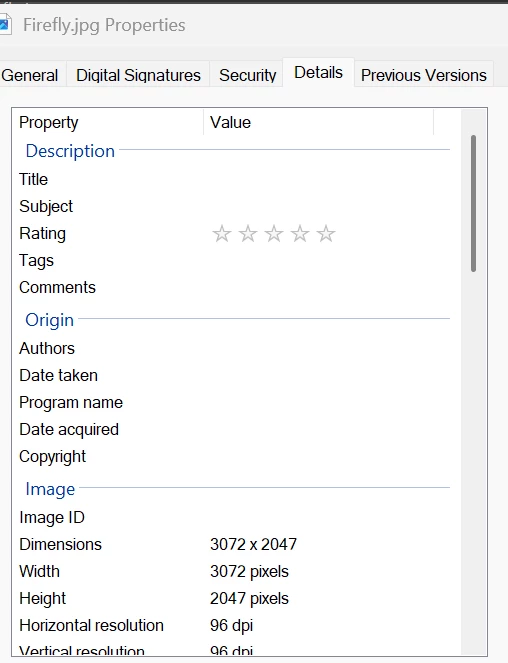
The image is saved at a lower resolution: 
 

    4 replies

    N8.
    Community Expert
    September 18, 2026

    Resolution Issue
    Thank you for bringing this up. It is understandable that this feels confusing, especially when the different quality settings can result in the same output dimensions.
     

    With GPT Image 2 in Firefly, the "High" quality setting does not determine the image resolution. It is an OpenAI API parameter that affects the quality of the generation, including details, textures, and how closely the result follows the prompt.

    Resolution is controlled separately, and that setting is not currently exposed as a user-controlled option in Firefly.
     

    So, when you select "High," you are getting a higher-quality generation at the same output dimensions, rather than a larger image.

    This distinction is also explained in OpenAI's Image Generation Documentation


    The difference in credit cost for the High setting is related to the additional compute required for that higher quality level, rather than an increase in resolution.
     

    That said, I agree that the current Firefly UI does not make this distinction particularly clear, which can understandably lead to the impression that "High" should mean a higher-resolution output. I appreciate you calling this out.


    Cheers

    Nate


    Wes1012Author
    Participant
    September 21, 2026

    You’re welcome Nate. Thanks for taking the time to answer. I did notice the same issue with images generated by Gemini 3.1. 

    N8.
    Community Expert
    September 21, 2026

    ​@Wes1012 I have brought this the team’s attention.
