


Cameron W
Known Participant
May 29, 2024

Export to ME failing to add burnt in captions

  • May 29, 2024
  • 22 replies
  • 1770 views

Since recent updates (can't remember exactly what version) I have an issue sending files to Media Encoder from Premiere.

When sending to Media Encoder a custom preset isn't working correctly and captions are consistently not being burnt into exported files.


If I export directly from Premiere with our preset I have no issue, but when sending multiple files to media encoder captions are either not burnt in at all, or one file will be burnt in but remaing files won't.

Preset selected to send to ME from Premiere. As shown, captions are selected to be burnt in, and if I export with this they appear as expected.
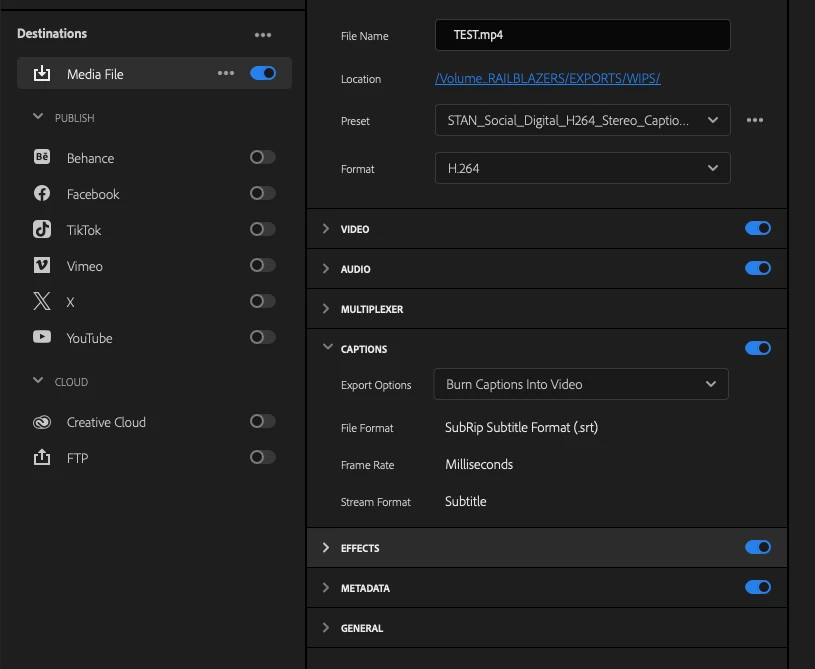

Preset once sent to ME.  "Burn captions into video" selection has been lost (no longer selected), and even if I manually select it at this point it generally still won't burn them in either.
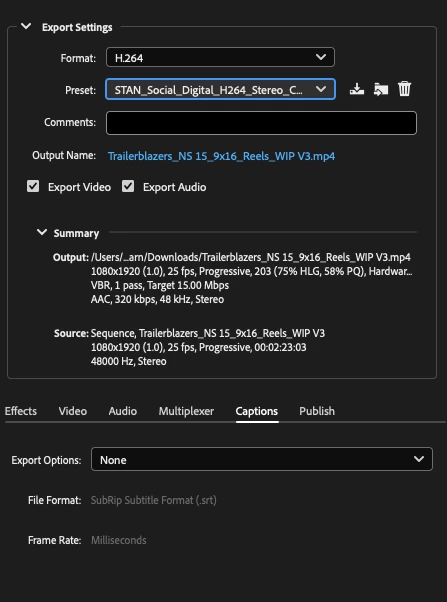
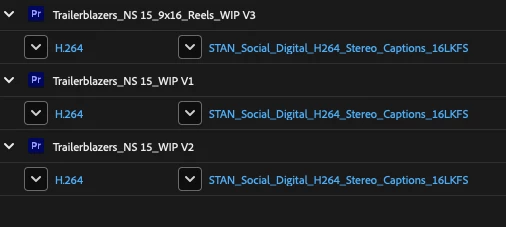
  

I've tried re-creating the preset but this is also has no effect, nor has re-installing software from a completley clean OS install either.

Due to this I'm exporting files one by one, which is a bit of a time waster as can't continue working while Media Encoder exoprts anymore.

I tried adding the preset to this post but it won't accept the file type...

Syste specs are:
Premiere 24.4.1 (build 2)
Media Encoder 24.1.1 (build 2)
OS Sonoma 14.5
MacBook Pro 16 M1 Max and Intel Macbok Pro 16 i9


22 replies

EckiAME
Community Manager
Community Manager
July 11, 2025

Sorry for your issues. Does this also happen in AME/PPro 25.3 (stable release) and Beta?

Inspiring
July 2, 2025

Well this feels like a new problem to me. I'm using PP 25.2.3 and just sent three sequences to ME for export including burned in captions. Guess what? No captions in the final export. One by one doing this straight from Premiere works fine, just can't send to Media Encoder. Just like if you have AE Linked Comps in your sequence, Media Encoder fails again. 

Known Participant
April 3, 2025

I have just tested in v25.2 which released today and am happy to report that captions burnt in as expected. Thanks again.

EckiAME
Community Manager
Community Manager
November 6, 2024

I am very glad that it now works for you. Thank you very much for all your research and constructive cooperation on this issue!

Known Participant
November 6, 2024

I've tested in beta version 25.2.0.7, exporting over 100 files and captions burnt in as expected. Thank you so much.

EckiAME
Community Manager
Community Manager
November 5, 2024

I am very happy to report that the issue is fixed as of AME & PPro Betas ≥ 25.2.0.4. Please test and let me know if this works for you, too.

Known Participant
October 21, 2024

Excellent news! I think it actually happens with all saved export presets, not just user ones. However as the default ones don't have burnt in captions enabled by default it's very hard to tell. 

Thanks again

Andy

EckiAME
Community Manager
Community Manager
October 21, 2024

I was able to repro your issue with your updated and very detailed repro steps. I guess it is related to user presets and batch exporting. Will file a bug now. Thank you very much for all the effort you put into this!!!

Known Participant
October 16, 2024

I have now confirmed that this affects both the Mac and PC version of Premiere/Media Encoder. 

This happen using either software or hardware rendering. 

The problem seems to only happen when using saved export presets. If you select an export preset in Premiere and change something, (say toggle off and on audio), then the preset name will change to 'Custom' and when this is passed to Media Encoder captions will burn in as expected. 


I have now sent you an updated project and detailed instructions for recreating the problem using only the default export presets. 

Known Participant
October 15, 2024

I've just tried it on a 2021 M1 Macbook Pro and it failed on the fifth export. This was on a fresh install of the newly released v25. I will sort out a new test project for you that will hopefully show this up quicker and write you a very detailed document of the steps to recreate this as I can only assume that you're doing something differently to me. Back to you soon.