
Known Participant
Dec 16, 2024 11:12 AM UTC
Needs More Info

Substance 3D Viewer don't overide Step Apperances...

Sometimes 3D Cad files exported in "Step" file ormat may contain some appearance applied to parts.


it looks like when opened in Substance 3D Viewer you may view them and you can export it in GLB format and it's fine.

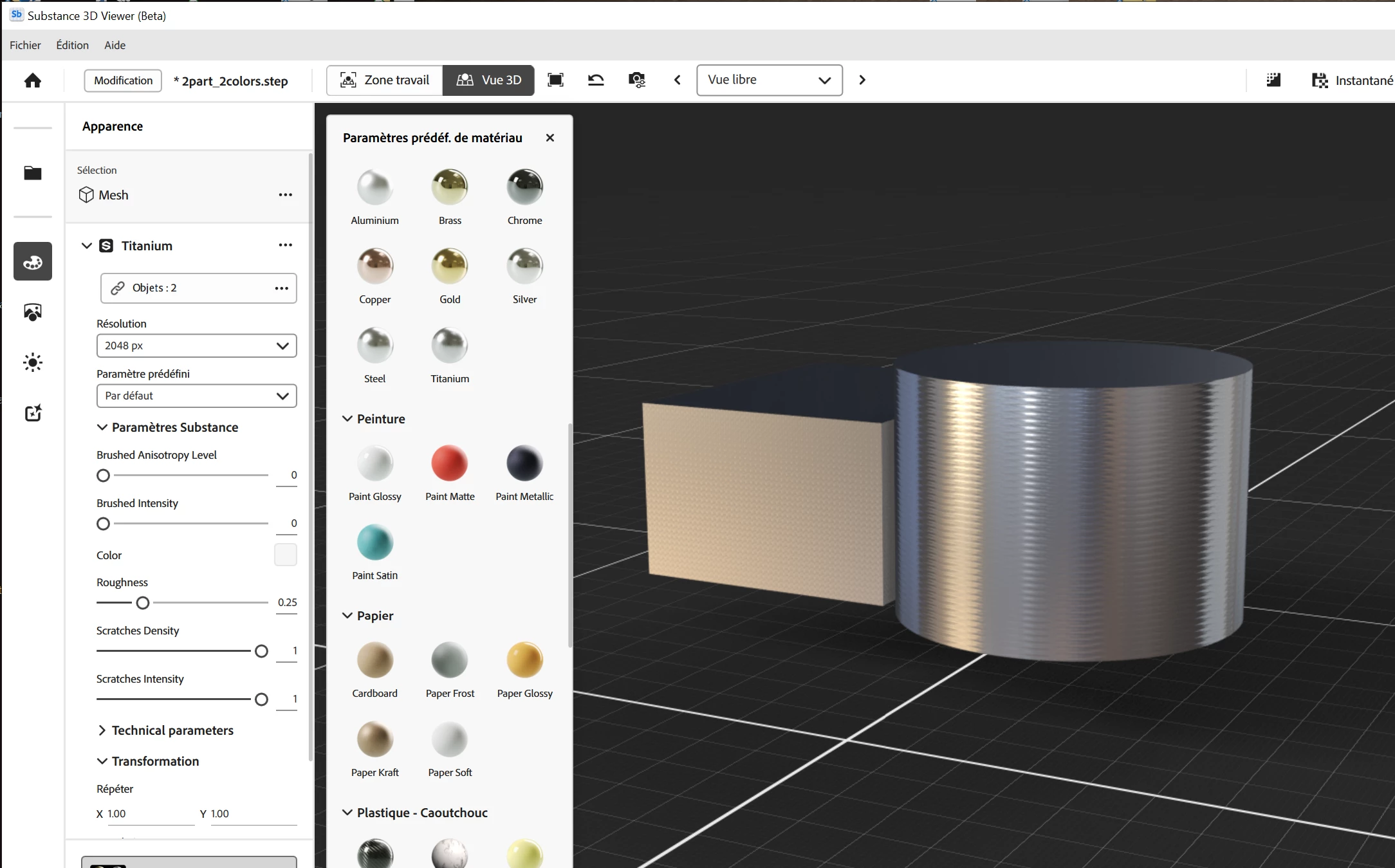
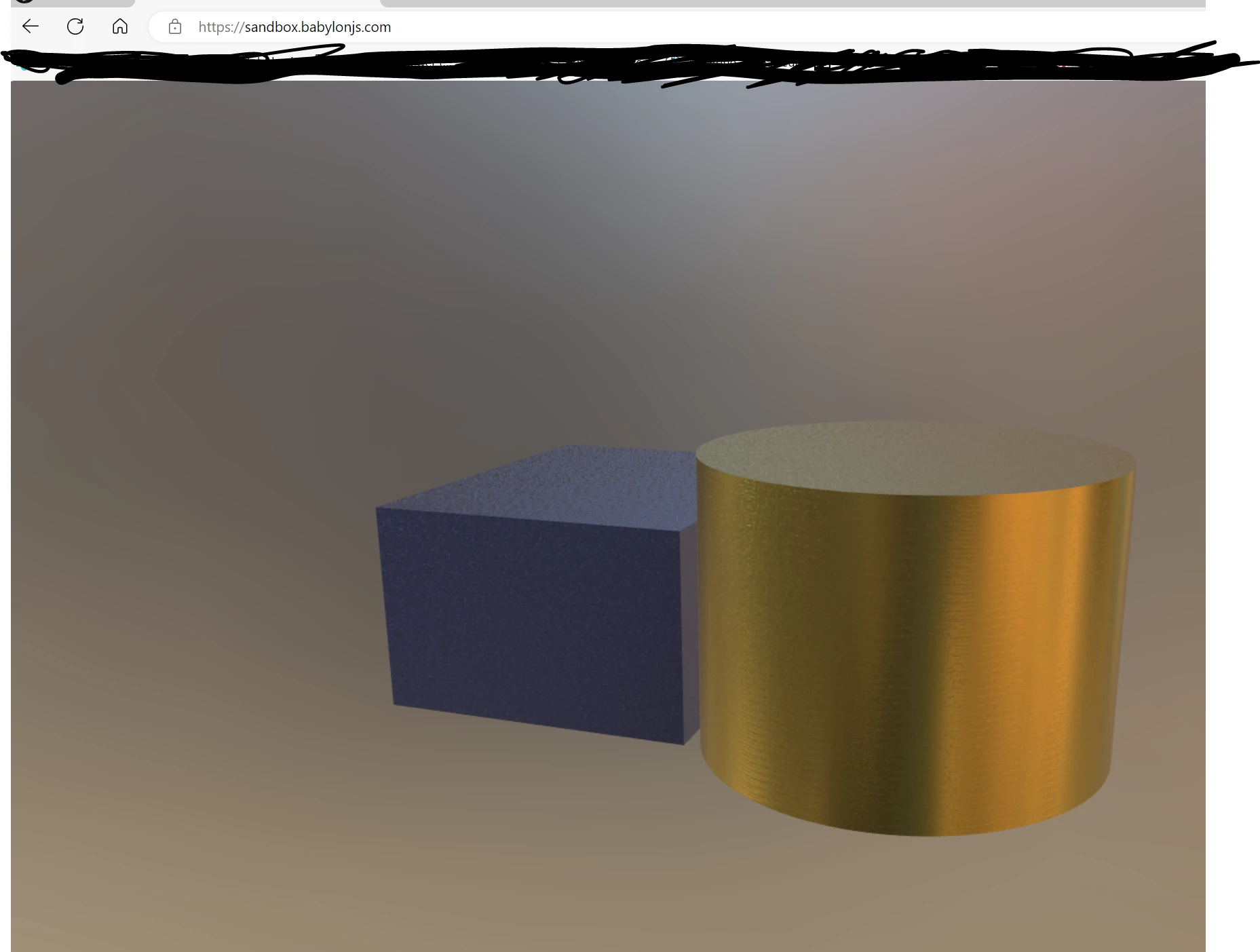
But when you apply another aspect from the "Default Library" a "metal one particularly" it add the color to the color parameter of the part. it don't overide it.


even if the look is good in Sb.

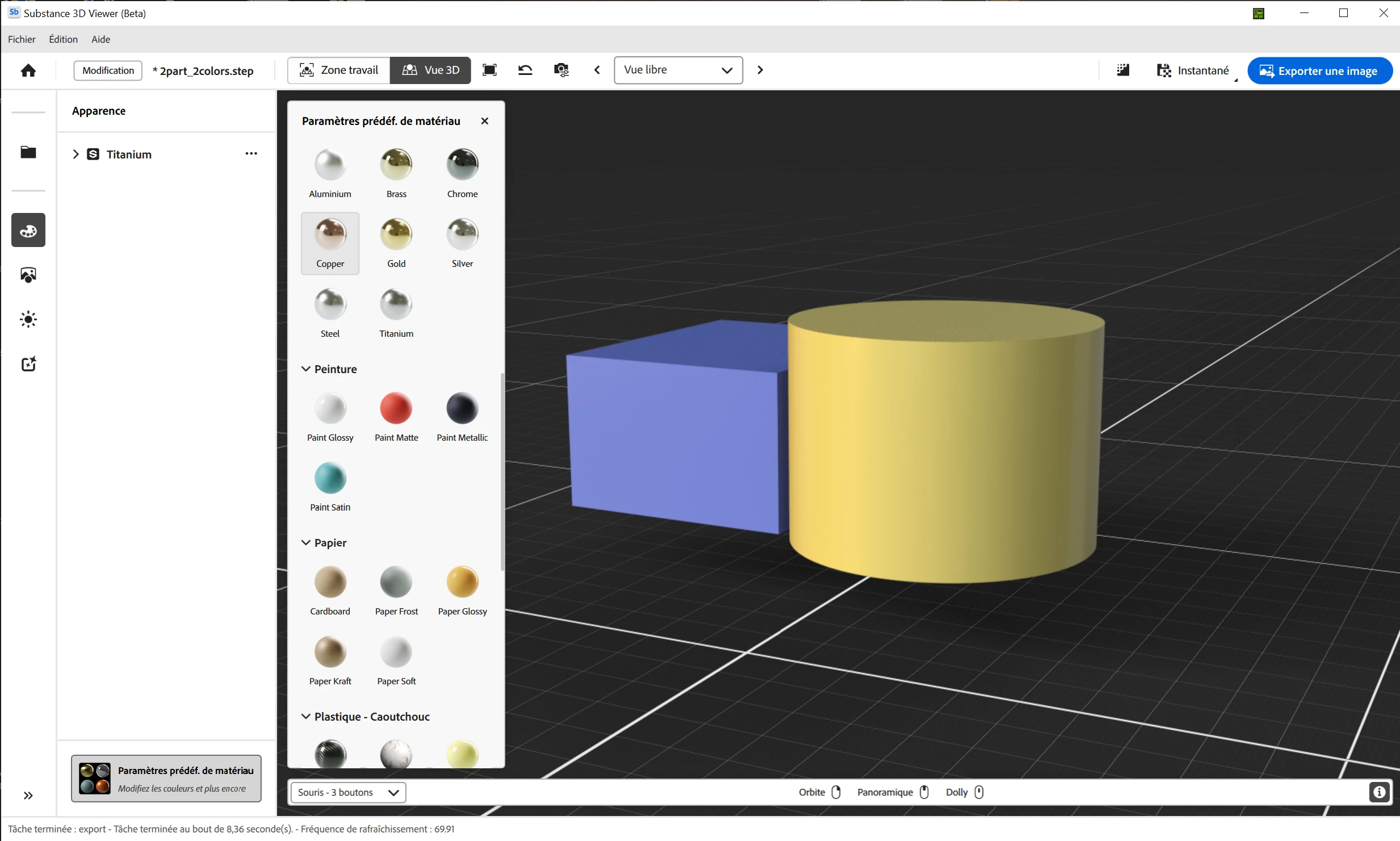
view of the Step in Sb
after applying "titanium"
the glb viewed in Sandbox.babylonjs
 

7 replies

Known Participant
Jun 20, 2025 2:18 PM UTC

Hi,

All is fine now with the last update Version 0.25.0


Many Thanks

Translate
Known Participant
Mar 26, 2025 3:03 PM UTC

I guess that this issue is not fixed in the 0.23.1 release.


Is it planed for the next one?

Translate
Community Manager
Jan 14, 2025 7:43 PM UTC

I received the STEP files for this and will look into this.

Translate
JMathews
Community Manager
Community Manager
Jan 10, 2025 6:26 PM UTC

Hi @JM Le Goff !  Any chance you can send over the sample STEP file you imported with materials so we can take a look at this?  Probably a bug in our exporter.

Translate
Principal Product Manager, Adobe, 3D & Immersive
Known Participant
Dec 31, 2024 11:59 AM UTC

could it be any option/preference to prevent the "Step to mesh" converter to generate Vertex color?

As Viewer don't manage them, you can't see really what hapenned when you export it to another app in Glb or Obj...

Many thanks

Translate
Known Participant
Dec 18, 2024 6:18 PM UTC

here, you can see that the first vertex are probably Bluish...


Translate
Known Participant
Dec 18, 2024 6:10 PM UTC

I've found something strange...

when Sb opens a "step file" with apearances applied on Parts, it generates "vertex colors"...
so even a Sbsar is applied, the vertex color remains, and when the file is exported in glb the viewer add shader color and vertex color...
it can be seen when exporting the OBJ... You will see also that no MTL comes with the OBJ...

regarding this, Sg can do the job... opening the Step, and export an OBJ with a MTL without asigning "vertex colors"...


Translate