


Participant
September 18, 2025

3D layer bugged out

  • September 18, 2025
  • 2 replies
  • 118 views

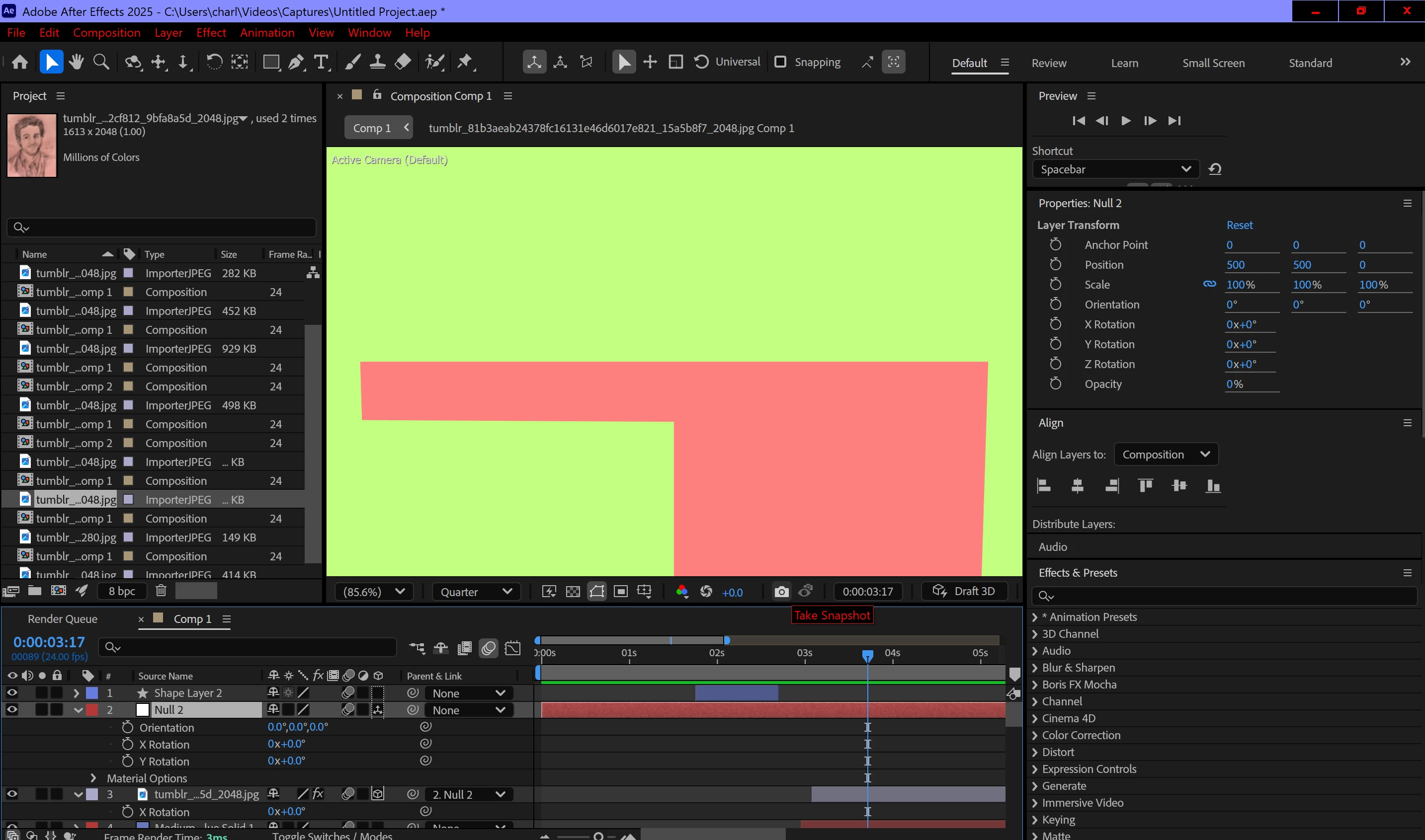
I've never had this problem before so I'm a bit lost to whats caused it. When I try to use a 3D layer and I select the layer my composition displays this.
And if I rotate it and unselect the layer, it becomes distorted like this 
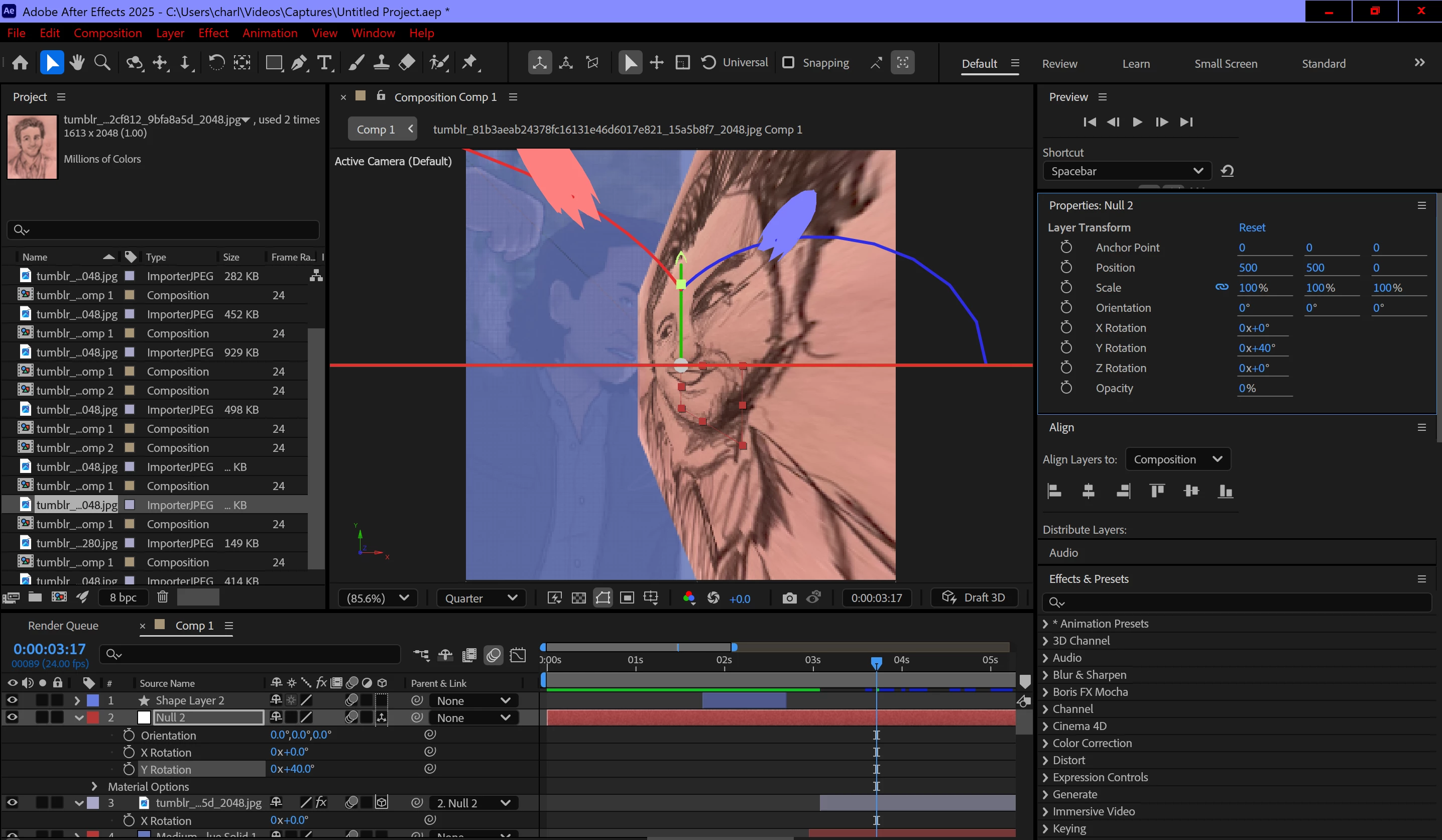
I've tried to find other people who have this problem but their "solutions" don't seem to overlap with mine. I've got classic 3D on, active camera and 1 view- which seemed to fix similar issues. I'm not really sure what to do.

2 replies

Participant
September 18, 2025

Thank you so much! I tried to reset it (as I've never used the camera layers before as they seemed to complicated aha) but it didn't fix the problem. So I ended up adding a camera layer and changing the focal point and that seemed to fix it 🙂 thank you!

David.Arbor
Community Manager
Community Manager
September 18, 2025

Hi @Eager_motivation1189,


Thanks so much for posting the screenshots, they're soooohelpful. Your second screenshot tells me exactly what's going on—your camera focal length is incredibly wide. Basically, you're looking through a fisheye lens. The Gizmo is actually rendered on the screen, so it's affected by the camera's forcal length, and an ultra-wide lens heavily distorts images (open up your phone camera, switch to 0.5x and get really close to something to see a similar effect). If you open your camera settings, I suspect you'll see a very small value, maybe somewhere between 3 and 15mm (just a guess, but it's going to be very wide).

To fix this, reset your focal length to something more "Standard" like 24 or 35 (it really depends on the composition you're going for), then zoom far out. I suspect things will look more normal after. 


And if you don't have a camera layer in the comp, then you're using the default camera. To reset that, go to Layer > Camera > Reset Default Camera.

Let me know!


Thanks,
- David, After Effects Engineering Team