Participant
July 20, 2024

Adobe Fonts Missing when project is saved, closed and reopened - AE 24.5

  • July 20, 2024
  • 4 replies
  • 875 views

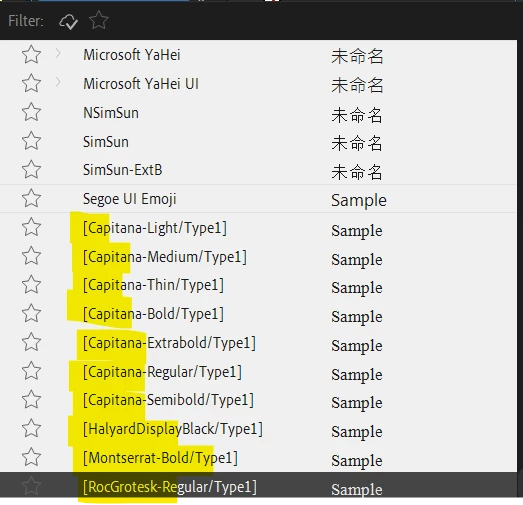
Hello, I'm currently working on two projects and I noticed that the fonts are no longer available when I saved, closed and reopened the project to continue working on it.


Version of AE: 24.5

Windows


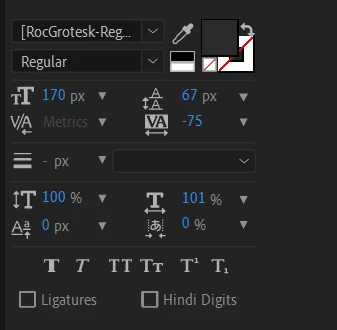
Also the second screenshot attached shows the list of fonts not available that I have used so far on one of the projects.


I have cleared my cache and restarted by PC but nothing has worked so far.

These are Adobe fonts and they are active on my account from Adobe Creative Cloud.


Please what other solution should I consider as I'm stuck at the moment.


Thank you.
 

4 replies

Participant
July 24, 2024

Hi @DaciaSaenz that's correct - I have them installed properly via the Creative Cloud Desktop app but After Effects seems not to be seeing on them and it kepps happening at random.


This is my results and observations using another existing project to try out what you've suggested:


  • Can you install the Beta version of AE and see if you see the same results in the font menu? 

- When I opened the project on AE 24.5, I was not able to see the fonts

- However, when I installed the Beta version of AE, I'm able to see the fonts 

- I opened the project again on AE 24.5 and I am now able to see the fonts 


  • Can you do me a favor and open another Adobe App and see if the fonts are available in that app or also offline?

I'm not having this problem with other Adobe app - I've attached screenshot from Adobe Illustrator 


  • What happens if you Remove the Fonts and Re-Add them?

When I removed the fonts nothing happened - that is the fonts did not become missing in After Effects (not beta version) but I have re-added them.


This keeps happening at random, not sure what could be the issue.


Thank you.

nishu_kush
Community Manager
Community Manager
July 26, 2024

Can you try running After Effects in Safe Mode and see if that brings any change? Here's how: https://adobe.ly/3Srmvip

Let us know how it goes.


Thanks,
Nishu

DaciaSaenz
Community Manager
Community Manager
July 22, 2024

Hi @Amdi21763562y4kg


Based on your screenshots, it looks like you do have them installed properly via the Creative Cloud Desktop app but After Effects is not seeing them. 


  • Can you install the Beta version of AE and see if you see the same results in the font menu? 
  • Can you do me a favor and open another Adobe App and see if the fonts are available in that app or also offline? 
  • What happens if you Remove the Fonts and Re-Add them? 
- Dacia Saenz, AE & PR Engineering Teams
Participant
July 21, 2024

From what I can see, I do not have the option to "Install Family" as both fonts are already added and installed on Creative Cloud.


On a good note, the issue seems to have resolved itself. The only thing I have done after I received your response was to click on "Install Family" of other fonts that I am not using on the project. Not sure if there is a correlation between the two.


Thanks for your response.


Adobe Employee
July 20, 2024

There appears to be a distinction between Added and Installed with regard to Creative Cloud, which we have had reports of.


If you "AddFamily" via a browser to the Adobe Fonts web site the font will be "added".


This is not sufficient for it to be recognized by After Effects - it needs to be "Installed".


Click the "Install family" button on the Creative Cloud App and it should become recognized by After Effects.


Douglas Waterfall

After Effects Engineering