
PulseMotion
Participating Frequently
October 6, 2024

Advanced 3D .exr specular shininess bad?

  • October 6, 2024
  • 3 replies
  • 384 views

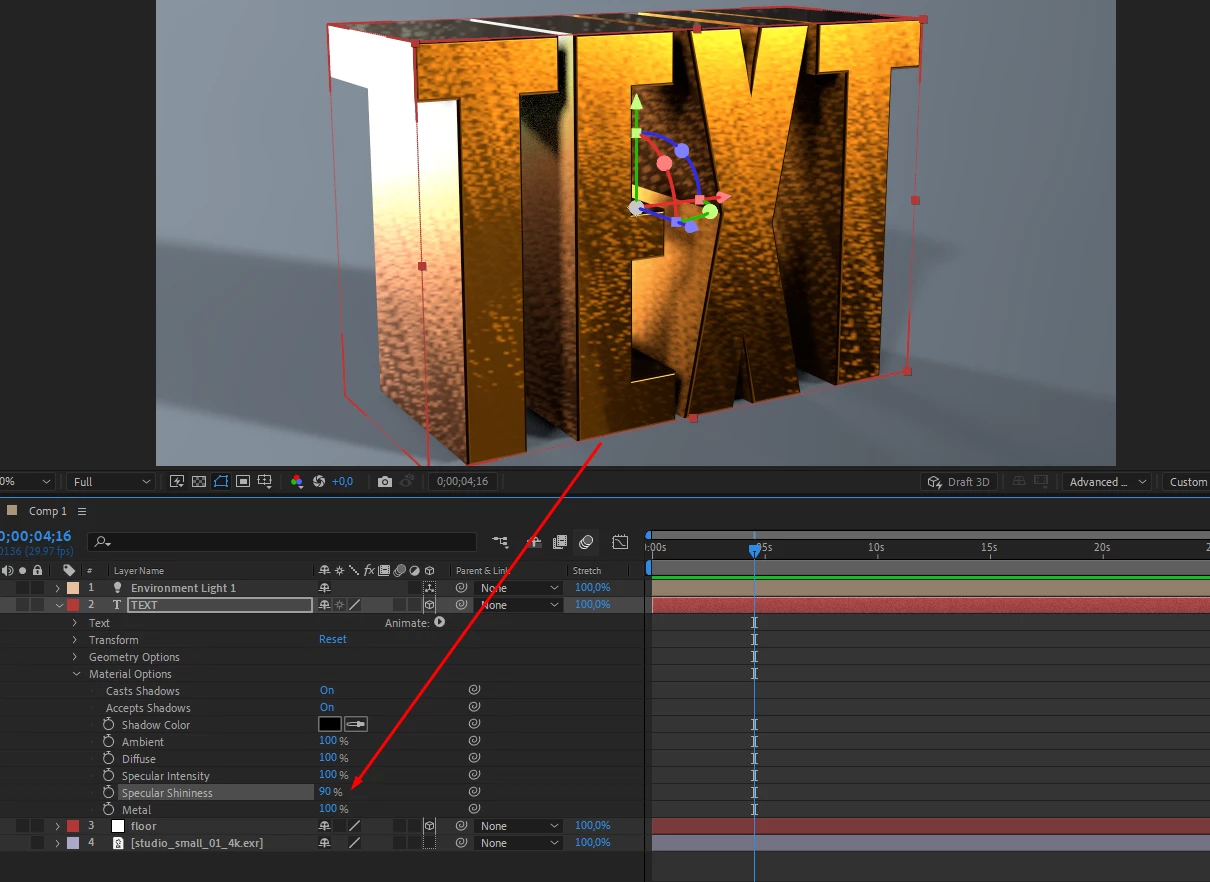
In Advanced 3D, when I turn on an .exr to light/reflect, it looks weird and doesn't properly reflect the .exr

3 replies

PulseMotion
Participating Frequently
October 11, 2024

I didn't want 100% because it's too intense. I wanted an average value. I don't know if there would be a way to blur the reflection in a way that doesn't have that mirror look. I would love to have this feedback later. Thank you very much

PulseMotion
Participating Frequently
October 9, 2024

How do I attach the example project here?

In the example, the reflection without .exr, the surface looks much better in the default.

Below is the example project link. Thanks

example text 3d 


nishu_kush
Legend
October 10, 2024

Thanks for sharing the file. I can see the issue and was able to reproduce it on our end. If you turn the Specular Shininess to 100%, it seems to resolve the strange reflections. However, I’m not entirely sure if this is an issue or expected behavior. I’ll need to connect with the After Effects product team for further clarification, but it might take some time due to Adobe MAX.

We appreciate your patience and will reach out as soon as possible.


Thanks,
Nishu

nishu_kush
Legend
October 7, 2024

Hi PulseMotion!

I’m sorry to hear you’re having trouble with the specular and reflection in Advanced 3D. Could you provide more details about your setup? Specifically, are there any particular settings or effects applied to the text layer?

If possible, could you share a sample After Effects project file? This would help in diagnosing the problem more accurately. Feel free to send it via DM if you prefer not to share it publicly.

Looking forward to helping you resolve this!


Thanks,
Nishu