Participant
October 22, 2025

AE 2025 - CRITICAL BUG!! - AE 25.5.0; unaligned text - placement error/inconsistency

  • October 22, 2025
  • 3 replies
  • 598 views

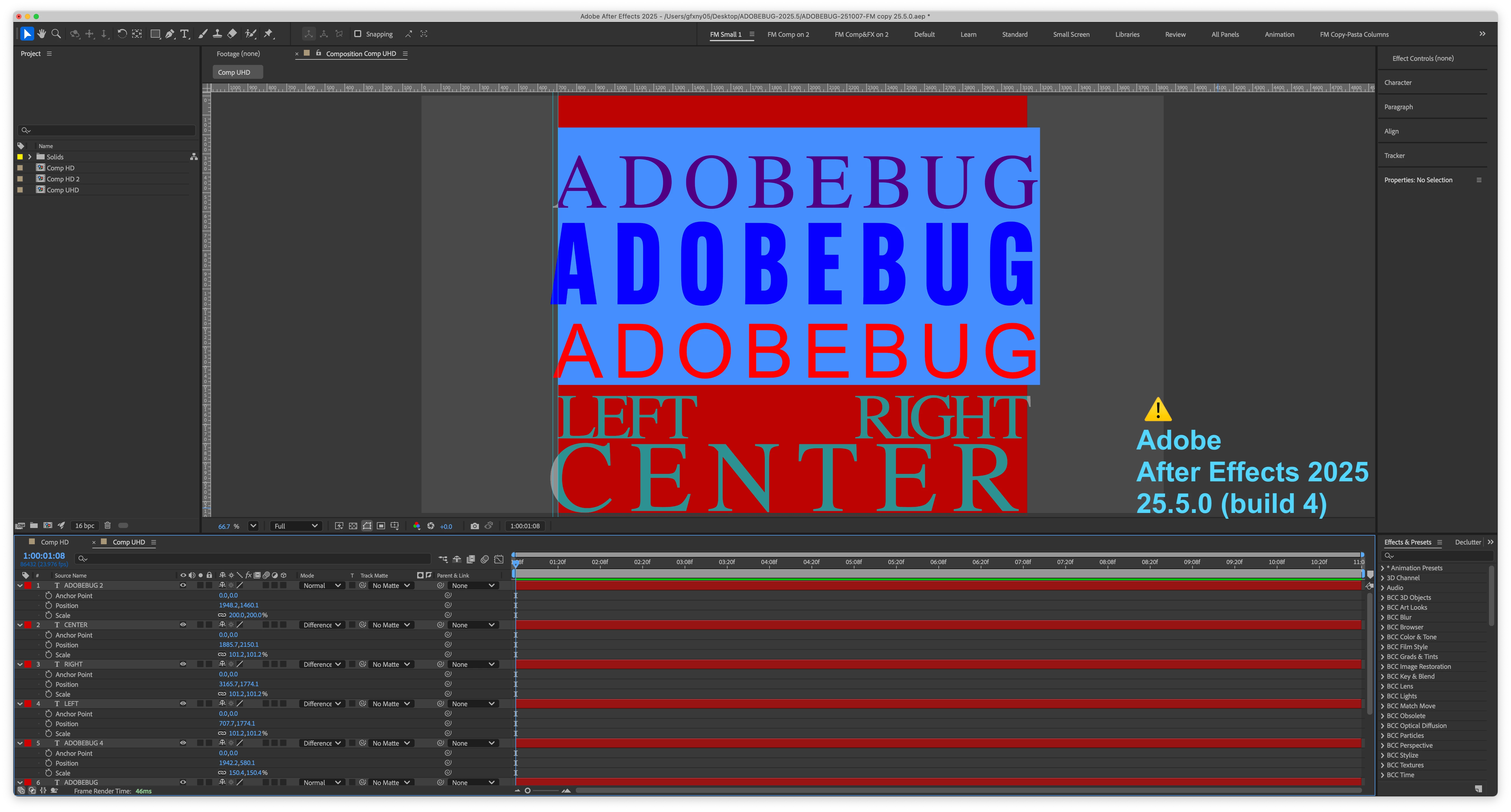
CRITICAL BUG in AE 25.5.0 (on OSX) ; rendering of text - placement error - version inconsistency. MAJOR FLAW!

Steps to recreate;

1. IN AE 2023, AE2024, or AE 2025.2.2 ; Create a TEXT layer which is either CENTER or RIGHT justified
2. ALIGN that layer to a guide or another object. 

3. Open the same AEP file in AE 2025.5.0

4. Take note of the alignment.
(system info at bottom of post)

This is a major bug and makes AE 2025.5.0 unreliable for BASIC PRODUCTION TASKS and unsuitable for PROFESSIONAL WORK.
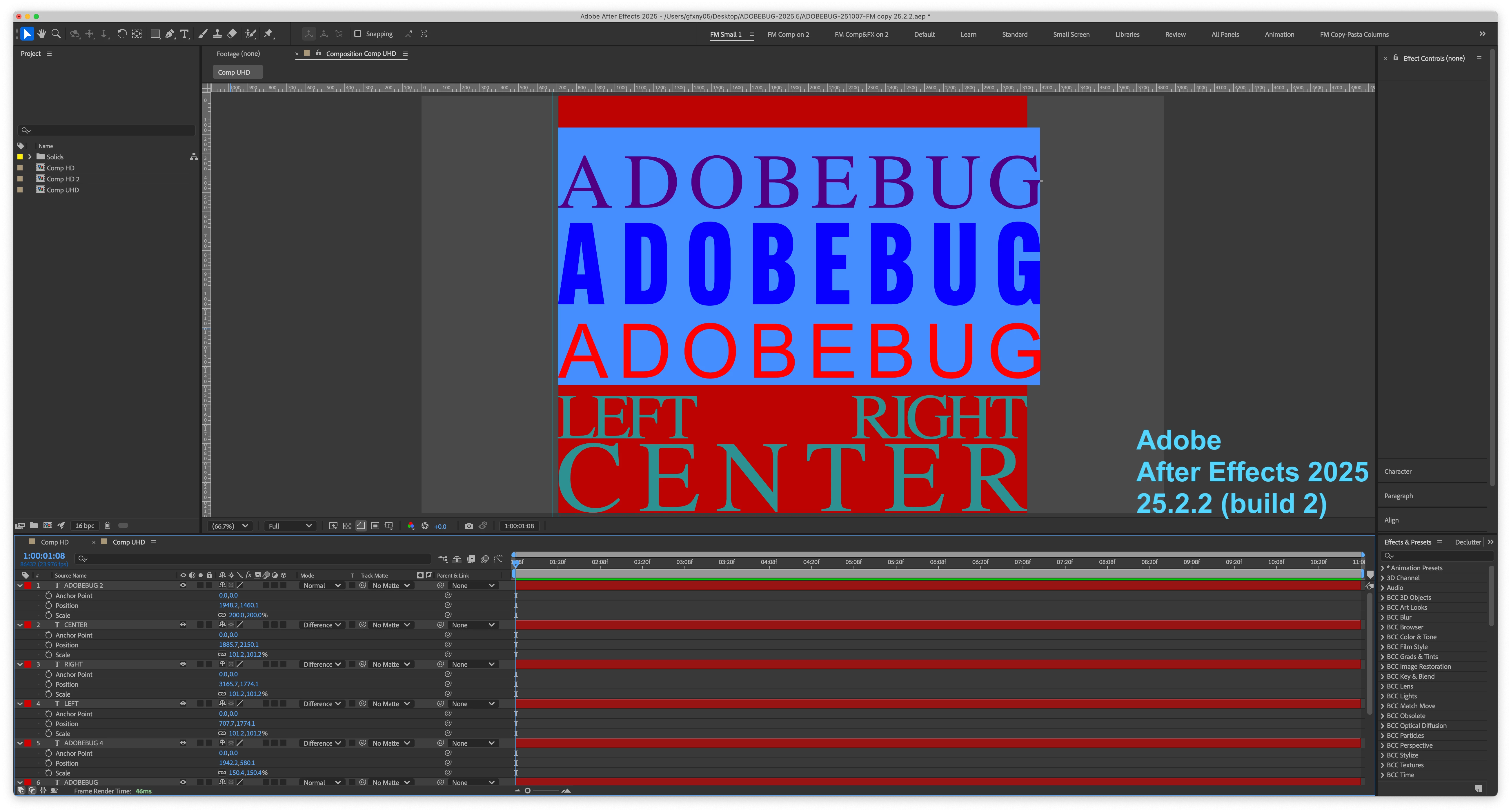
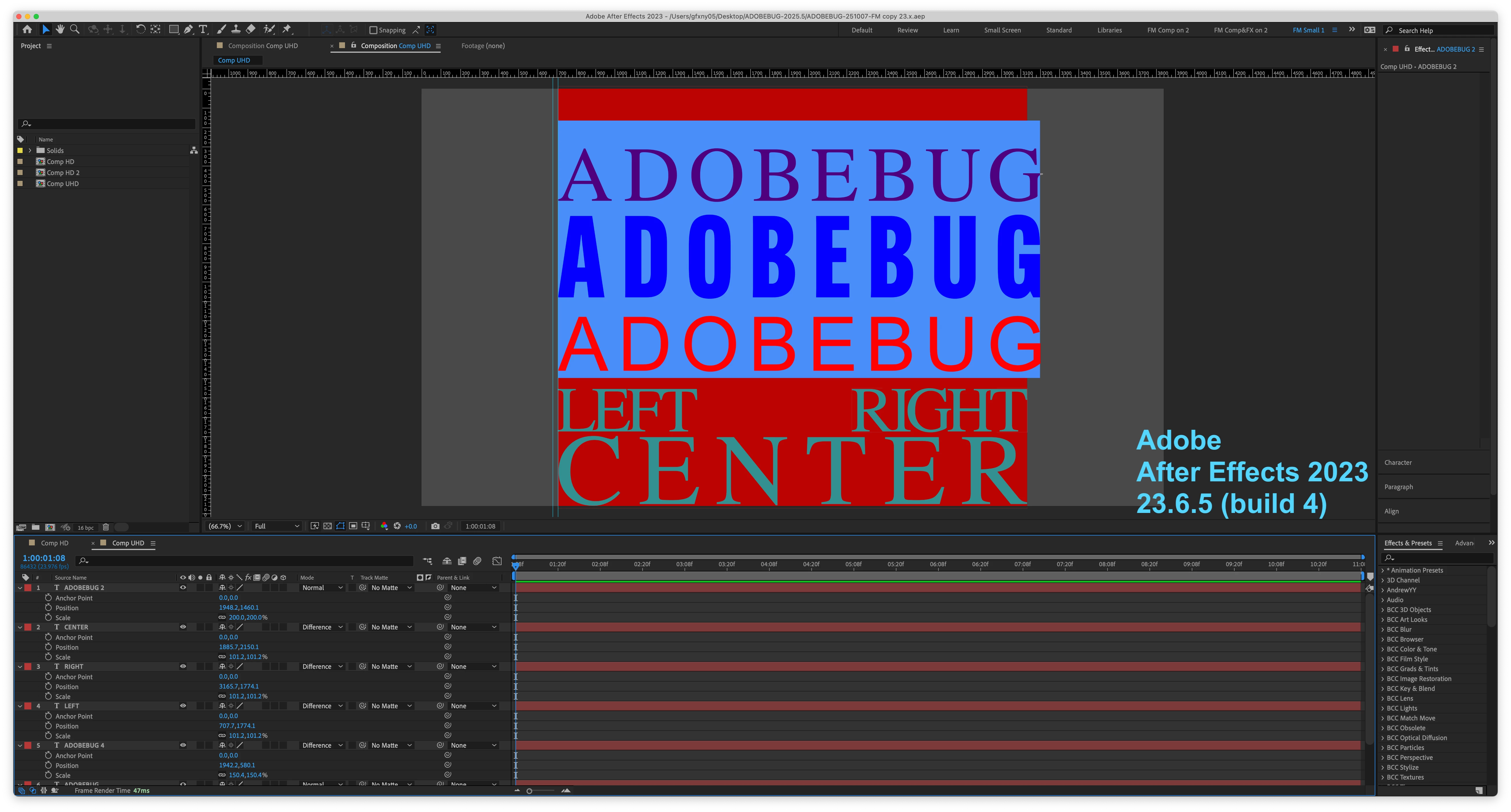
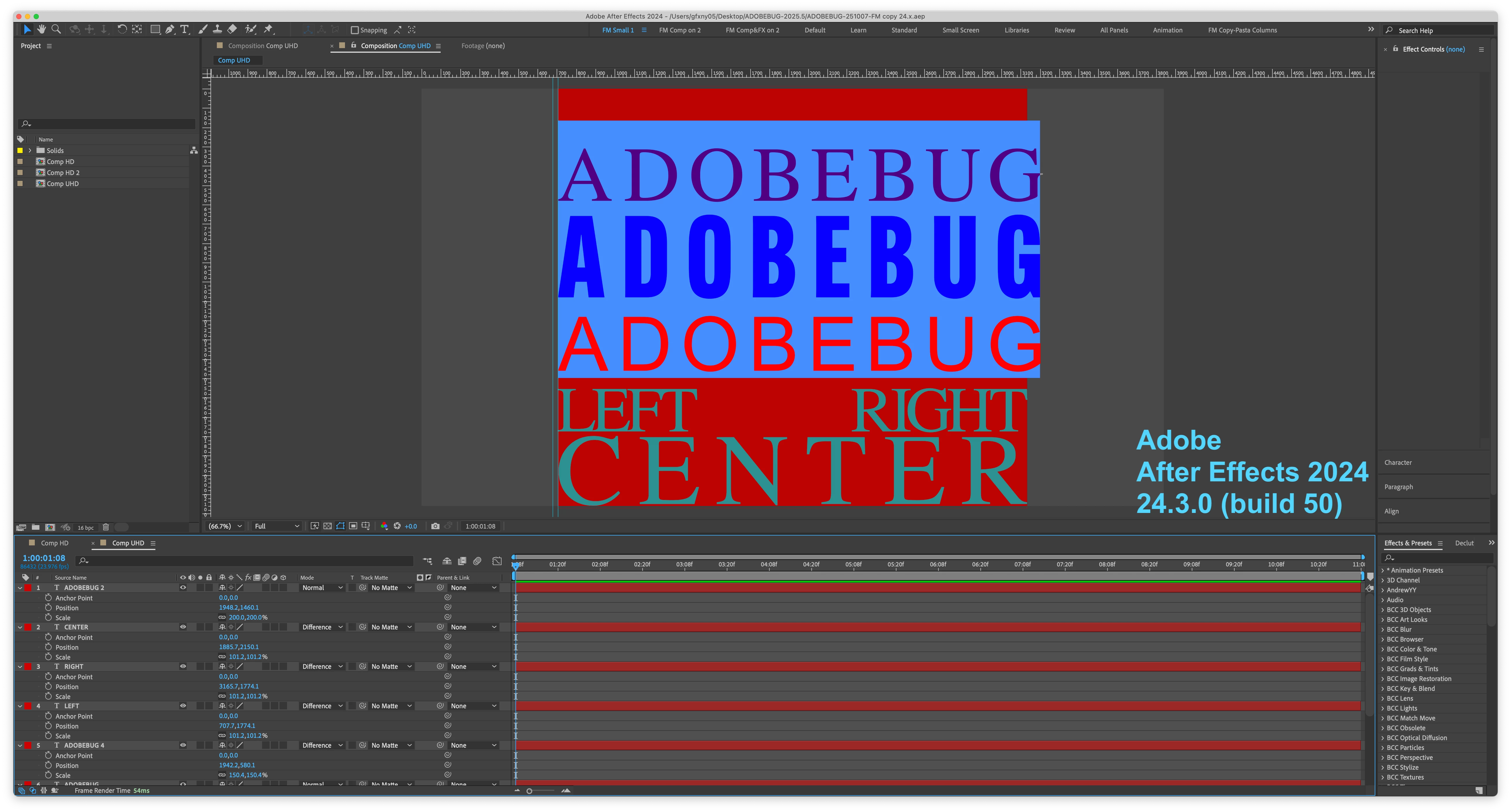
See attached images ; 
NOTE image 4 which shows AE 2025.5.0 with the SAME EXACT FILE, TEXT, and LAYOUT, but in a different, inconsistent layout from all other versions of AE. 
System info; Apple M1 Ultra, 128 GB, OSX 15.6.1 (24G90) 

Chipset Model: Apple M1 Ultra

  Type: GPU

  Bus: Built-In

  Total Number of Cores: 64

  Vendor: Apple (0x106b)

  Metal Support: Metal 3

  Displays:

DELL S2721QS:

  Resolution: 5120 x 2880 (5K/UHD+ - Ultra High Definition Plus)

  UI Looks like: 2560 x 1440 @ 60.00Hz

  Main Display: Yes

  Mirror: Off

  Online: Yes

  Rotation: Supported

DELL U2718Q:

  Resolution: 5120 x 2880 (5K/UHD+ - Ultra High Definition Plus)

  UI Looks like: 2560 x 1440 @ 60.00Hz

  Mirror: Off

  Online: Yes

  Rotation: Supported

3 replies

nishu_kush
Community Manager
Community Manager
November 12, 2025

Changing thread status to Investigating.


Thanks,

Nishu

Participant
October 22, 2025
Participant
November 12, 2025

Steps to recreate;

1. IN AE 2023, AE2024, or AE 2025.2.2 ; Create a TEXT layer which is either CENTER or RIGHT justified
2. ALIGN that layer to a guide or another object. 

3. Open the same AEP file in AE 2025.5.0

4. Take note of the alignment.
(system info at bottom of post)

This is a major bug and makes AE 2025.5.0 unreliable for BASIC PRODUCTION TASKS and unsuitable for PROFESSIONAL WORK.
See attached images ; 
NOTE image 4 which shows AE 2025.5.0 with the SAME EXACT FILE, TEXT, and LAYOUT, but in a different, inconsistent layout from all other versions of AE. 
Participant
November 12, 2025

System info; Apple M1 Ultra, 128 GB, OSX 15.6.1 (24G90) 

Chipset Model: Apple M1 Ultra

  Type: GPU

  Bus: Built-In

  Total Number of Cores: 64

  Vendor: Apple (0x106b)

  Metal Support: Metal 3

  Displays:

DELL S2721QS:

  Resolution: 5120 x 2880 (5K/UHD+ - Ultra High Definition Plus)

  UI Looks like: 2560 x 1440 @ 60.00Hz

  Main Display: Yes

  Mirror: Off

  Online: Yes

  Rotation: Supported

DELL U2718Q:

  Resolution: 5120 x 2880 (5K/UHD+ - Ultra High Definition Plus)

  UI Looks like: 2560 x 1440 @ 60.00Hz

  Mirror: Off

  Online: Yes

  Rotation: Supported

nishu_kush
Community Manager
Community Manager
October 22, 2025

Hi there,


Thanks for reaching out. I just tried to reproduce it as per your given steps, but it seems to be working in 25.5. Would you mind sharing a project file that I can open and replicate the issue with?

Looking forward to your response.


Thanks,
Nishu