


AE 24.5.0 (build 25), NvidiaCodec ERROR - Max Level Supported is 62 Requested Level : 100
Hello!
J'ai remarqué des crashes de l'application after effect lorsque je fait des rendus en utilisant le moteur rendu aerender.exe avec mes scripts.
Je suis sur une machine HP Z2 Mini G4, carte Nvidia P1000, 32 Go de RAM, Intel Core i7-9700 3GHz sur windows 10.
En activant les logs de l'application voici les messages tagués ERROR:
Ticks = 6625 <9028> <ae.blitpipe> <2> HardwareBlitpipe Disengaged
Ticks = 6641 <9028> <ae.blitpipe> <2> HardwareBlitpipe Engaged
Ticks = 6641 <9028> <ae.blitpipe> <2> HardwareBlitpipe Disengaged
Ticks = 6641 <908> <ALOG> <5> BEE New Project Creating root folder
Ticks = 6703 <9028> <ae.blitpipe> <2> HardwareBlitpipe Engaged
Ticks = 6703 <9028> <ae.blitpipe> <2> HardwareBlitpipe Disengaged
Ticks = 6766 <9028> <ae.blitpipe> <2> HardwareBlitpipe Engaged
Ticks = 6782 <9028> <ALOG> <5> BEE Command Do Generic Task: Définir paramètres de rendu
Ticks = 6985 <9028> <NvidiaCodec> <5> ERROR - Max Level Supported is 62 Requested Level : 100
Ticks = 6985 <9028> <NvidiaCodec> <5> ERROR - Nvidia Encoder does not support encoding in provided Encode settings
Ticks = 7032 <9028> <ALOG> <5> BEE Command Do Generic Task: Définir paramètres de rendu
Ticks = 7047 <9028> <ALOG> <5> BEE Command Do Generic Task: Définir paramètres de rendu
Ticks = 7047 <9028> <ALOG> <5> BEE Command Do Generic Task: Définir paramètres de rendu
Ticks = 7047 <9028> <ALOG> <5> BEE Command Do Generic Task: Définir paramètres de rendu
Ticks = 7047 <9028> <ALOG> <5> BEE Command Do Generic Task: Définir paramètres de rendu
Ticks = 7047 <9028> <ALOG> <5> BEE Command Do Generic Task: Définir paramètres de rendu
Ticks = 7063 <9028> <ALOG> <5> BEE Command Do Generic Task: Définir paramètres de rendu
Ticks = 7063 <9028> <ALOG> <5> BEE Command Do Generic Task: Définir paramètres de rendu
Ticks = 7282 <9028> <ALOG> <5> RenderQueue DoRenderDood_Batch_Context ctor: 000001D52150A9A0
Ticks = 7282 <9028> <ALOG> <5> RenderQueue DoRenderDood_BatchQueued now has 1 batches
Ticks = 7313 <9028> <ALOG> <5> RenderQueue RenderDood probing renderItem=0/9
Ticks = 7313 <9028> <ALOG> <5> RenderQueue DoRenderDood_Item_Context ctor: 000001D53CF9AFE0
Ticks = 7313 <9028> <ALOG> <5> RenderQueue DoRenderDood_Batch_Context AddItem: 000001D52150A9A0 now have 1 items
Ticks = 7313 <9028> <ALOG> <5> RenderQueue RenderDood probing renderItem=1/9
Ticks = 7313 <9028> <ALOG> <5> RenderQueue DoRenderDood_Item_Context ctor: 000001D53CF9BD00
Ticks = 7313 <9028> <ALOG> <5> RenderQueue DoRenderDood_Batch_Context AddItem: 000001D52150A9A0 now have 2 items
Ticks = 7313 <9028> <ALOG> <5> RenderQueue RenderDood probing renderItem=2/9
Ticks = 7313 <9028> <ALOG> <5> RenderQueue DoRenderDood_Item_Context ctor: 000001D53CF9C240
Ticks = 7313 <9028> <ALOG> <5> RenderQueue DoRenderDood_Batch_Context AddItem: 000001D52150A9A0 now have 3 items
Ticks = 7313 <9028> <ALOG> <5> RenderQueue RenderDood probing renderItem=3/9
Ticks = 7313 <9028> <ALOG> <5> RenderQueue DoRenderDood_Item_Context ctor: 000001D53CF9C4E0
Ticks = 7313 <9028> <ALOG> <5> RenderQueue DoRenderDood_Batch_Context AddItem: 000001D52150A9A0 now have 4 items
Ticks = 7313 <9028> <ALOG> <5> RenderQueue RenderDood probing renderItem=4/9
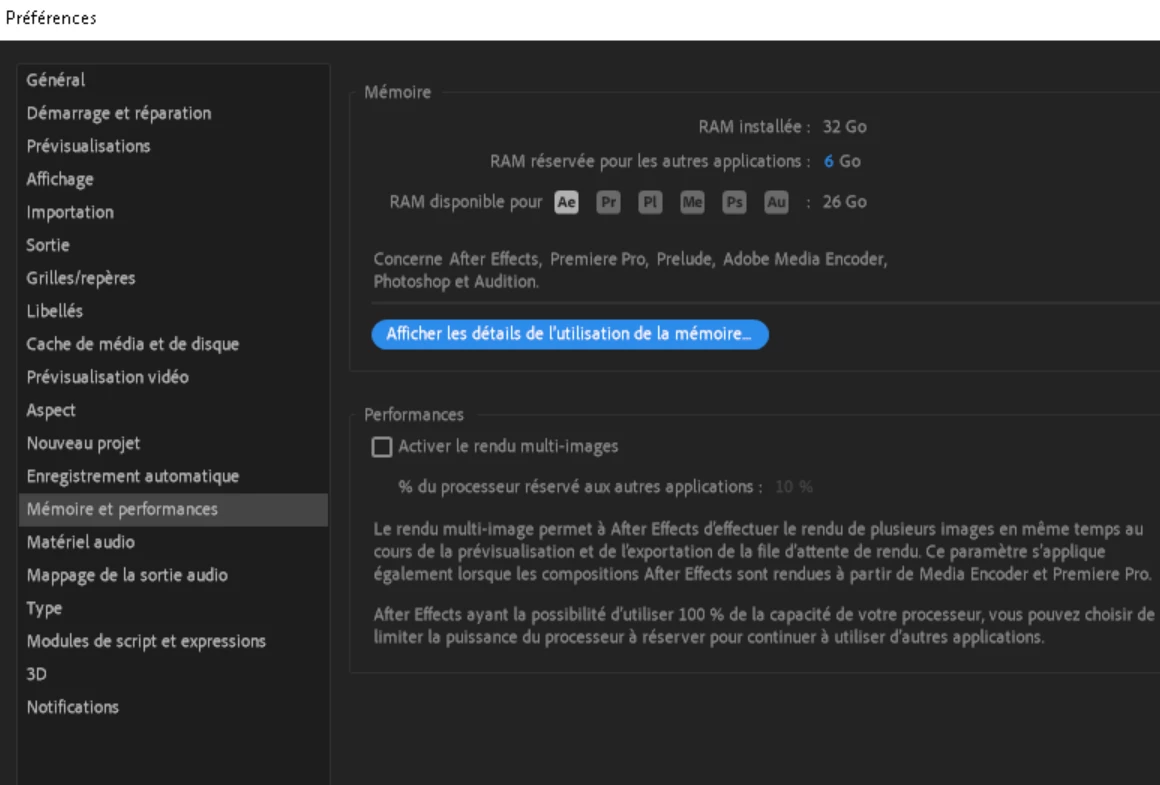
Suite à l'apparition des ces logs et pour éviter de nouveaux crashes, j'ai désactivé la fonctionnalité multiframe rendering. J'attend de voir combien de temps l'application va tenir sans crash.
Voici les paramètres d'utilisation de RAM:
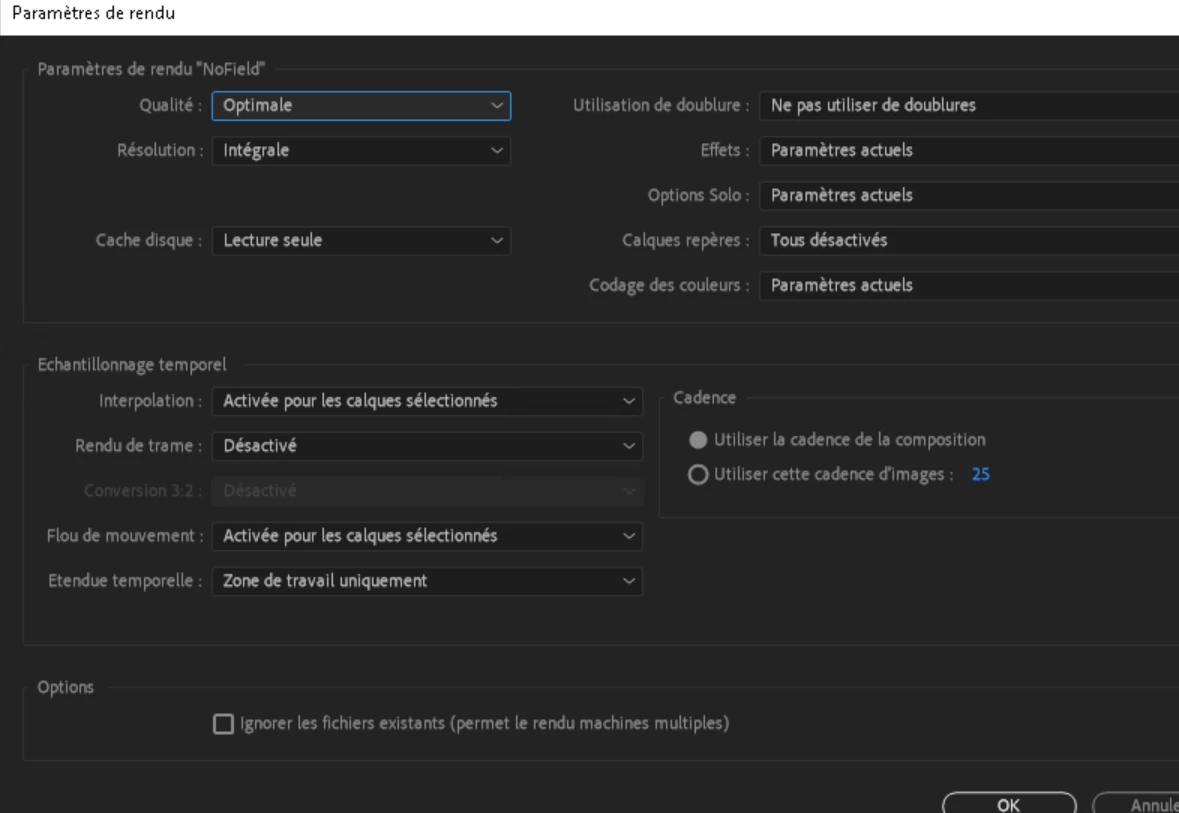
Est-ce possible que les cartes Nvidia P1000 embeddée dans la machine serait la source de crashs récurent ? Est-ce que ce serait la cause de la gestion des ressources GPU par l'application after effect ?
Si vous avez besoin de plus d'informations sur le bug, fichier de logs en plus n'hésitez pas à demander.
Tout aide est bienvenue, même des explications pour bien comprendre comment fonctionne tous ça 🙂
 AdChoices